
Learn about new Anaplan features and enhancements introduced in April 2026.
Polaris
Trigonometry functions
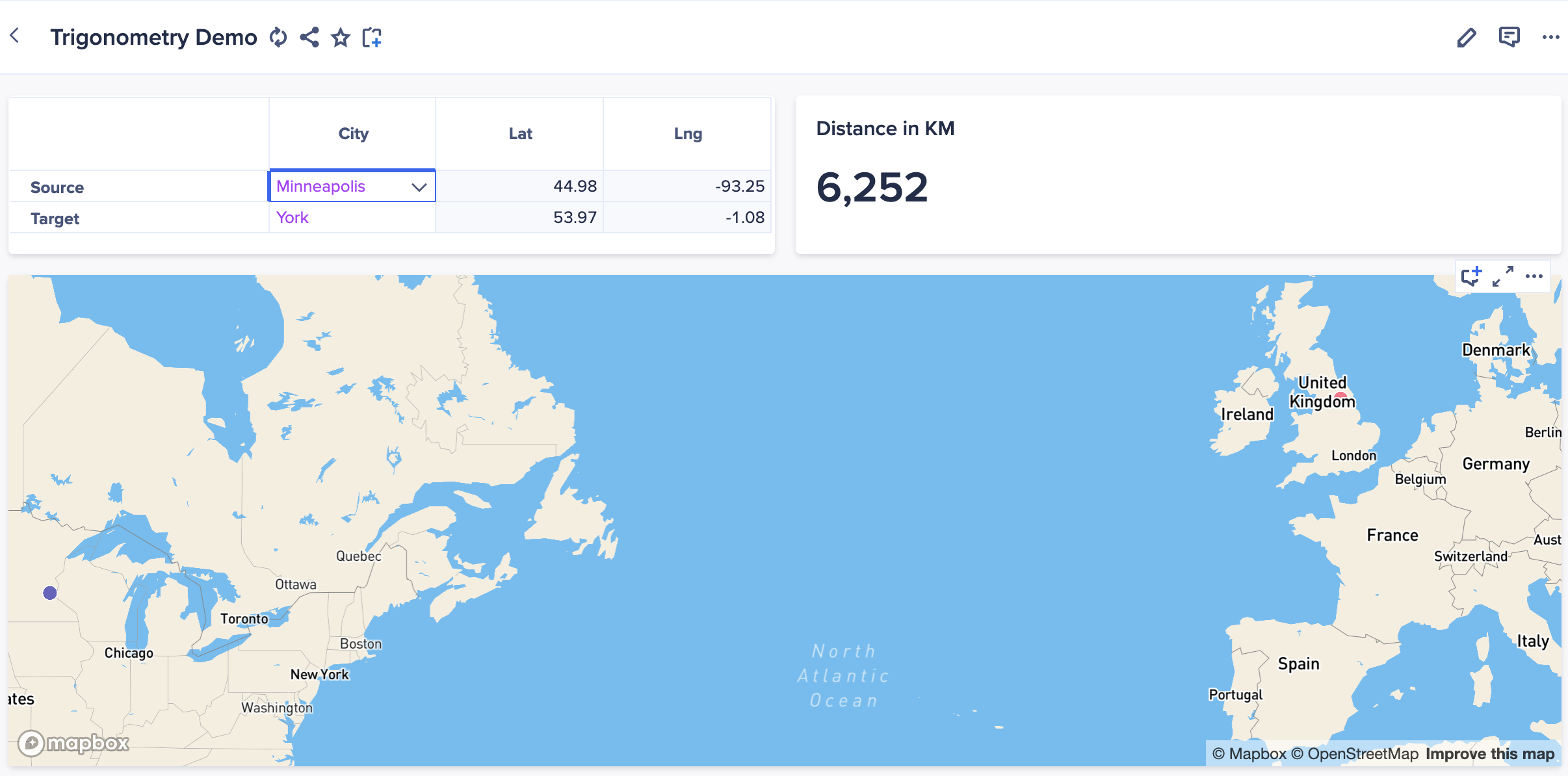
We've added a full set of trigonometry functions for Polaris, including basic functions (Sin, Cos, Tan), inverse, and hyperbolic functions. We've also added utility functions to enable easy conversion between degrees and radians, and access to Pi and Euler numbers. These functions enable you to calculate geographic distances and create forecasts for seasonal or cyclical data.
Below is an example page using these functions to calculate the distance between cities.
Full details of these functions and examples of their use can be found on Anapedia:
- Constants
• PI
• E - Trigonometric functions
• SIN, COS, TAN
• ASIN, ACOS, ATAN - Hyperbolic functions
• SINH, COSH, TANH
• ASINH, ACOSH, ATANH - Utility functions
• TODEGREES
• TORADIANS
MOVINGSUM on general lists
You can now use the MOVINGSUM formula on general lists in Polaris, in addition to the Time dimension. This means that you can create moving sums, averages, and other aggregations along any dimension. Learn more about this function in MOVINGSUM.
Line item limit
We've raised the limit on the number of line items that can exist in a Polaris model from 15,000 to 20,000.
Security and tenant administration
CAPTCHA on basic authentication
To increase account security, we've enabled CAPTCHA for basic authentication. This is designed to block malicious, automated login attempts. No action is required as validation will be automatic.
Data Orchestrator
More reliable updates for cloned links
Cloned links that use a different mapped dataset now only update when you choose to refresh them. This ensures that changes from the parent link are applied intentionally, giving you greater control over when updates are reflected in your cloned links.
Learn more in Manage Data Orchestrator links.
Greater flexibility when importing CSV files
You can now define an escape character for file-based connectors, including AWS S3, Azure Blob, Google Cloud Storage, and SFTP. This provides additional control when working with CSV files and helps ensure your data is interpreted correctly during import.
Anaplan XL (version 2604)
Offline writeback
You can now make and save data changes in Anaplan XL grids while offline. All pending changes can be submitted to the Anaplan model once connectivity is restored.
Anaplan silent sign-in
You can now choose to stay signed in to Anaplan for up to 30 days. This feature uses a refresh token to securely and silently authenticate. This means you won't need to enter your credentials for each new session.
Automatically clear sensitive data
You can now enable automatic clearing of all data values from grids, freeform reports, and formulas upon saving the workbook. This enhances security by ensuring sensitive information isn't stored in the file, and that only users with the correct credentials can retrieve the values from Anaplan.

