Anaplan Financial Consolidation has several pre-configured, out-of-the-box consolidation rules, such as NCI. This page provides you with a list of consolidation rules and aspects that need to be changed to update the rules for the customer's chart of accounts.
To access consolidation maintenance:
- Navigate to the Maintain module.
- Select the Consolidation Rules link under the Consolidation card.
- Select the checkbox next to the rule to open the details.
NCI Rules with Group
These consolidation rules are commonly used in Europe. You can modify the account member to the relevant Group account under Equity and the minority account corresponding to that Equity account as per required chart of account.
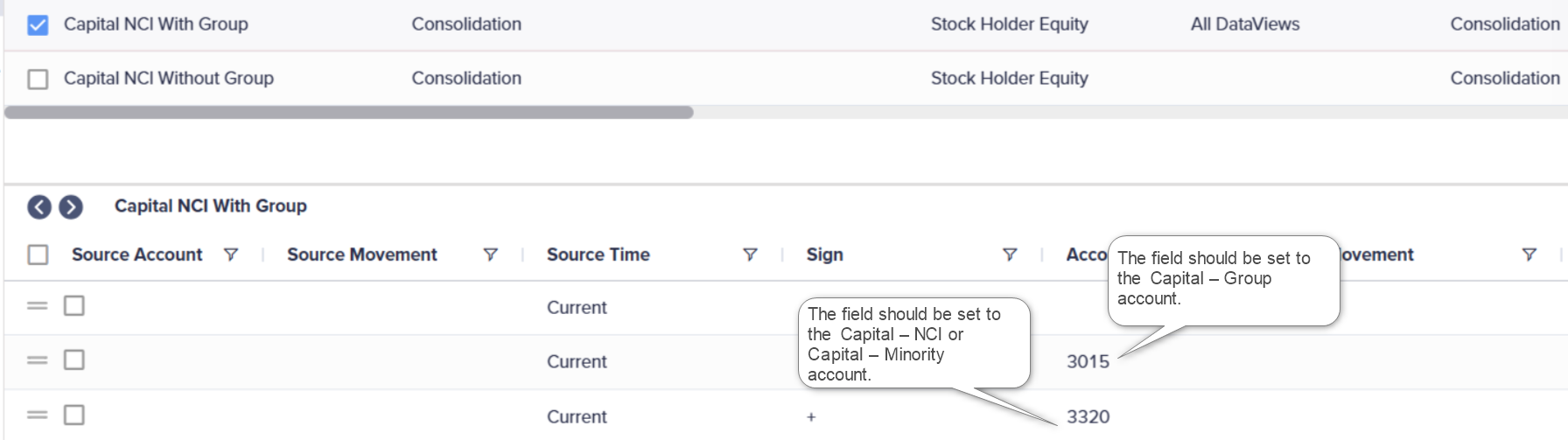
Capital NCI with Group
Set the Group Account as Capital – Group account. Additionally, set the Minority account to Capital – NCI or Capital – Minority account.
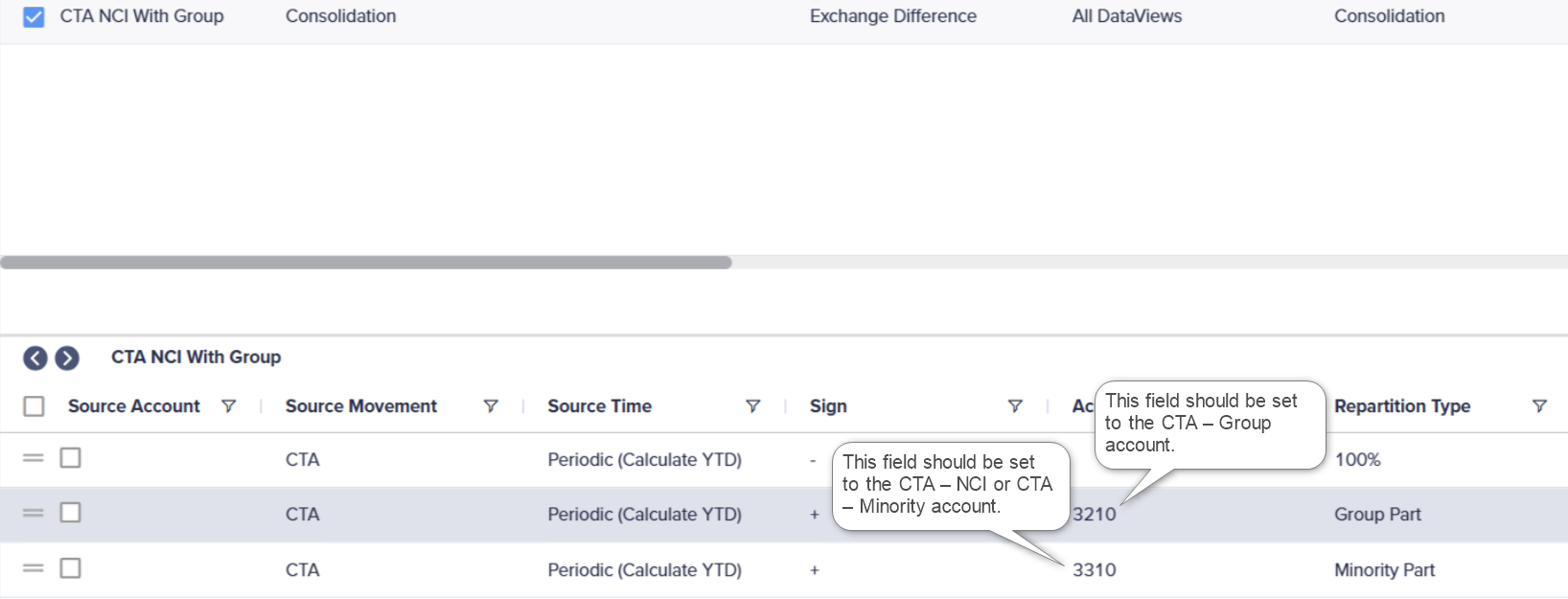
CTA NCI with Group
You can set the 'Group Part' account as CTA – Group account. Additionally, you can set the Minority Part account to CTA – NCI or CTA – Minority account.
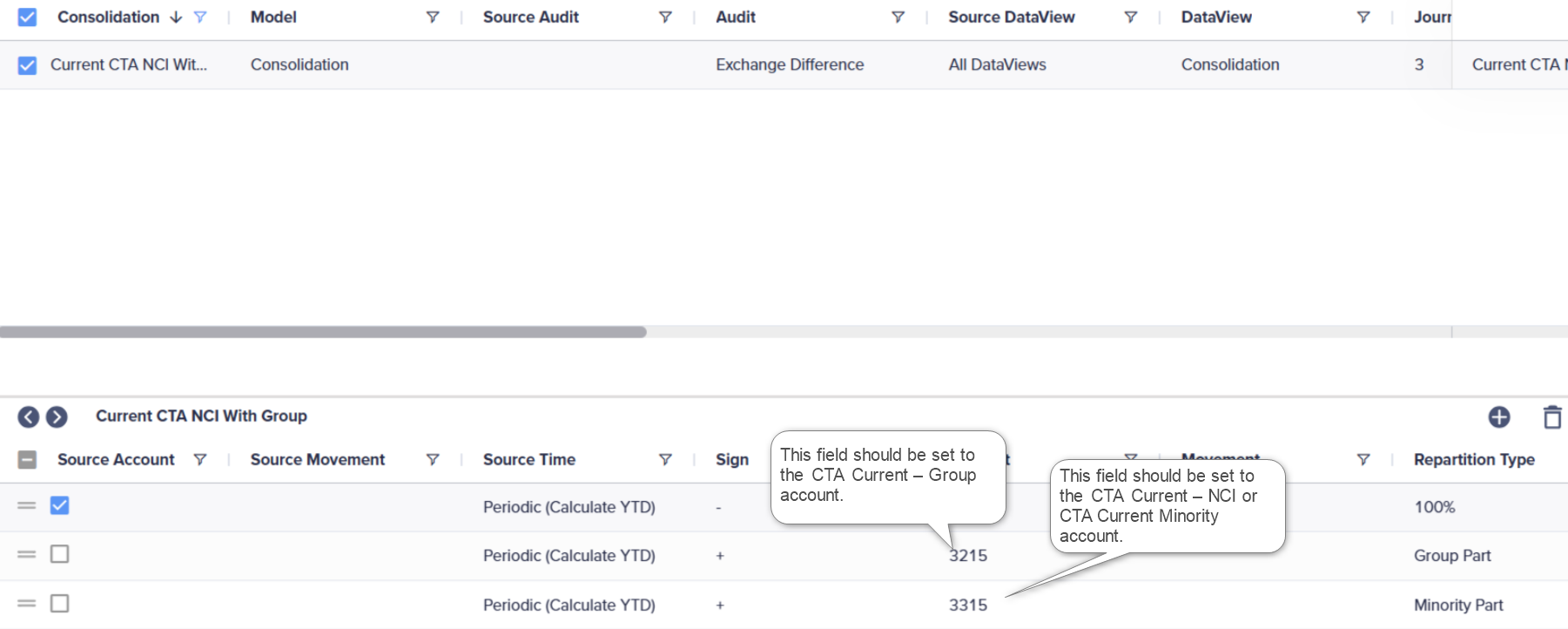
Current CTA NCI with Group
You can set the 'Group Part' account as CTA Current – Group account. Additionally, you can set the Minority Part account to CTA Current – NCI or CTA Current – Minority account.
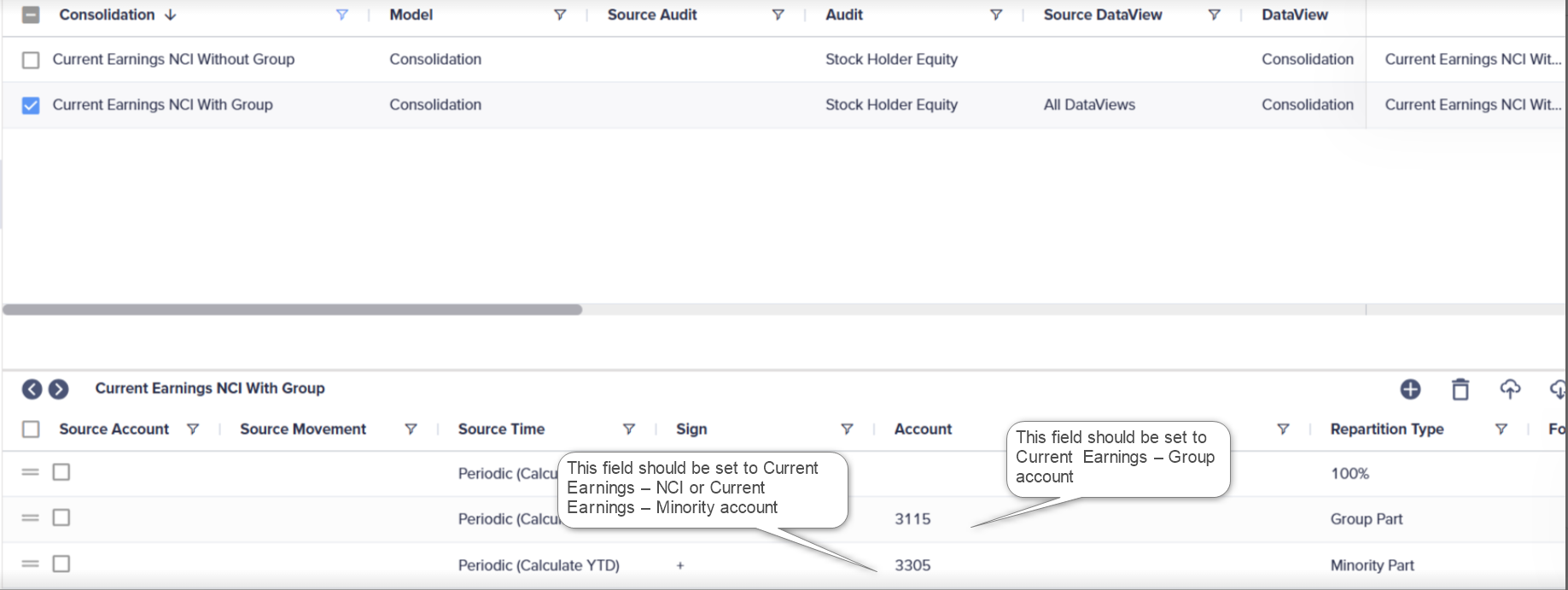
Current Earnings NCI with Group
You can set the 'Group Part' account as Current Earnings – Group account. Additionally, you can set the Minority Part account to Current Earnings – NCI or Current Earnings – Minority account.
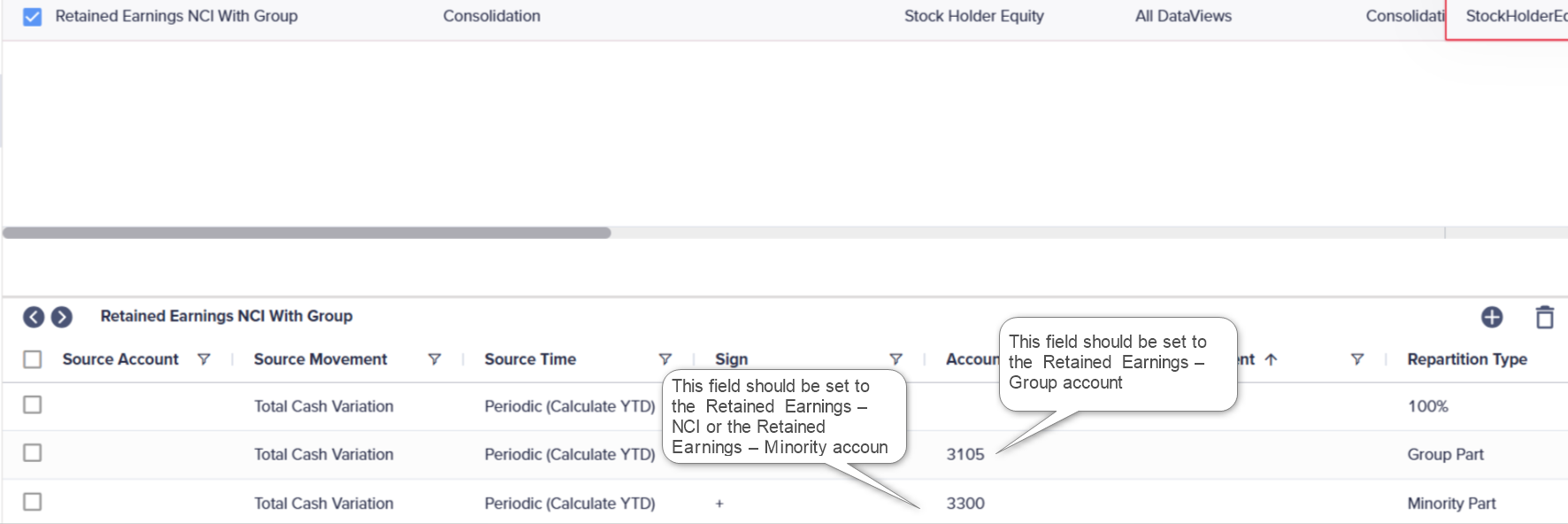
Retained Earnings NCI with Group
You can set the 'Group Part' account as Retained Earnings – Group account. Additionally, you can set the Minority Part account to Retained Earnings – NCI or Retained Earnings – Minority account.
NCI Rules without Group
These without Group rules are commonly used in North America.
The main difference between the rules with a Group account and without a Group account is:
- The Repartition Type for the first line is set to Minority Part instead of 100%.
- There are only two lines in the consolidation rule because we're not using the Group account.
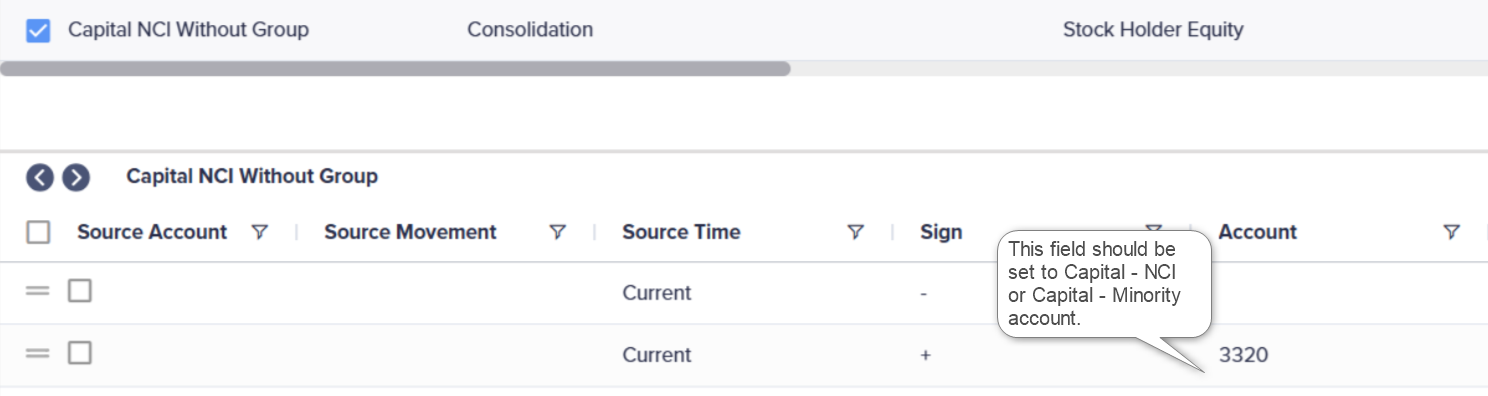
Capital NCI without Group
You can set the Account field to Capital – NCI or Capital – Minority account.
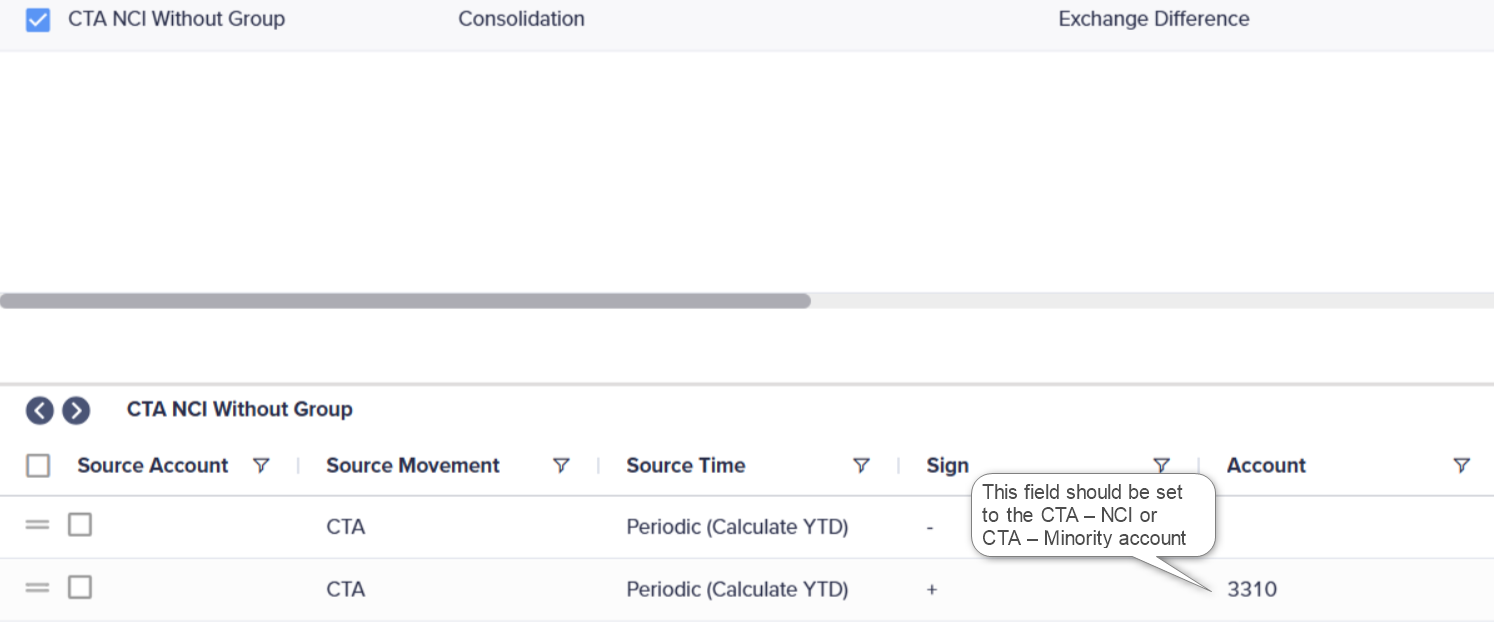
CTA NCI without Group
You can set the Minority Part account to CTA – NCI or CTA – Minority account.
Current CTA NCI without Group
You can set the Minority Part account to CTA Current – NCI or CTA Current – Minority account.
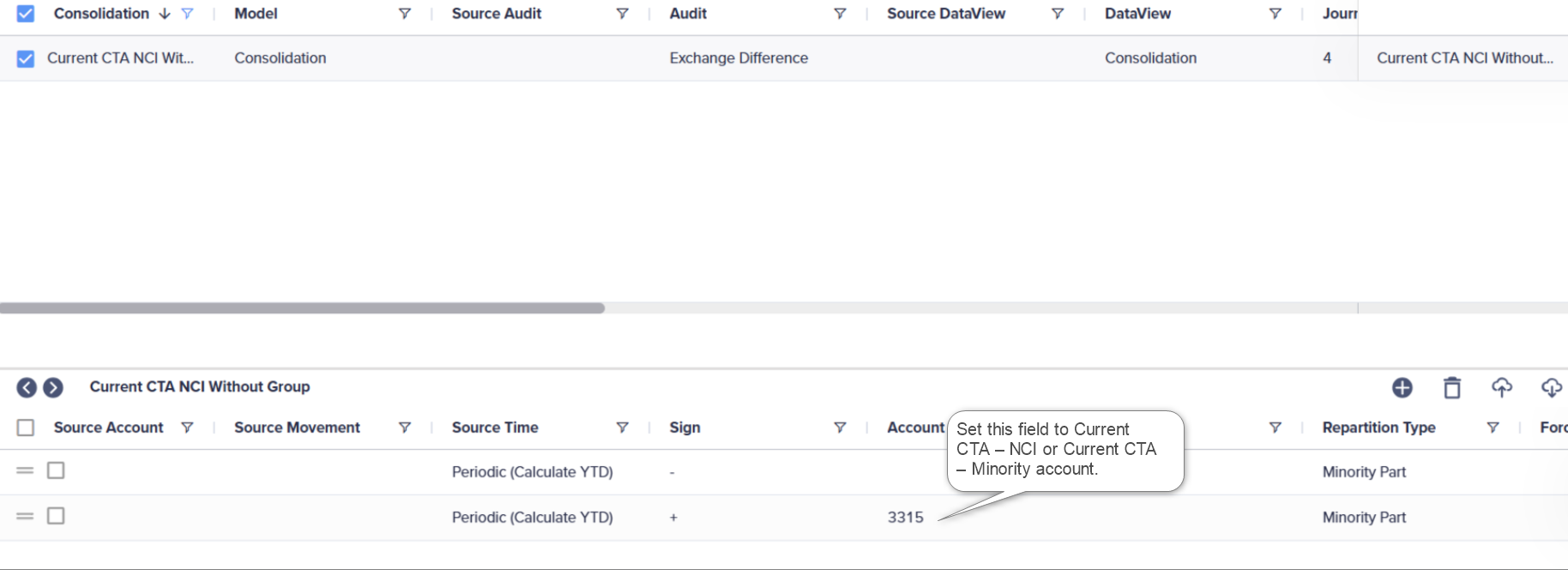
Current Earnings NCI without Group
You can set the Minority Part account to Current Earnings – NCI or Current Earnings – Minority account.
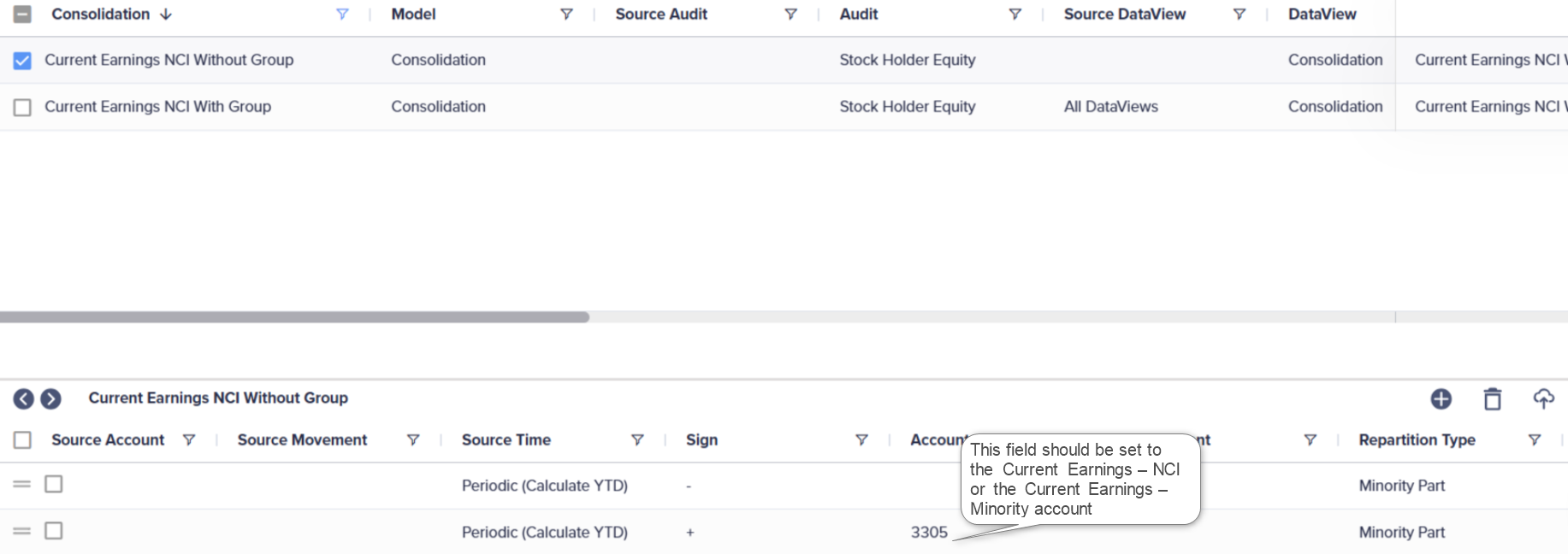
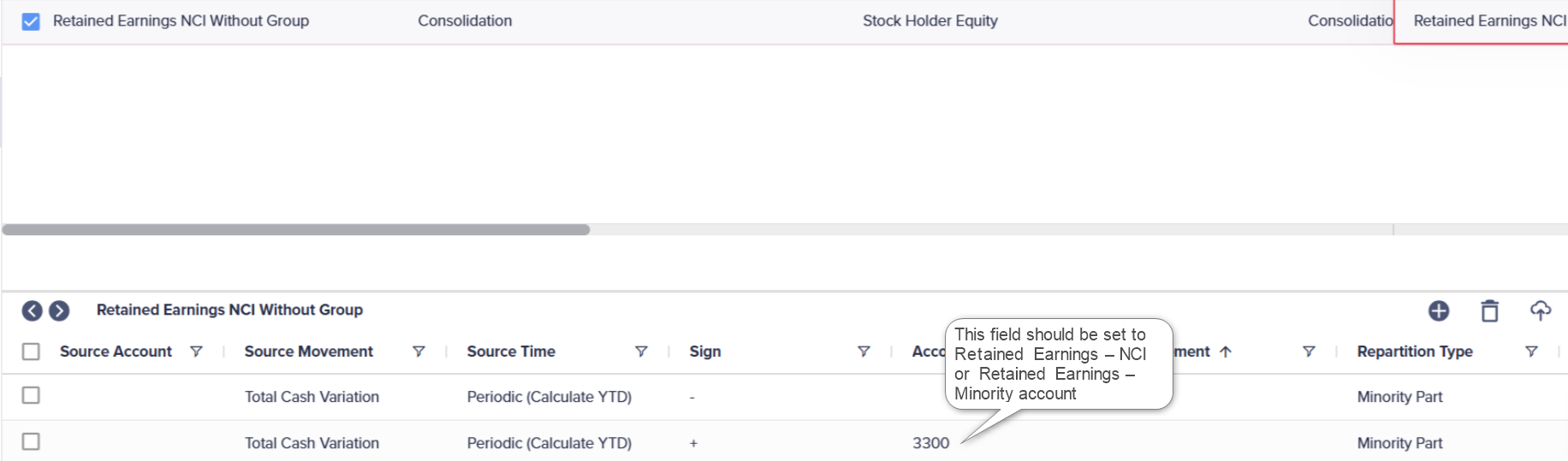
Retained Earnings NCI without Group
You can set the Minority Part account to Retained Earnings – NCI or Retained Earnings – Minority account.