
Learn about new Anaplan features and enhancements introduced in October 2026.
User Experience
Field cards
We've updated field cards with a new look and additional customization options. The components have an open, compact layout with soft shading and universal standards, such as date and list dropdown icons. It's faster, less cluttered, and easier to understand. Your data stays in focus, and more fields fit on one screen with less scrolling.
We've added:
- New Anaplan design components: More intuitive and compact components are now available for all the fields.
- Label colors: Set the label color for fields directly in the field card configuration panel.
- Background toggle: Switch the field card background off so the page background shows through.
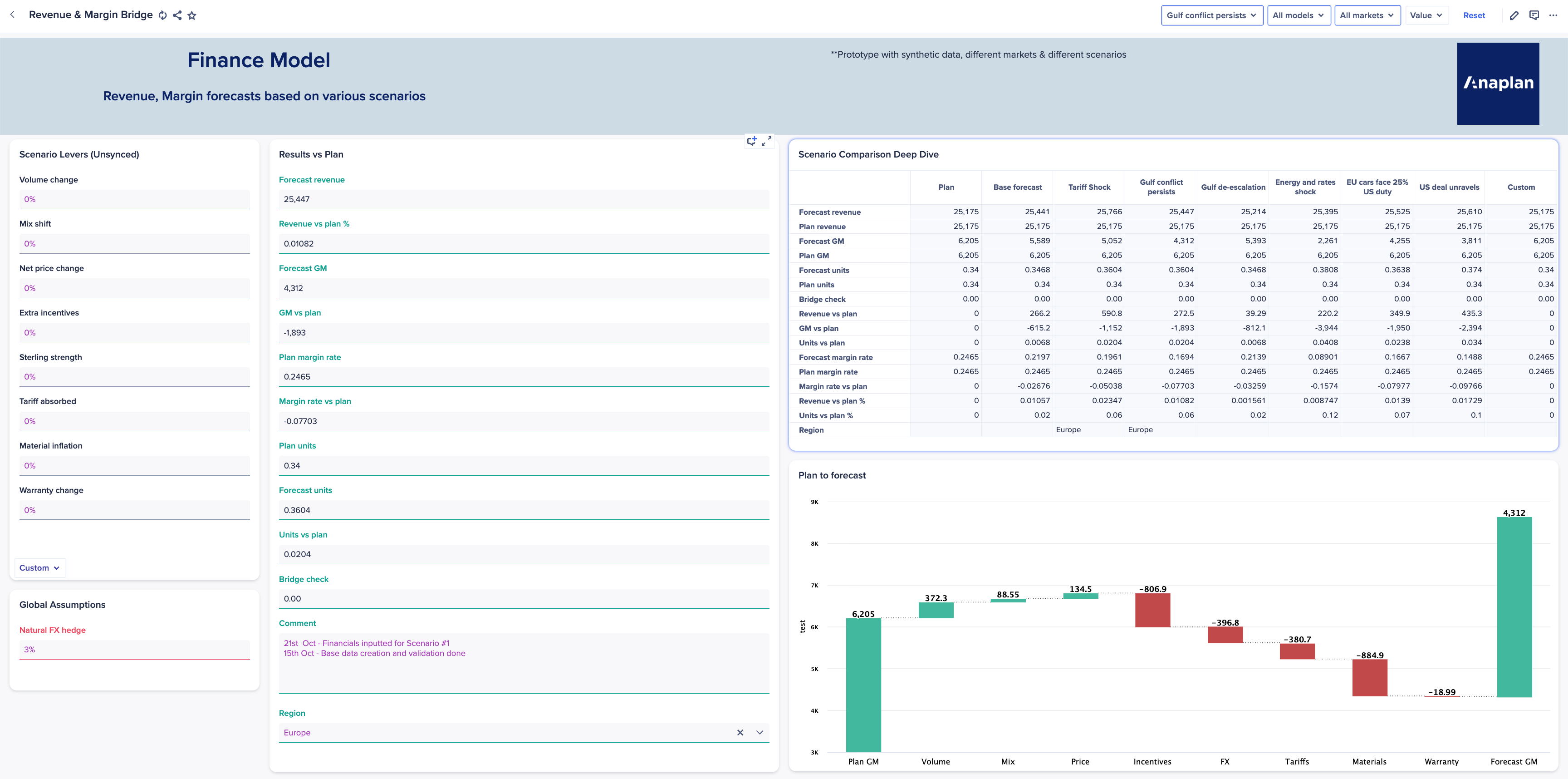
Learn more in Configure a field card.
Intelligence
CoModeler
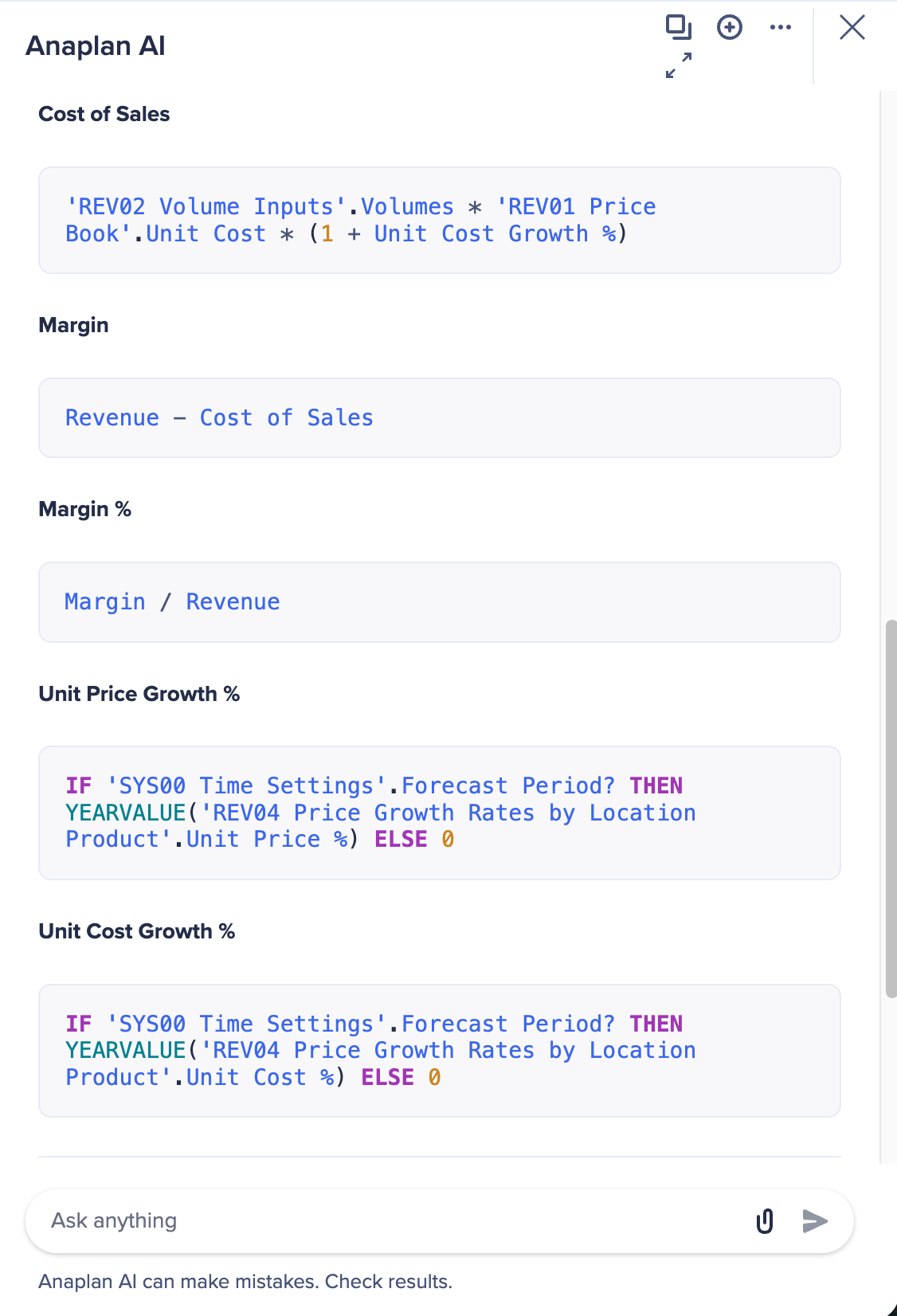
Formula color coding
Formulas in CoModeler's responses are now visually distinct from the surrounding text. This makes responses easier to read and formulas quicker to spot, so you can review and understand them with less effort.
DISCO best practice adherence
We've strengthened CoModeler's knowledge of DISCO. This makes the models CoModeler builds and the guidance it gives more consistently aligned with best practice and DISCO methodology.
AI Gateway
Anaplan AI Gateway is a secure, governed connection that lets customers bring the AI platforms they already use, such as Claude, Gemini, and Microsoft Copilot, directly to their Anaplan data, logic, and models through a standardized, supported Model Context Protocol (MCP) interface.
- Get more value from enterprise AI: Planners and business users can ask questions about their planning data conversationally, right from the AI assistants their teams use every day. No new platform to adopt and no new interface to learn.
- Governance and security built in: Existing Anaplan permissions are applied to every request, so users can only retrieve data they're authorized to see. Every AI interaction is traceable, with timestamped tool calls logged to support audit and compliance.
- Anaplan-supported MCP: AI Gateway is an officially supported, secure framework that simplifies integrations and removes the burden of building and maintaining one-off connections.
Learn more in:
Anaplan Analyst
Writeback
- Faster decisions: Ask a question, review the answer, and update the plan in the same conversation.
- Bulk updates in one step: Update multiple cells in one module.
- Built-in control: Planners review old and new values for every cell before anything is written. Planners can approve, decline, or adjust the change.
Support for Classic models
- Broader reach: Users on Classic models can use Anaplan Analyst on the models they run today, with no migration required first.
- Zero configuration: Enable Analyst for each application in Agent Studio, and get answers based on live data.
- Same powerful experience: Analyst answers "why" questions, creates on-the-fly calculations, visualizations, and data lineage.
Anaplan XL Reporting
Excel integration and reporting
- Custom Google Maps keys: Google Maps within the application now uses your organization's license API key instead of a shared client ID. This ensures more reliable map rendering.
- Flexible 4.4 imports: Calculations attached to a grid member can now have their own independent formulas rather than being locked to a fixed grid position.
- Named sets support: Named sets are now officially supported for Anaplan and FCR connections.
- Better query control: You can now cancel long-running data grid and table loads, preventing the application from freezing during heavy queries.
Web and mobile experience
- Improved sidebar behavior: Recent and bookmarked items in the web sidebar now display correctly even when a startup report is configured.
- Unsaved changes warning: The web application now warns you if you try to close a report or leave the page with unsaved writeback changes. This prevents data loss.
- Clearer publisher messages: When publishing, you will now see the actual last result. This fixes an issue where a "more than 1000 records" error could be followed by a misleading "Publish succeeded" message.
- Improved mobile view: We've added an "other reports" dropdown to make mobile navigation smoother.
- Refreshed web UI: We've updated the logo and help link in the legacy web interface.
Security and session management
- Anaplan session time-out: To improve security, Anaplan refresh tokens will now expire after eight hours instead of keeping you logged in indefinitely in the background.
General Improvements
Excel improvements
- Responsive breakout dialogs: Typing inside the Breakout dialog no longer causes error windows to freeze or hide the cursor.
- Flexible breakout fields: Clearing the "Breakout Count" field will no longer crash the application— it now safely accepts empty values.
- Accurate writeback details: "Cell" and "Location" details now display correctly for Freeform report changes in workbooks.
- Stable offline writes: Submitting offline data after a Freeform report's structure has changed will no longer cause a crash.
- Dynamic chart layouts: Downloaded Excel charts now display perfectly, fixing an issue where chart legends would overlap the plot area.
- Anaplan dimension captioning: Dimension captions containing periods (.) are now escaped correctly, preventing data mapping issues.
Web and portal improvements
- Stable folder pins: Your root reports will now stay visible when pinning the root folder in the explorer view.
- Accurate permissions: You no longer need restricted "View users" permissions to post or read Web Input comments.
- Consistent context menus: Menu items in the web portal now accurately reflect their enabled or disabled state.
- Management and licensing:
- Importing repositories in the Web Management Console no longer causes a crash.
- The subscription expiry date now updates correctly when you generate a new license.

