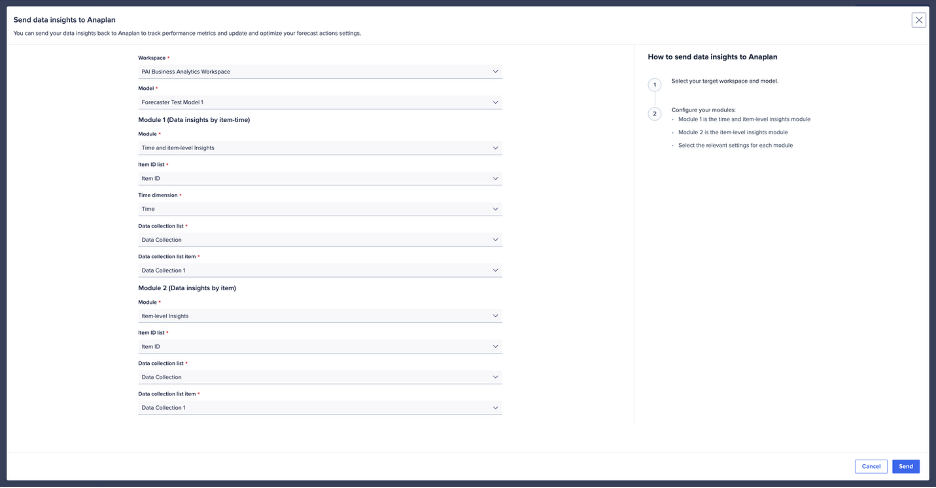
You can transfer the Forecaster insights to Anaplan. This sends a detailed version of the insights to Anaplan modules for use in dashboards or pages.
To write data insights to Anaplan, you must first generate them by creating or rerunning a data collection. The insights modules must also be created in Anaplan.
To send insights to Anaplan modules:
- Select a data collection from the list.
- Select the Insights tab from the left menu.
- Select Send insights to Anaplan (upper right).
Once you map insights, you see the status as either Sent or Failed. There's also a timestamp.
Map Insights to Anaplan modules
Module 1 (Insights by item-time)
Module 2 (Insights by item)
Mapping example for Insights sent to Anaplan.