Learn about new Anaplan features and enhancements introduced in December 2025.
User Experience
Polaris: Nest up to eight dimensions on an axis
We've increased the number of dimensions that can be nested on a row or column axis of any grid across both the modeling and user experiences in Polaris. Page builders and end users can now use the pivot panel to nest up to eight dimensions on an axis. This enhancement enables users to make use of the full power of Polaris and plan at scale at any level of dimensionality, for example, planning across multiple dimensions, such as employee salary by job role, location, job level, business unit, all in a single grid view.
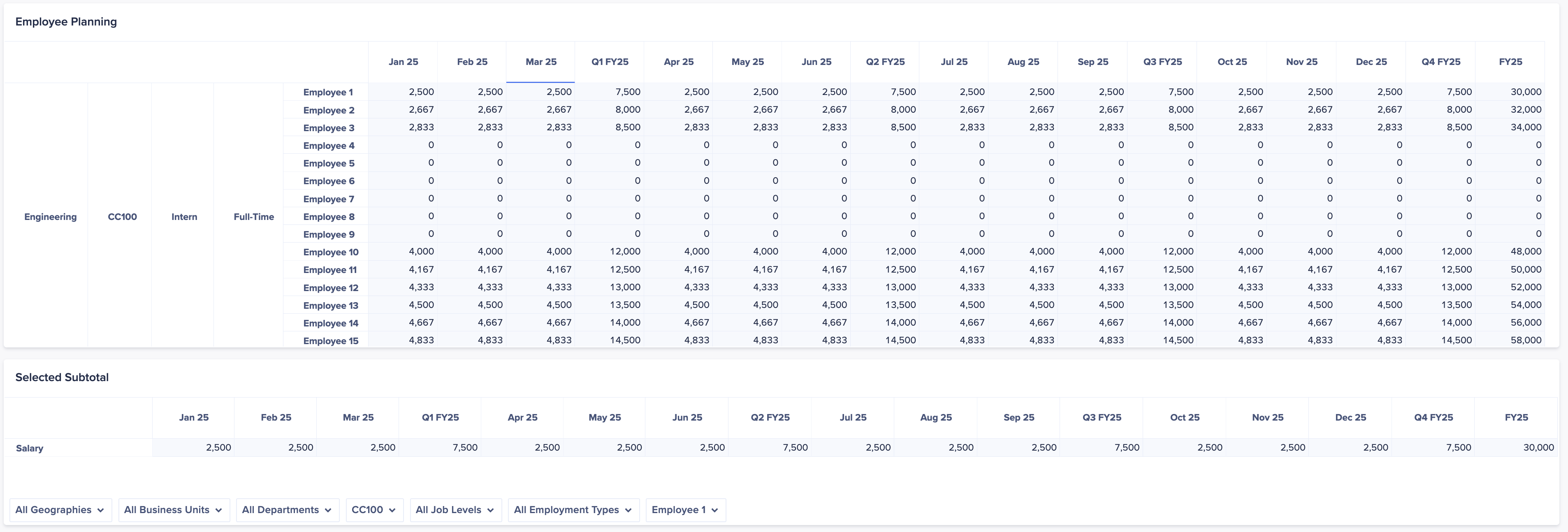
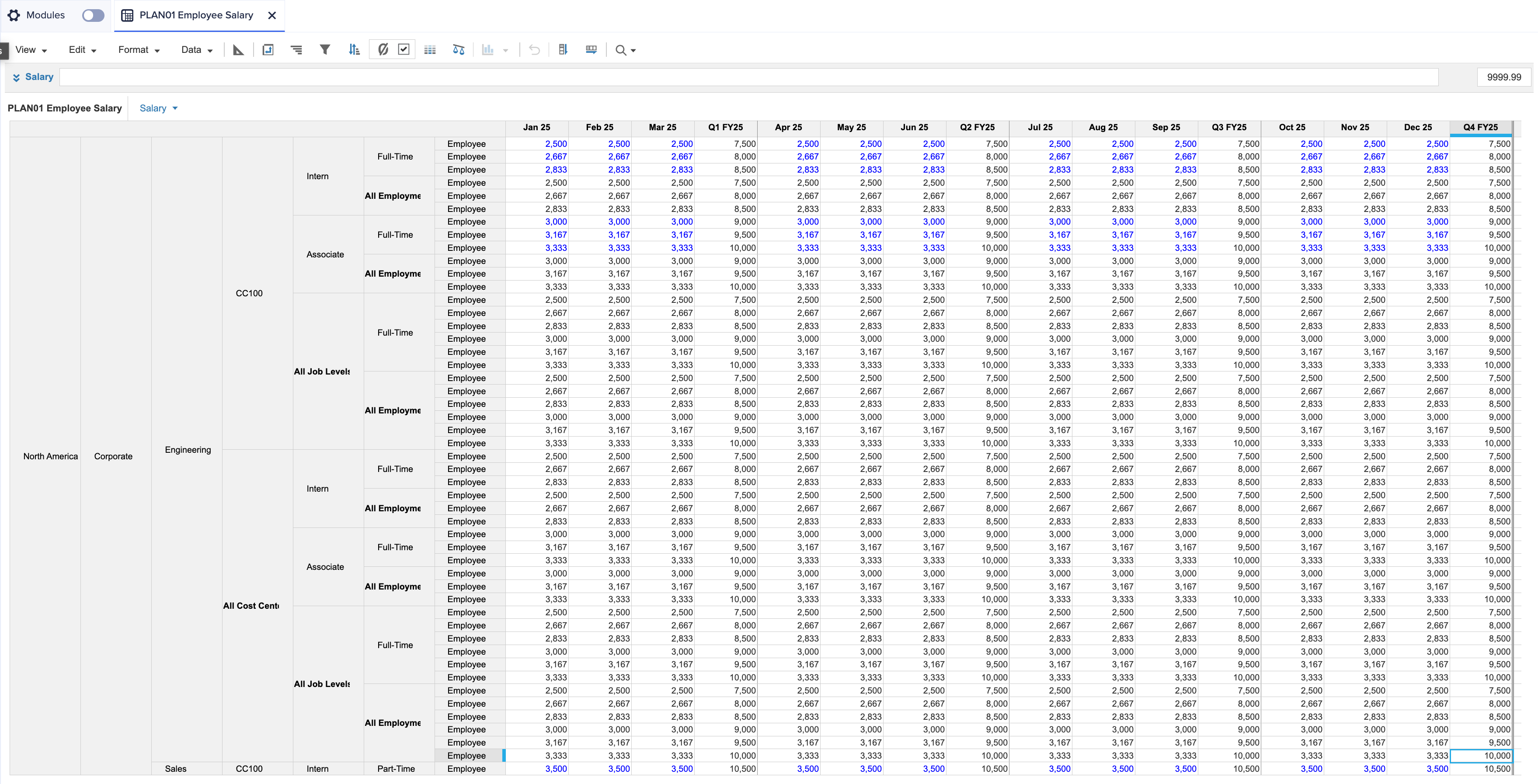
Learn more about pivoting and nesting dimensions in:
Rich text formatting in grids on Anaplan Mobile
Users on Anaplan Mobile can now add rich text formatting to editable text in grids and field cards. This includes bold, italics, underline, strikethrough, text alignment, and ordered and unordered lists.

Anaplan Data Orchestrator
Data Preview
We've made enhancements to the data preview functionality. Both source and derived datasets can now be previewed. For source datasets, this opens automatically when the dataset is selected from the inventory page. For derived datasets, this is accessed through the Preview option in the ellipsis menu on the inventory page.
This allows the data to be:
- Filtered using a Boolean expression based on values in the dataset.
- Sorted based on the values in multiple columns from the dataset.
- Displayed up to 10,000 rows.
- Shown in a transformation view based on the filter definition.
- Exported to a CSV file.
Anaplan XL (version 2512)
General Enhancements
We've improved:
- The grid ribbon. A new split button/menu has been added to the Explore group. It allows you to access cell-driven features such as Breakout, Drillthrough (for supported connections only), Anaplan Cell History, and Anaplan Drill Down. The available menu options vary depending on the connection type.
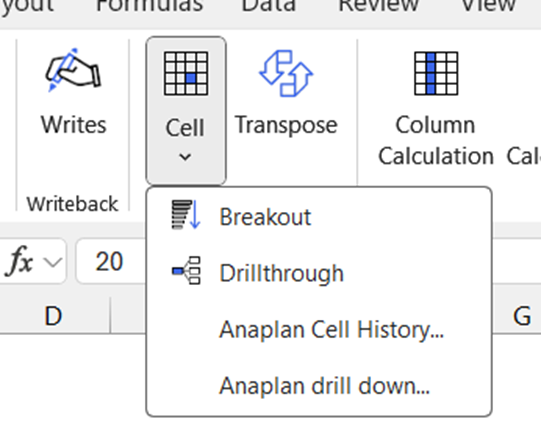
- The tuple selector. When defining a range to drive rows or columns in the tuple selector, you can now choose to output either member captions or IDs.
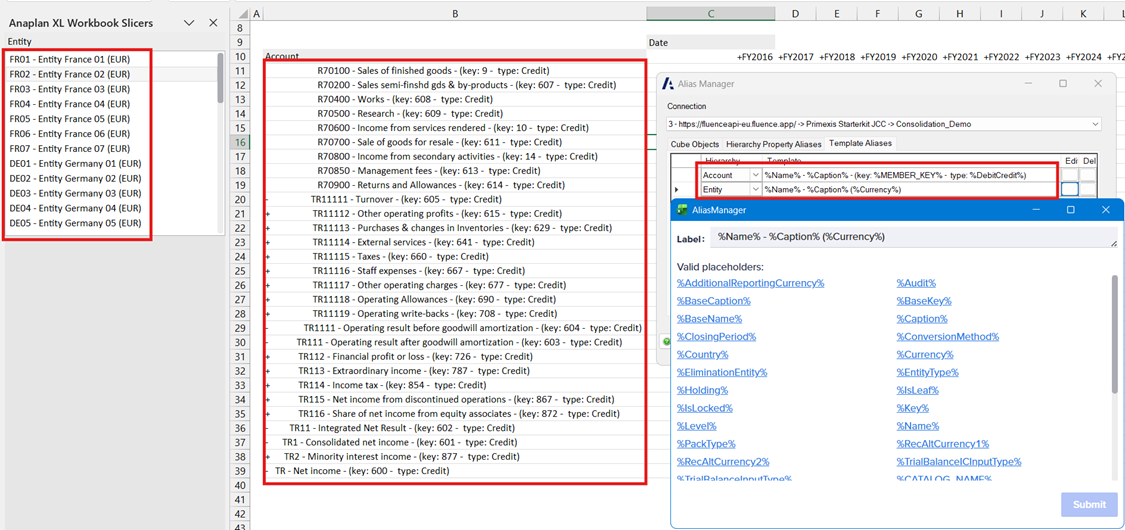
Learn more in Axis set editor (tuples). - Alias templating. You can now create your own templates for defining connection-level aliases. This feature is currently only supported for Anaplan Financial Consolidation and Reporting (FCR) and Microsoft Analysis Services data sources.
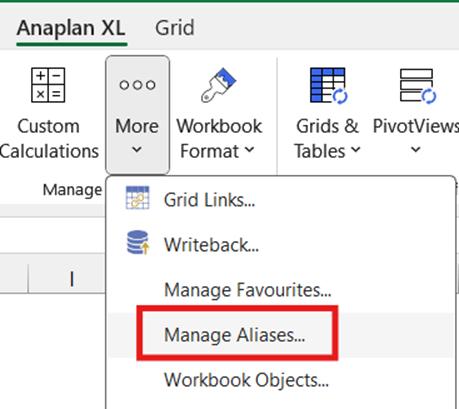
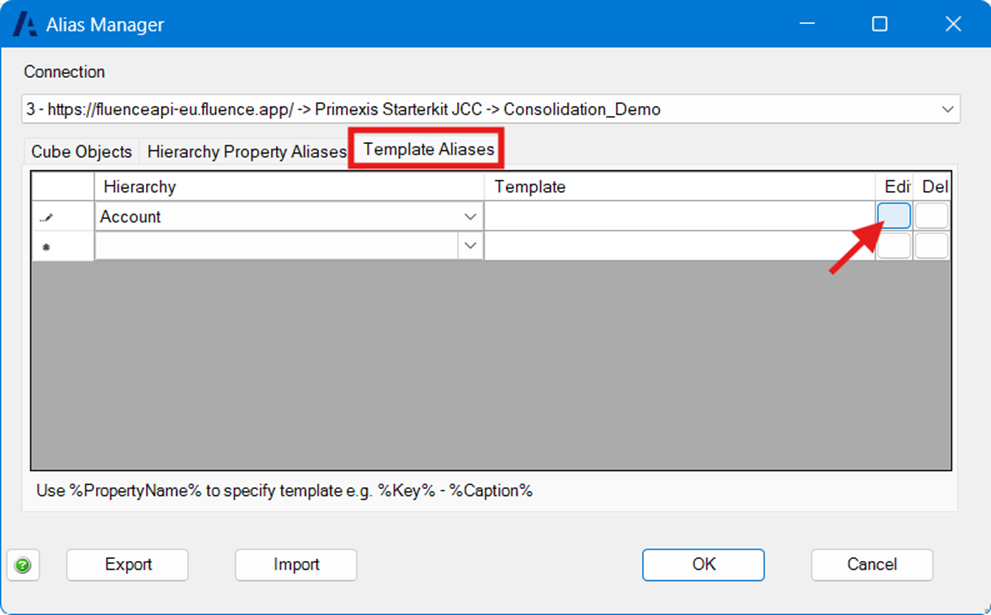
The available dimension-defined and system-intrinsic member properties are listed as placeholders to make it easy to create custom aliases. Once defined, the alias template is used by the member selector, slicers, grids, freeforms, and formulas.
- The login screen color scheme, which now matches the rest of the user interface.
- The Format and Business Rules sheets. They have been renamed AnaplanXLFormats and AnaplanXLBusinessRules, respectively. This only applies to new workbooks.
- The ability to delete several grid calculations at once.
Anaplan data source
We've improved:
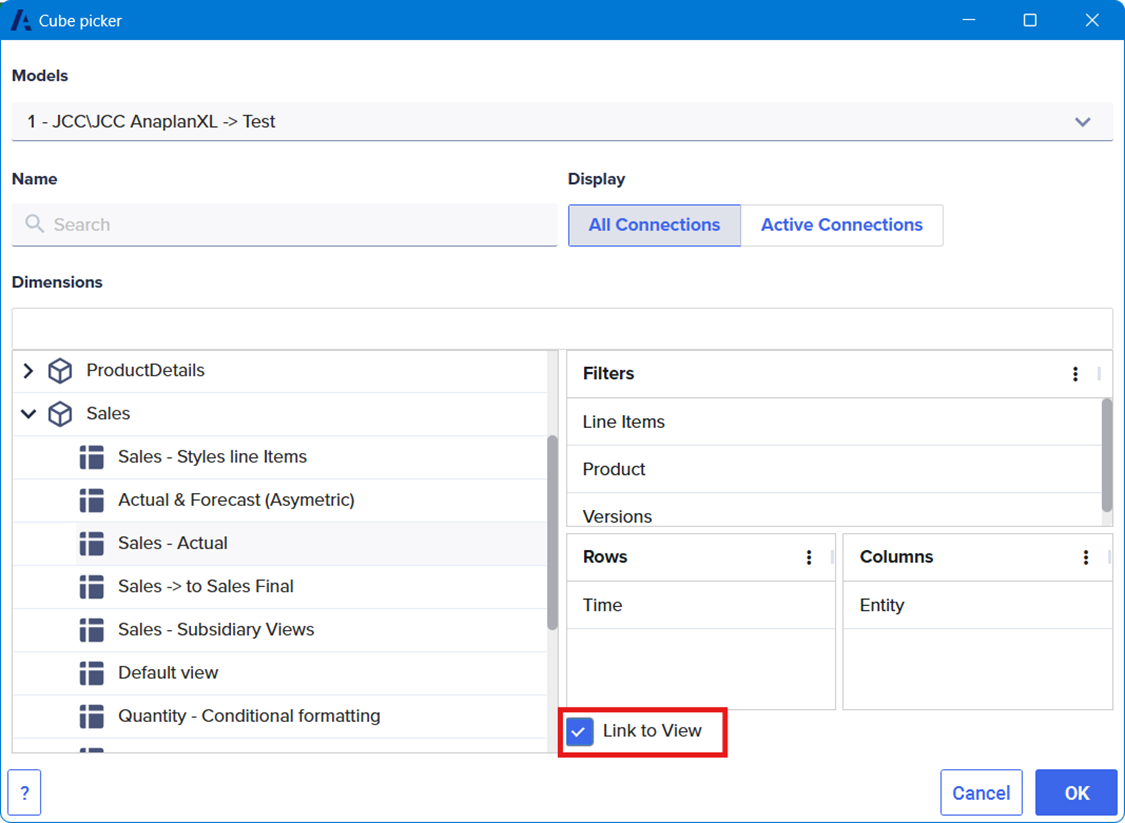
- The Cube Picker. Saved views are now listed under each module in the cube picker. Selecting a saved view displays the list of dimensions used for the rows, columns, and filters. If you select a saved view when you select OK in the Cube Picker, it'll automatically load in the Grid Designer.
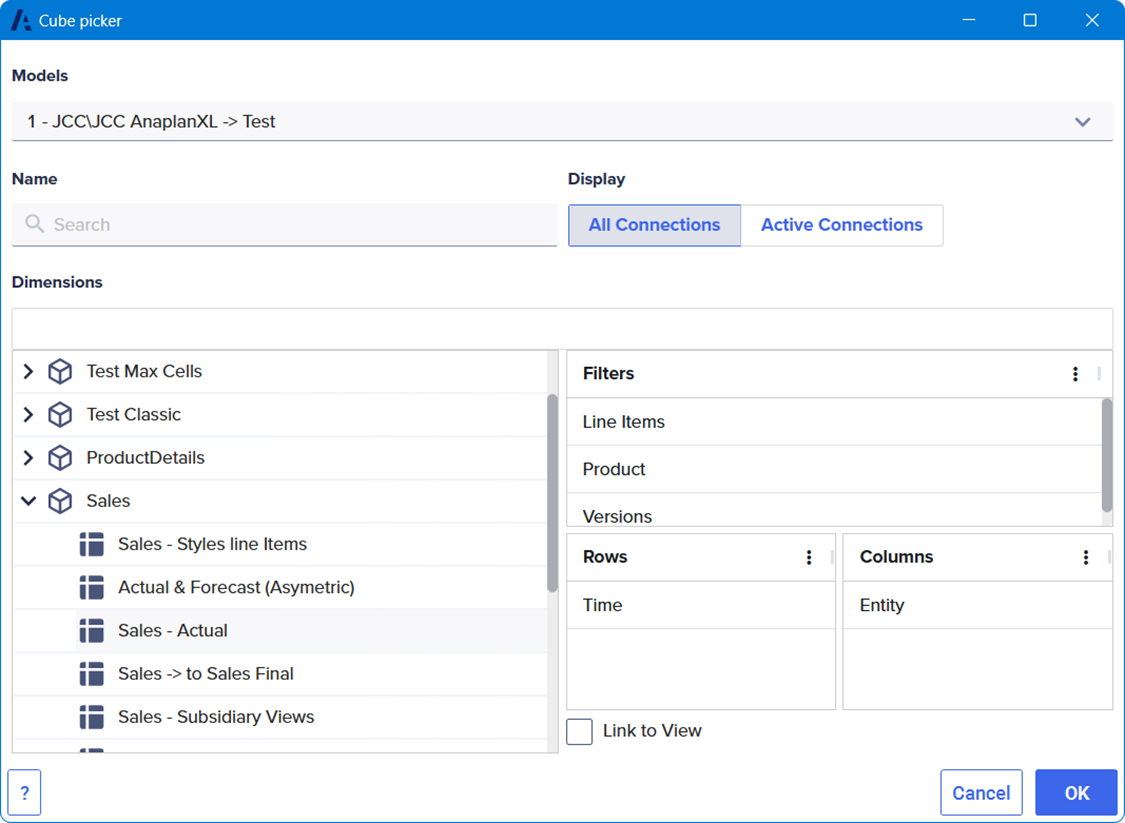
- The Anaplan Saved View. Selecting Link to view when a saved view is selected in the cube picker creates a fixed grid for that saved view. Any changes made to the saved view will be reflected in Anaplan XL the next time the grid is refreshed. Please note that, due to caching, it may take a few seconds for the changes to be reflected in Excel.