

You can track your quota to check how many points you have used to date.
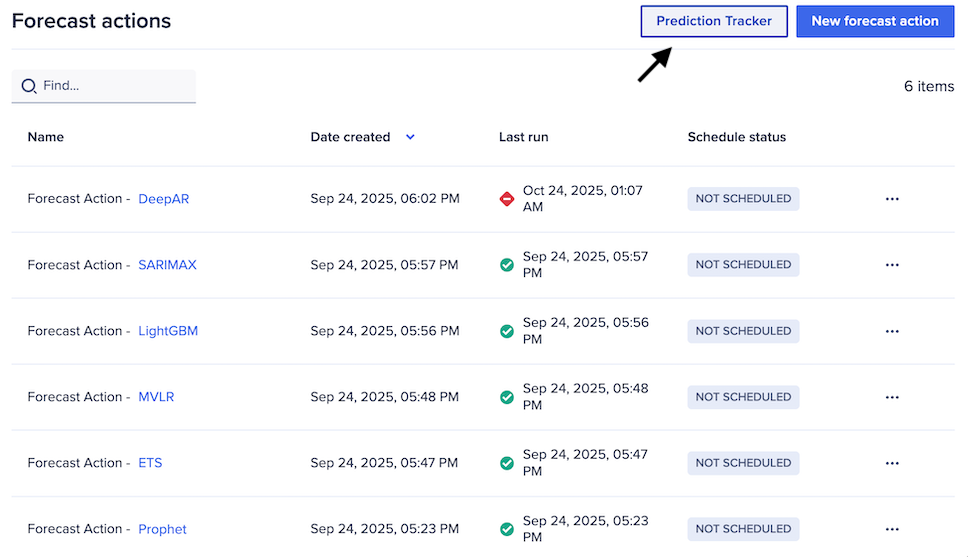
You must already create a forecast action to track your Forecaster quota. Below shows the Prediction Tracker button on the Forecast actions dashboard.
To track your Forecaster quota:
- Select Forecast actions from the left panel.
- Select Prediction Tracker.
The Monthly tracker dashboard displays. You can review usage for the last 12 months.
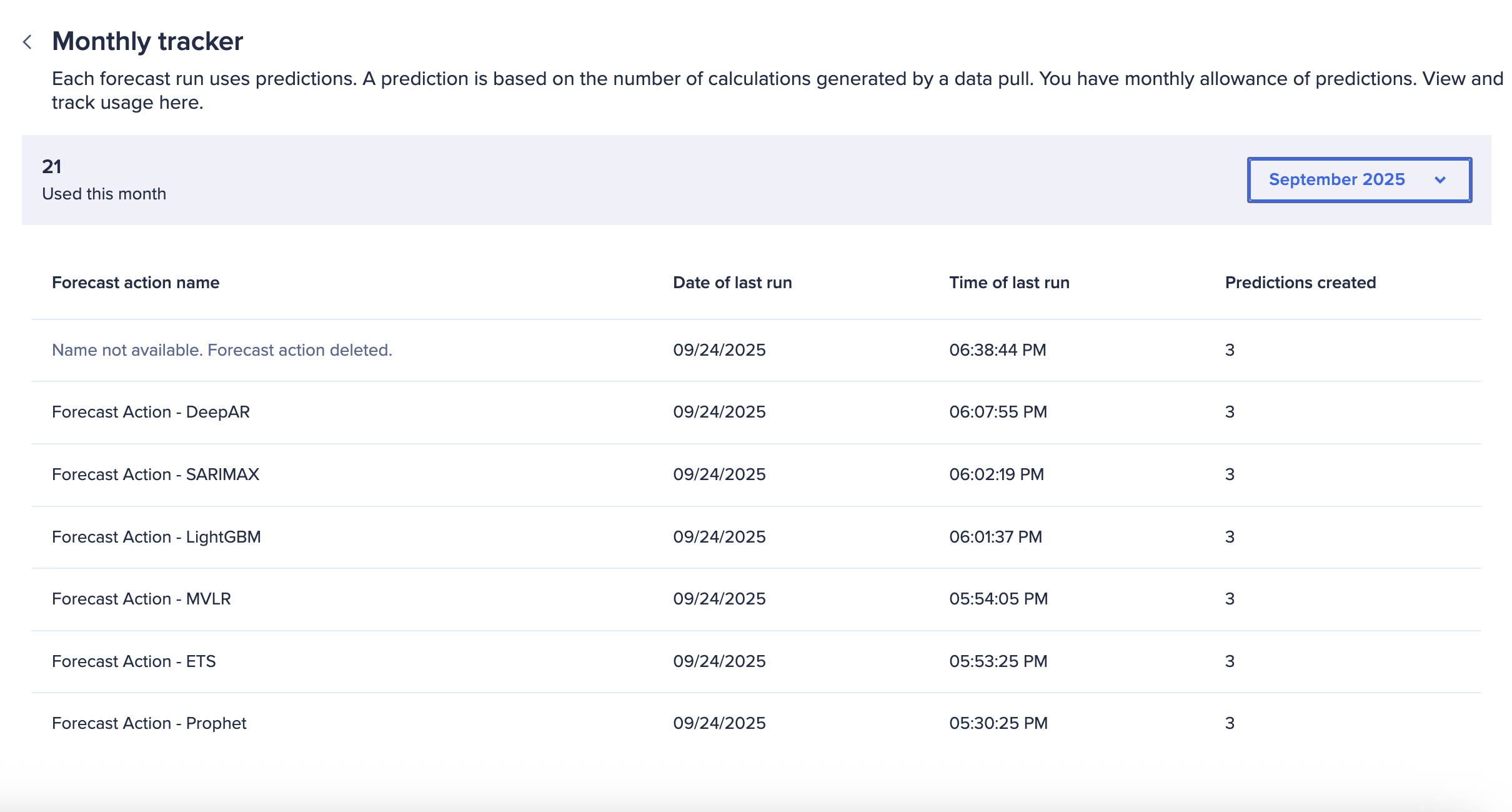
You can review:
- Available points
- Points used this month
- Your monthly allowance
You can also see the number of points used per forecast action run.

