

Anaplan informs administrators about their tenant's AI credit usage. This keeps them informed and helps prevent any unexpected interruptions.
Anaplan AI use is measured in AI credits. When the contractual limit is reached, AI-powered features will display a message that shows the credit limit has been reached. Requests are blocked until the allowance is increased or reset. Core Anaplan modeling and standard platform capabilities remain unaffected.
Usage notifications and alerts
Tenant administrators and AI administrators will receive email alerts and notifications within Anaplan about their tenant’s credit usage. They’ll also see a notification banner on the AI usage screen in the Administration console.
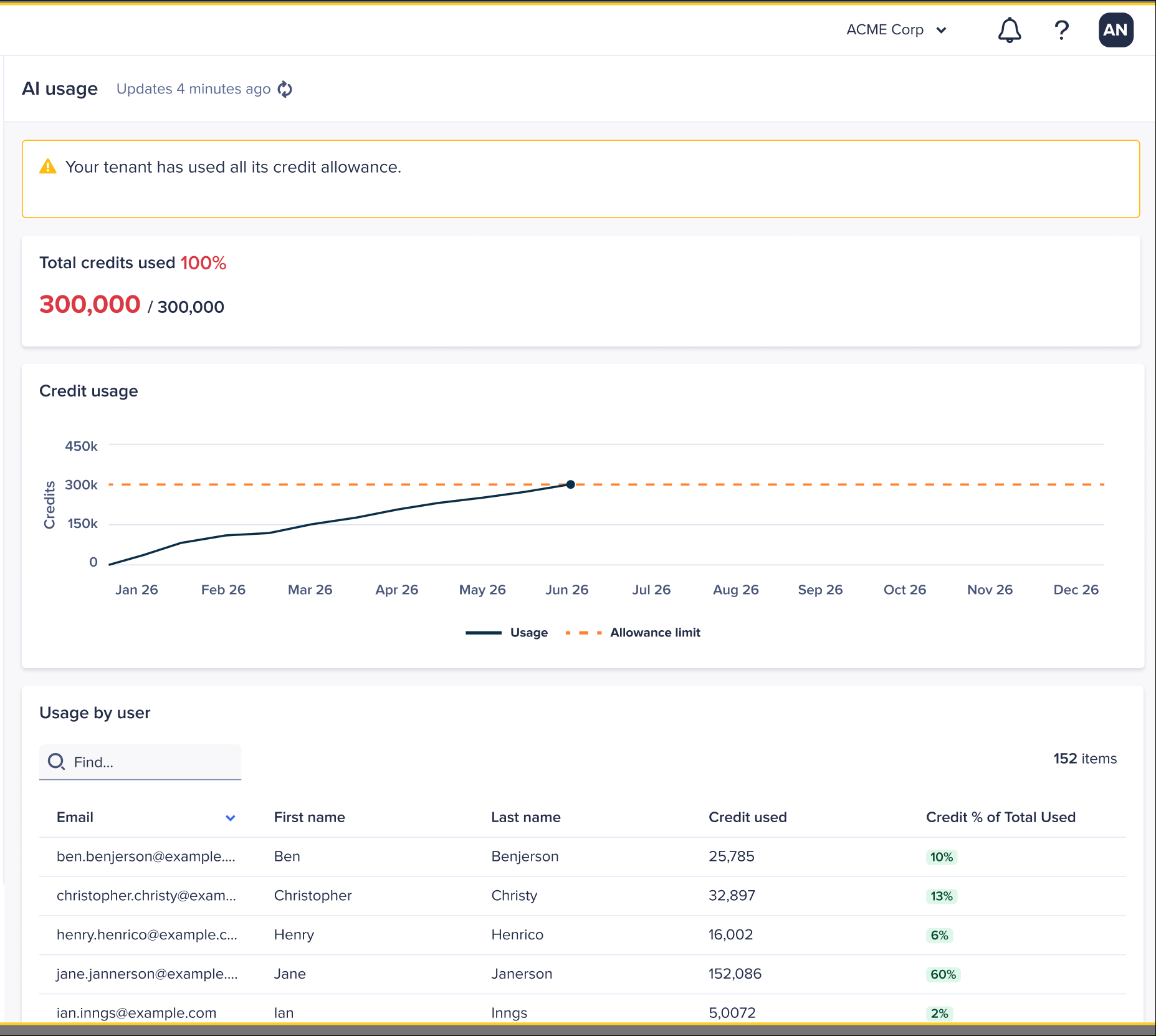
The banner displays when your tenant’s AI credit usage approaches, reaches, or exceeds the tenant’s credit allocation limit.
This image shows an example of a banner that might display on the AI usage screen.
Notification types
Use this table to determine the types of banners and notifications you might receive about your tenant’s AI credit usage.
| Usage state | What administrators see | What it means |
| Normal | No proactive notification | Usage is below 80% of the applicable limit. |
| Approaching limit | Warning banner and notification at 80% or higher | Shows administrators that usage is increasing and action might be needed. Review consumption and plan for continued usage. |
| Critical limit | Critical banner and notification at 90% or higher | Highlights that the tenant is close to the applicable AI credit limit and might require action. |
| Limit reached or exceeded | Enforcement banner and notification | Tenant has used all its credit allowance, and further AI actions might be blocked. |

