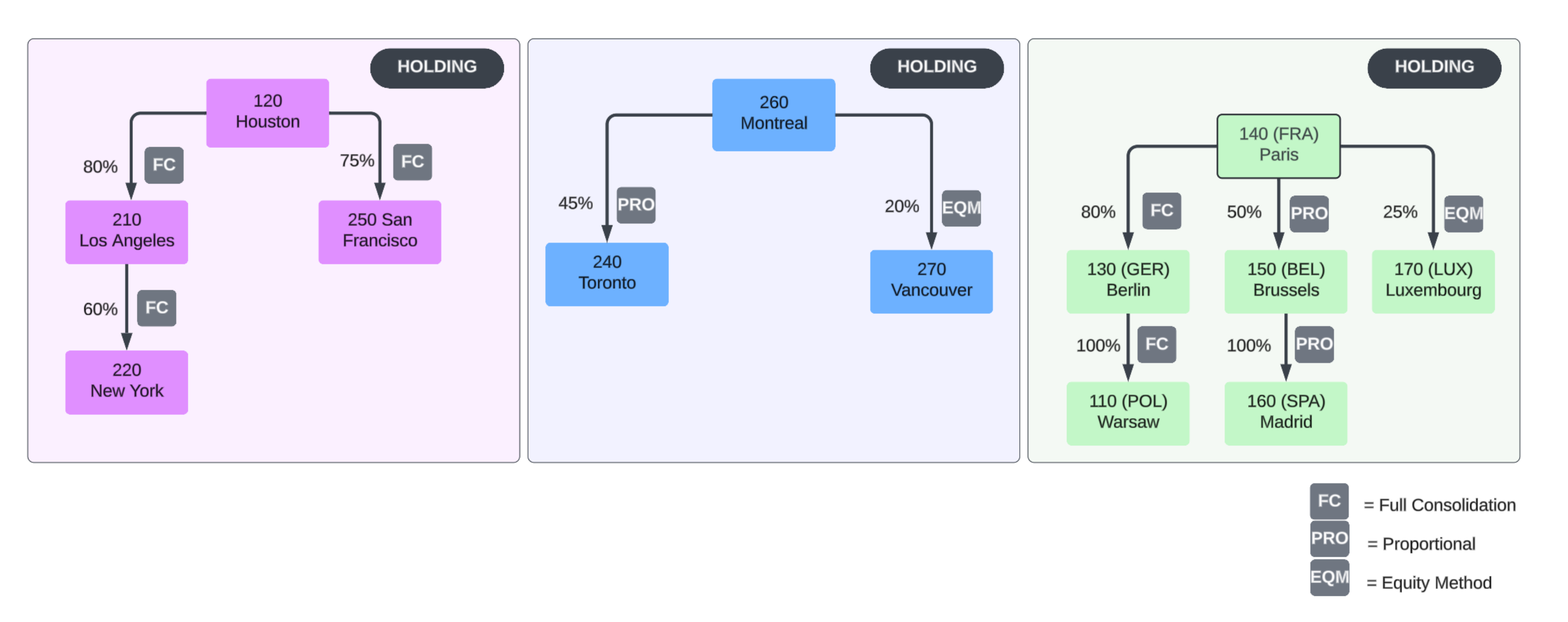
In this example, the investment data has been input into the Investment Registry.
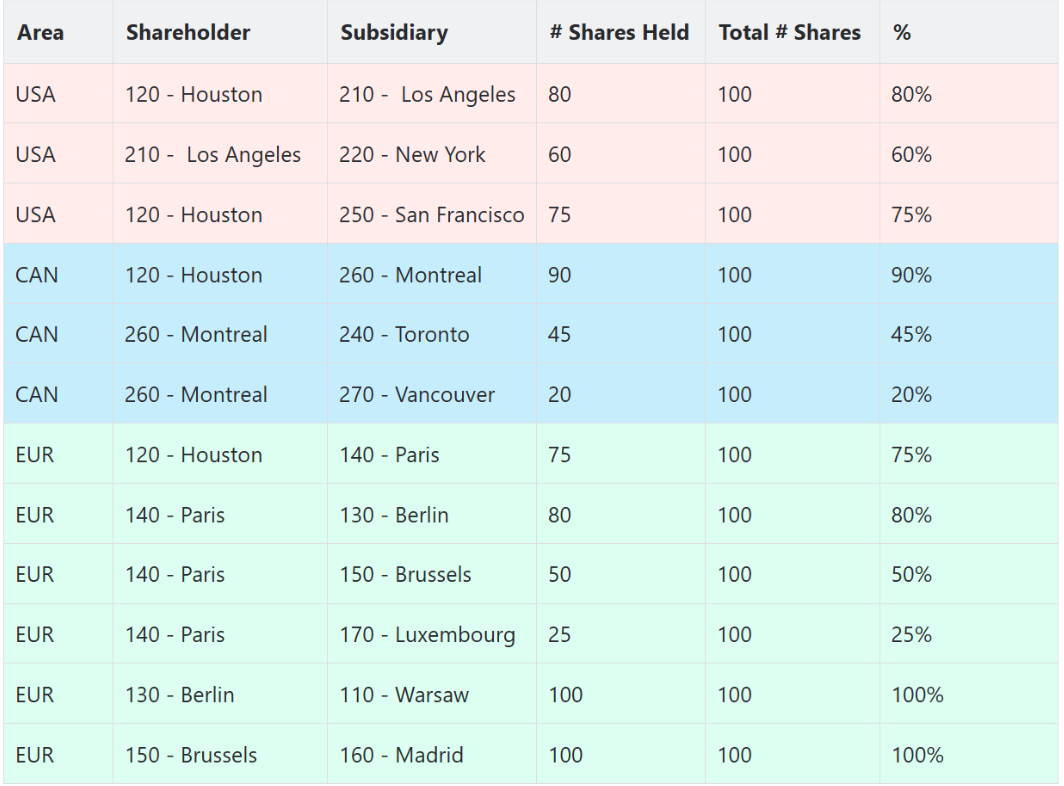
The input of the investment data will calculate the desired Direct Percentage information.
If you don't use the investment registry, you can do this manually in the Web Editor. Navigate to the Maintain module and select the Direct Ownership link under the Ownership card.
Visually, these graphs can demonstrate this:
Consolidation scope
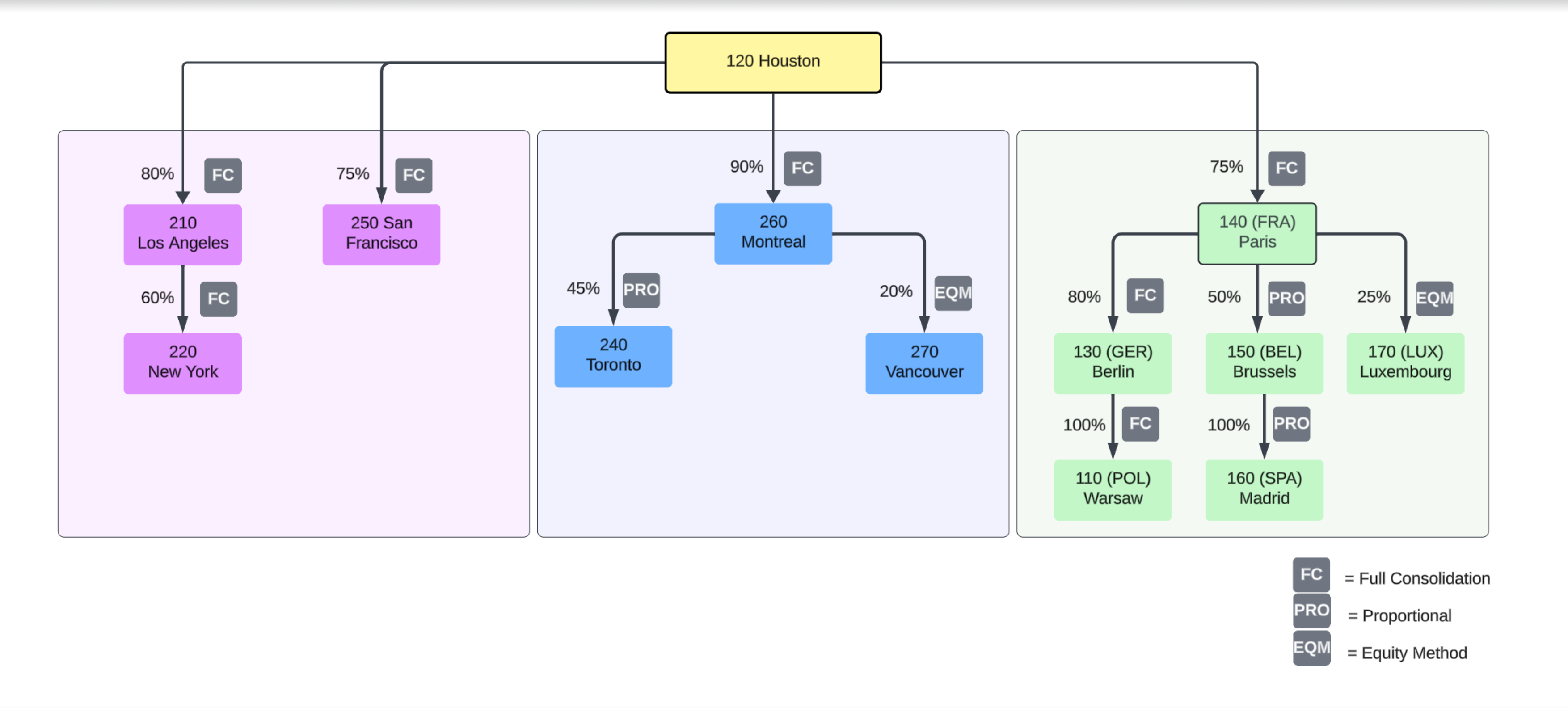
Sub-consolidation level