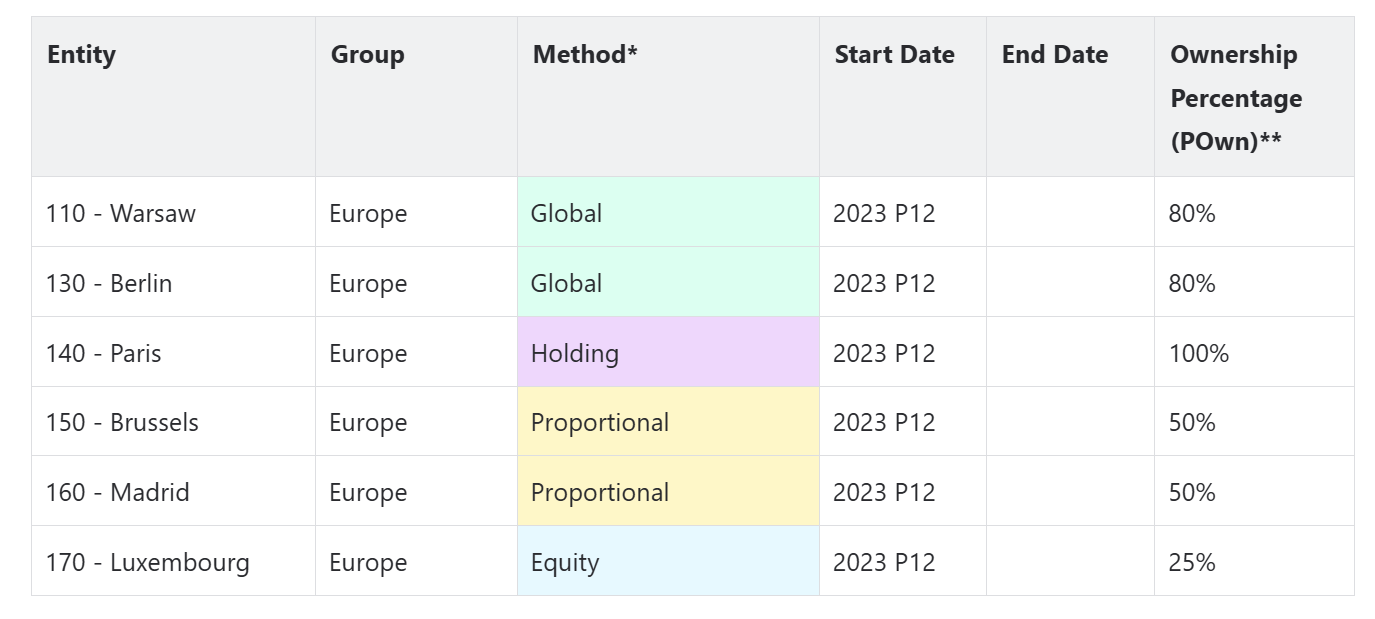
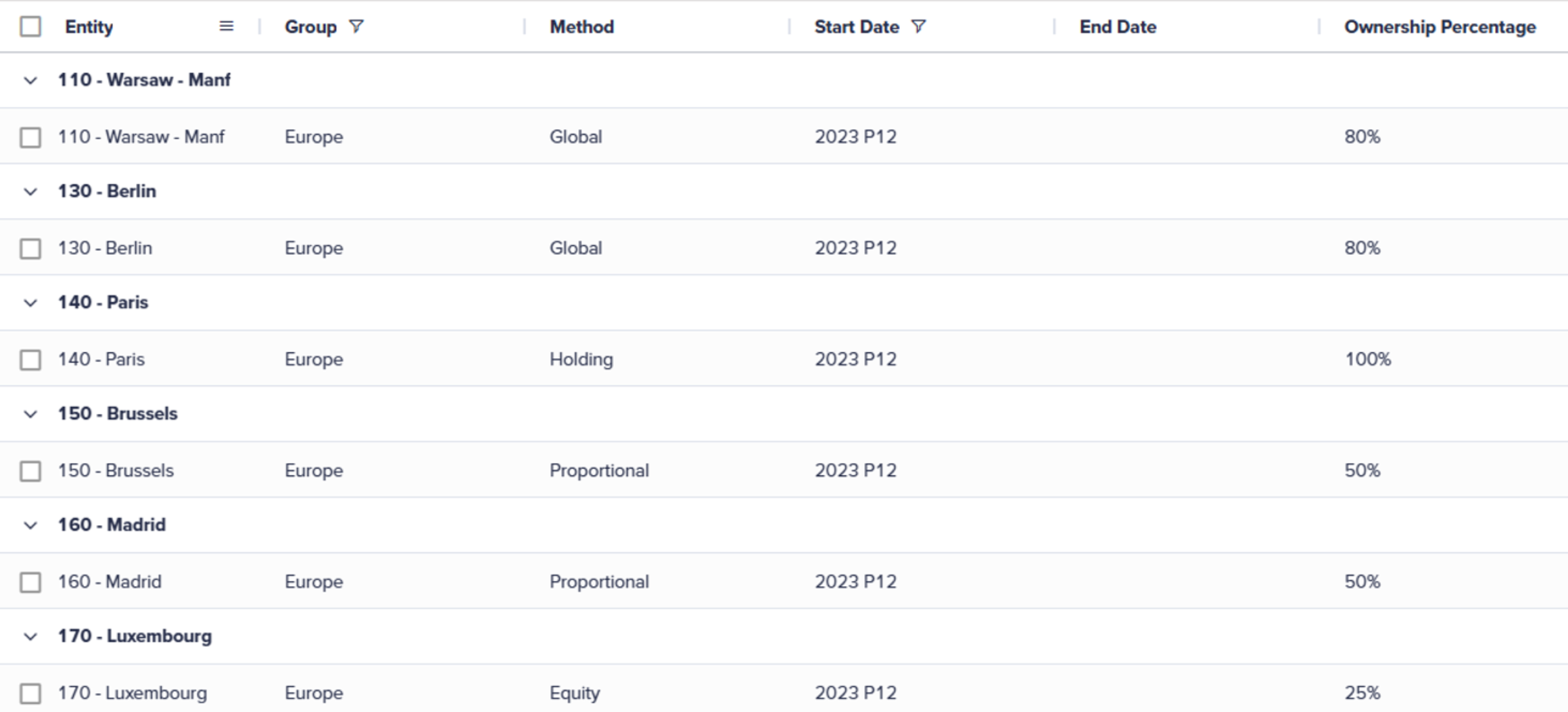
Once the Ultimate Rate calculation is run, the Manage Ownership table should be populated with the desired values. This is based on your holding settings, method percentages, and direct ownership values.
Note:
- Method is based on the range defined in the Methods web administration form.
- Only Pown and Pcon are calculated using the Ultimate Rate Calculation.
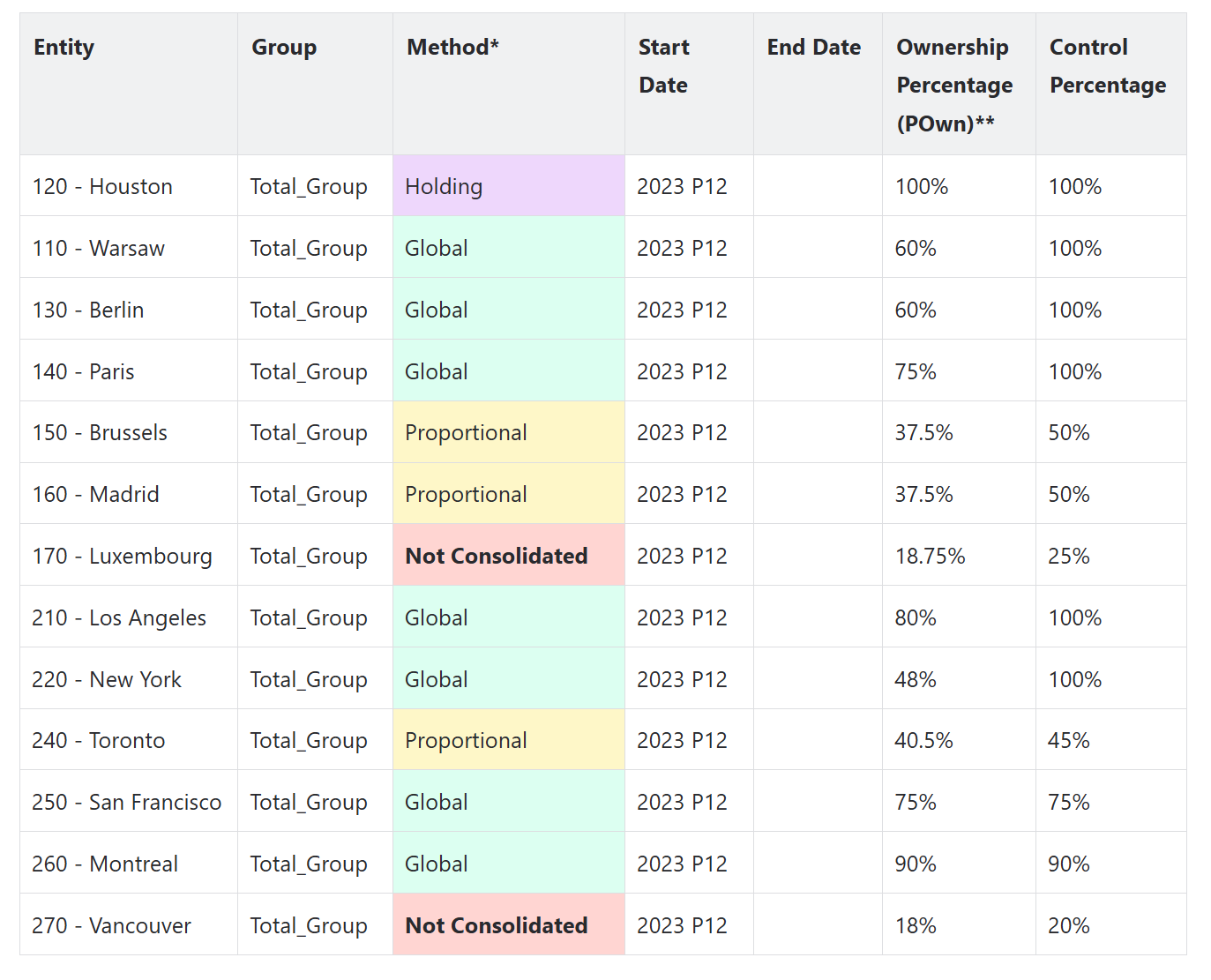
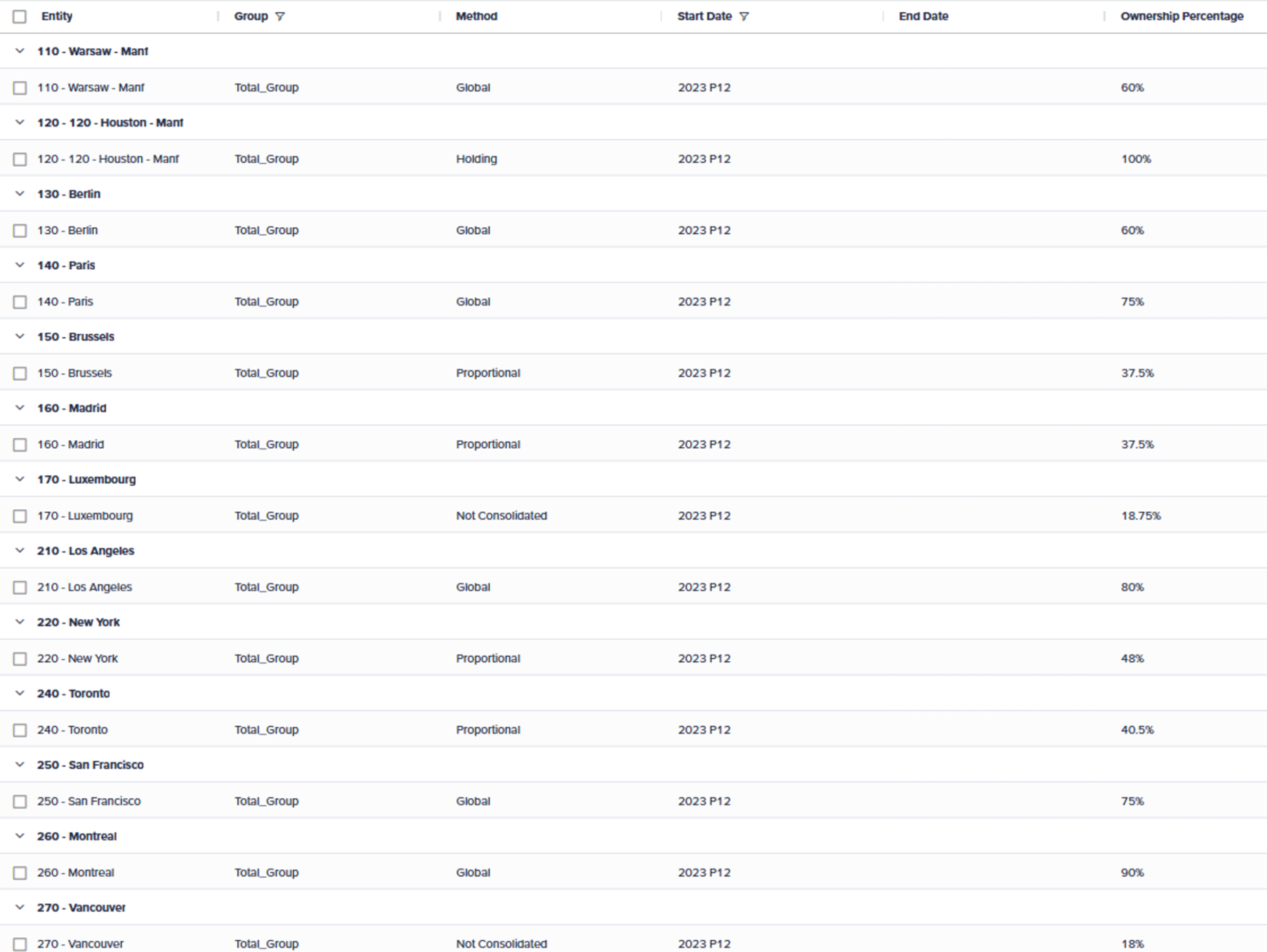
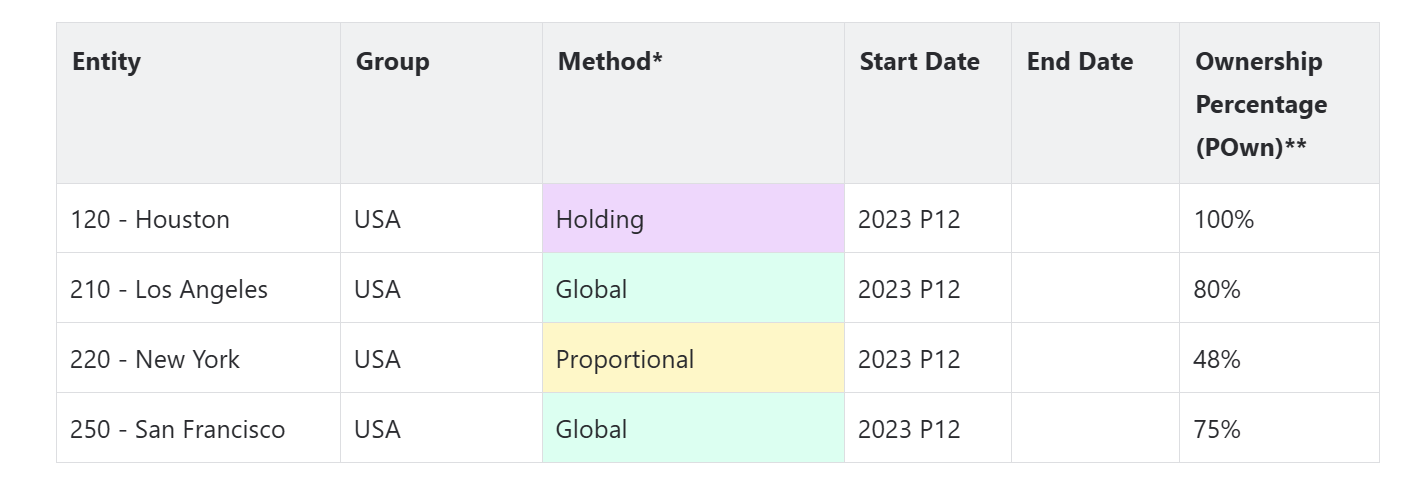
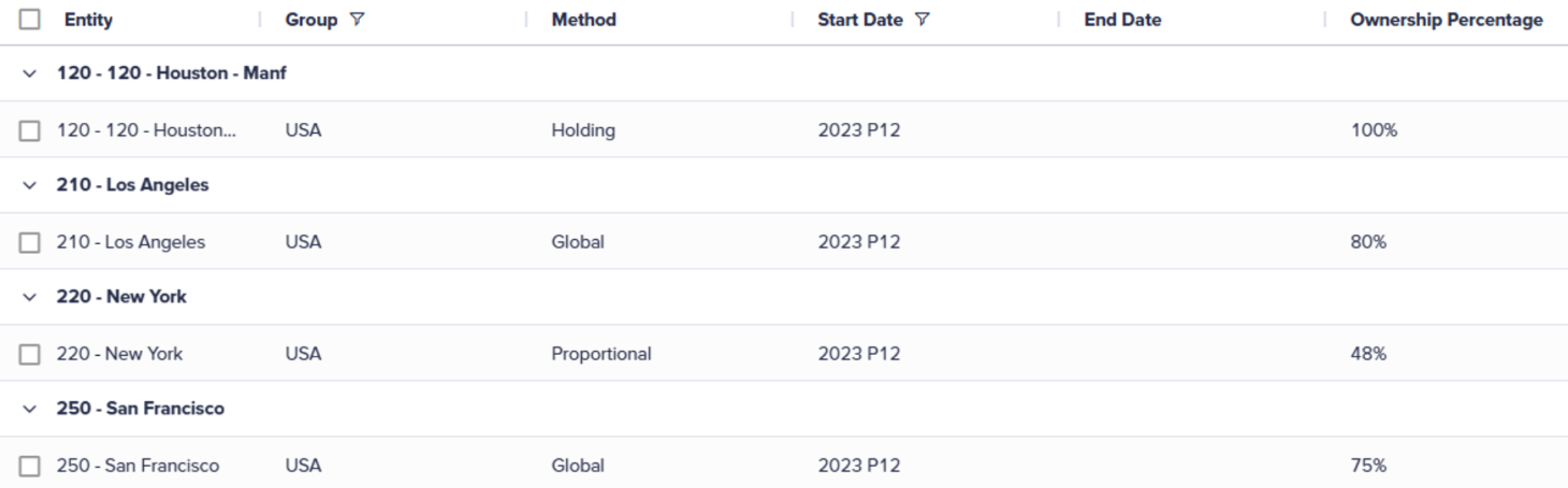
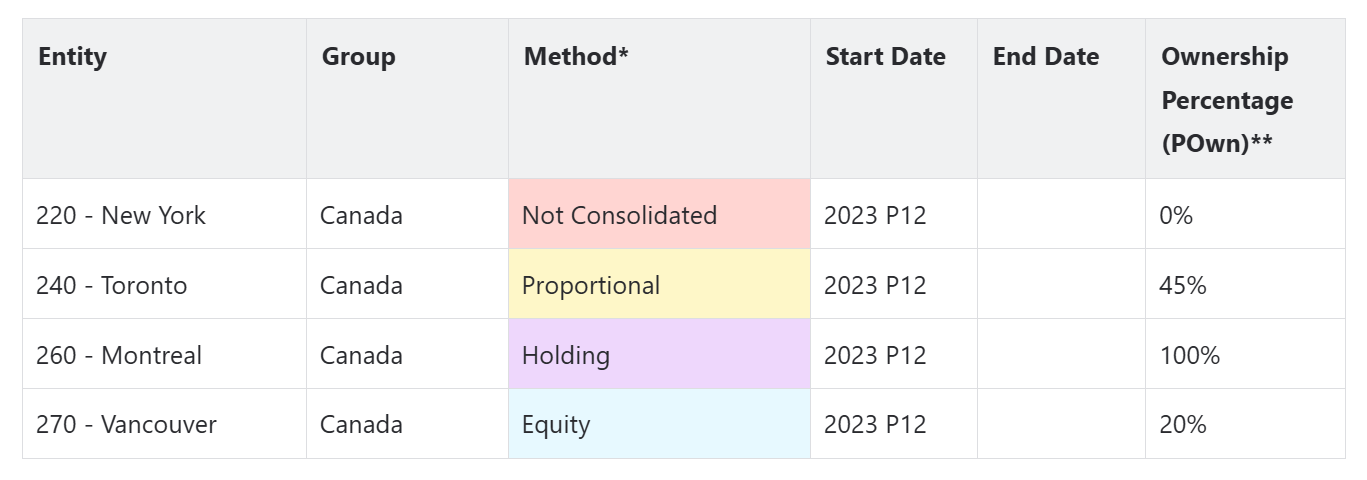
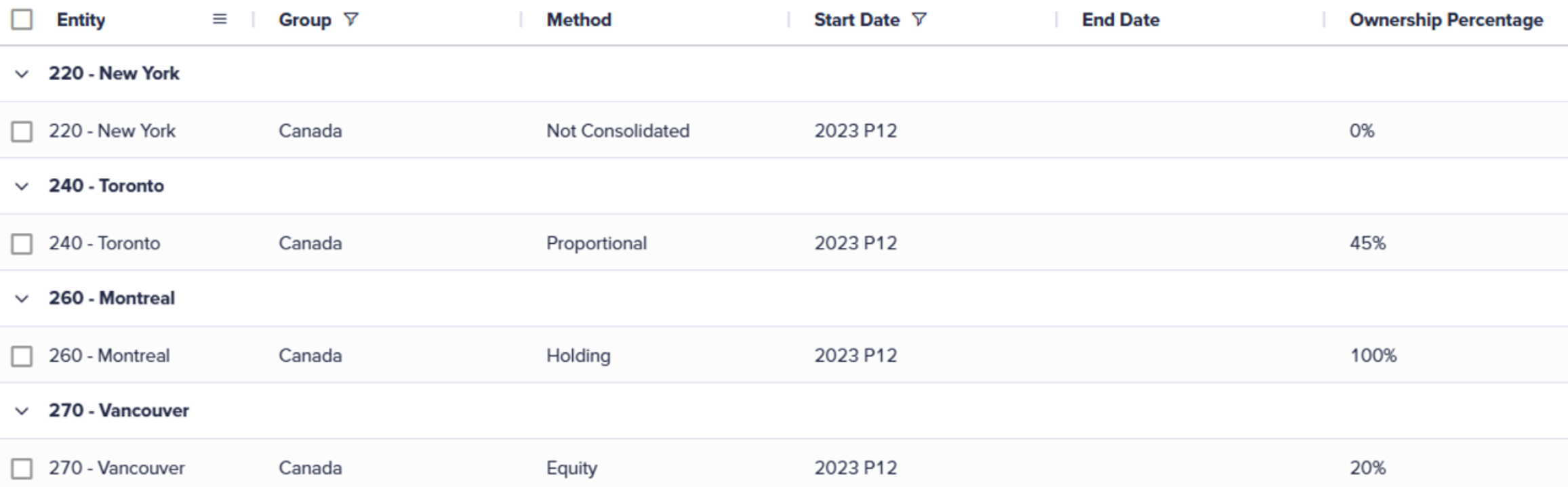
These images show the location-wise populated Manage Ownership table and the editor.
Total Group
Review the overall ownership values for the entire group. The Total Group view combines ownership data from all locations. This gives a complete view of the company's ownership structure. This helps you understand the aggregate impact of ownership changes and ensures that the calculated values align with the expected outcomes based on the holding settings and method percentages.
USA
This section shows the ownership values specific to the USA location. The table is populated with data that reflects ownership structure and changes for entities operating within the USA. It can help you understand how ownership is distributed and managed in one of the key regions of the company.
Canada
This section shows the ownership values specific to the Canada location. The table is populated with data that reflects ownership structure and changes for entities operating within Canada. This lets you know how ownership is shared and managed in this region. It also gives you information about how the region is doing and how it's following local rules.
Europe
This section shows the ownership values specific to the European location. The table is populated with data that reflects ownership structure and changes for entities operating within Europe. This provides insight into how ownership is distributed and managed across various European countries. It helps in understanding regional performance and compliance with local regulations.