Learn about new Anaplan features and enhancements introduced in March 2026.
Intelligence
Anaplan CoModeler
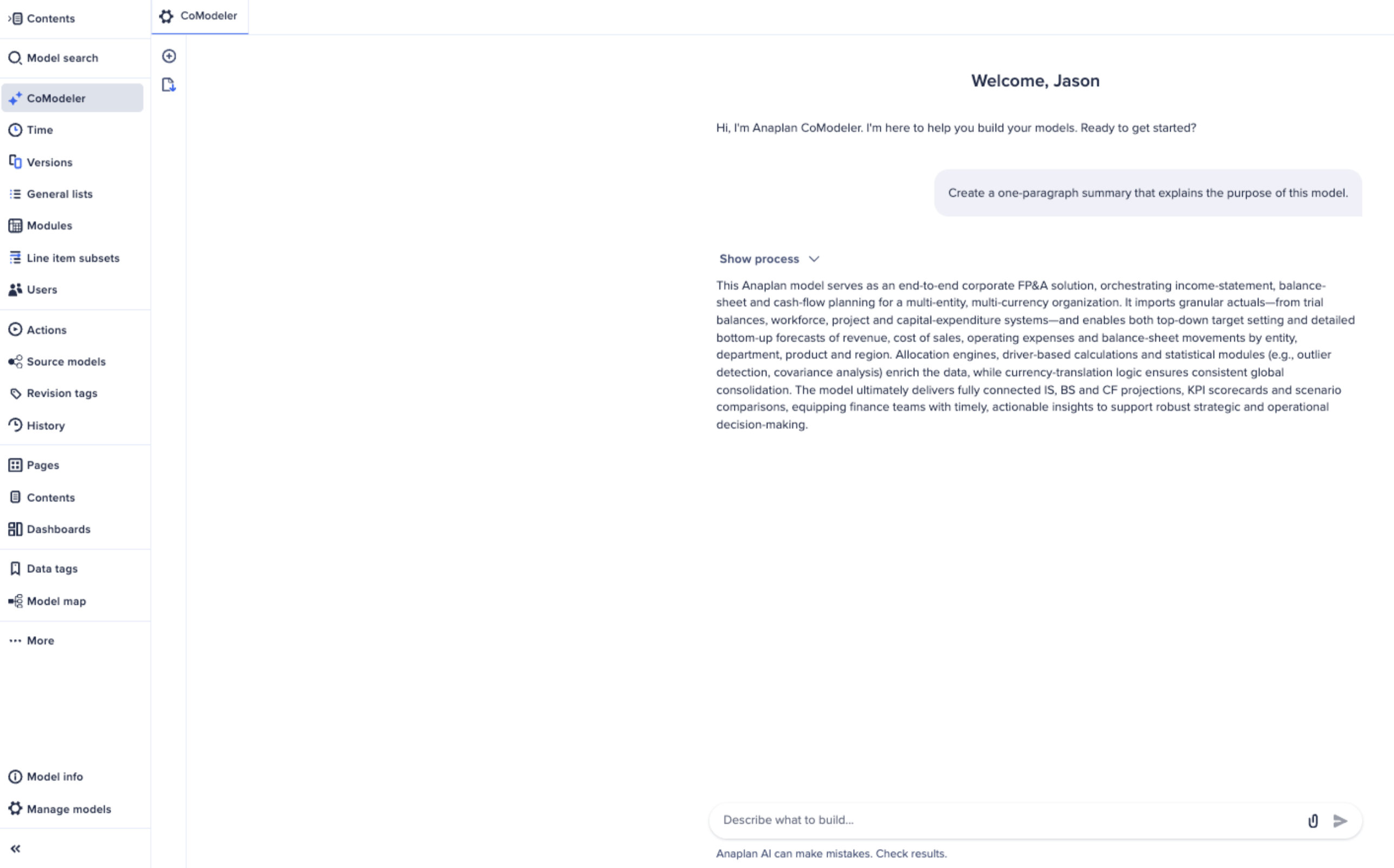
We've introduced Anaplan CoModeler, an intelligent AI agent built directly into the Anaplan modeling experience. CoModeler is designed to help model builders design, build, troubleshoot, and optimize Anaplan models through natural language conversations. CoModeler is available in Polaris and Classic workspaces.
Learn more in:
Anaplan Analyst
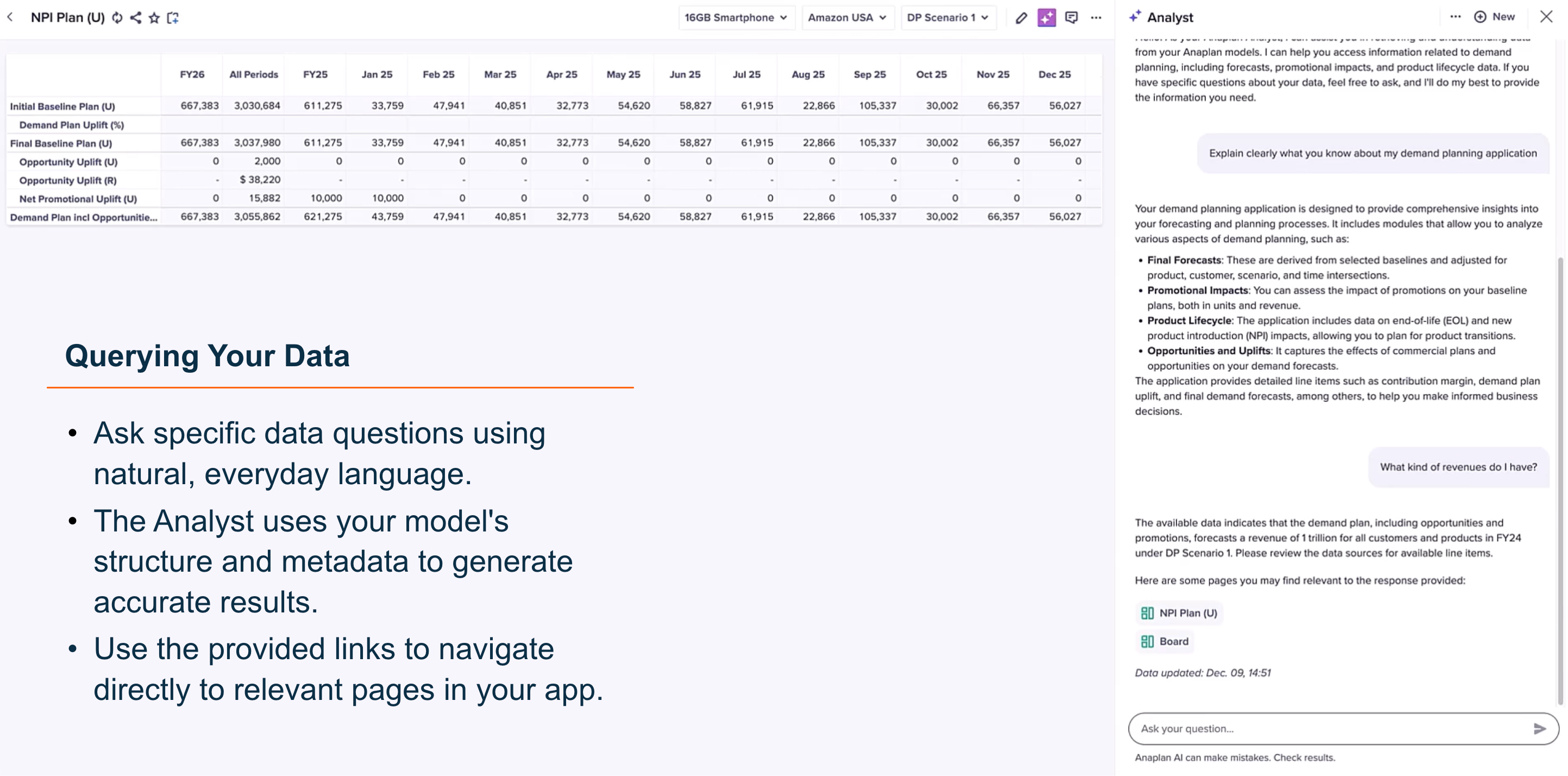
We've introduced Anaplan Analyst, a native Anaplan artificial intelligence (AI) tool. Ask Anaplan Analyst natural-language questions about your Anaplan models to produce live insights, visualizations, and links to relevant dashboards. With connected, context-aware conversational AI, Anaplan Analyst rapidly finds answers from your business data.
Learn more in:
Anaplan Agent Studio
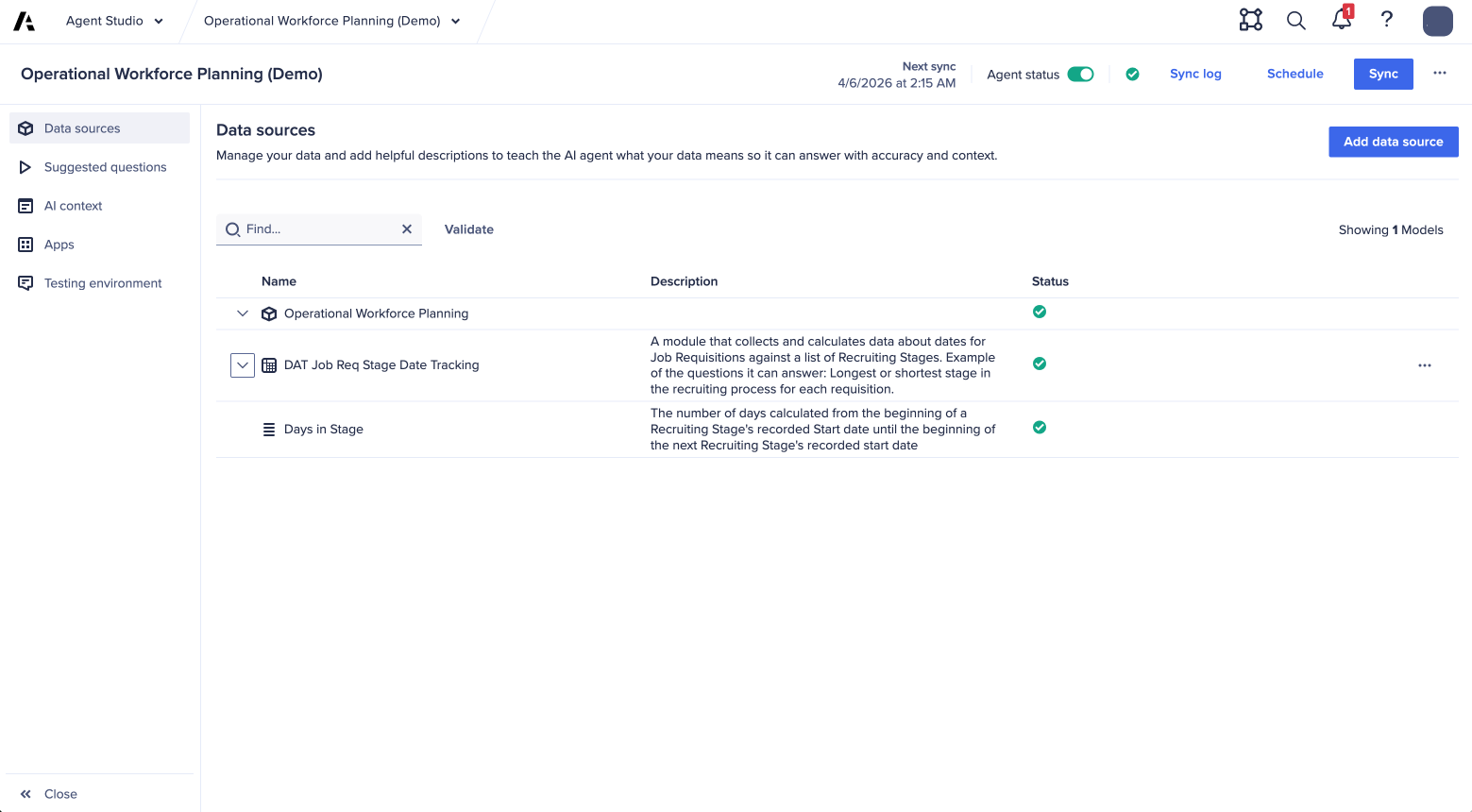
We've introduced Agent Studio, a central environment where Anaplan's intelligence capabilities, such as Anaplan Analyst, and Anaplan CoModeler can be configured and managed.
Learn more in:
User Experience
Data driven hierarchies with drag-and-drop
We've updated hierarchy cards to support a data-driven hierarchy with drag-and-drop capabilities. Using the updated hierarchy chart, you can:
- Create, edit, and reorganize hierarchies directly through an interactive chart experience.
- Restructure parent-child relationships for multiple nodes in a single action using simple drag-and-drop, or context menu commands.
- Interact with different hierarchy structures over time, versions, or any dimension. This enables scenario planning and effective dating.
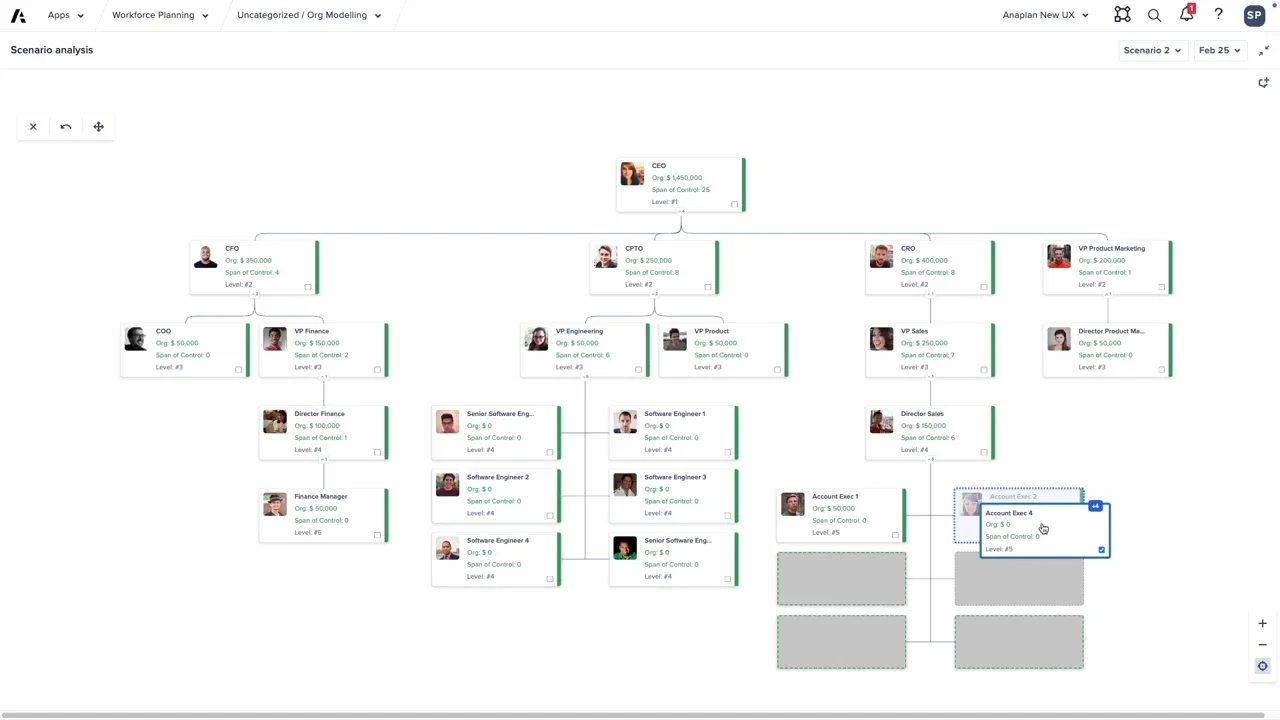
See how this feature powers the advanced organizational modeling in the Anaplan Operational Workforce Planning application, or learn more in:
- Configure a hierarchy card
- Use hierarchy cards
- Hierarchy Chart (Data driven hierarchies with drag and drop)
- UX Hierarchy Chart Drag and Drop Feature
Enable or disable comments
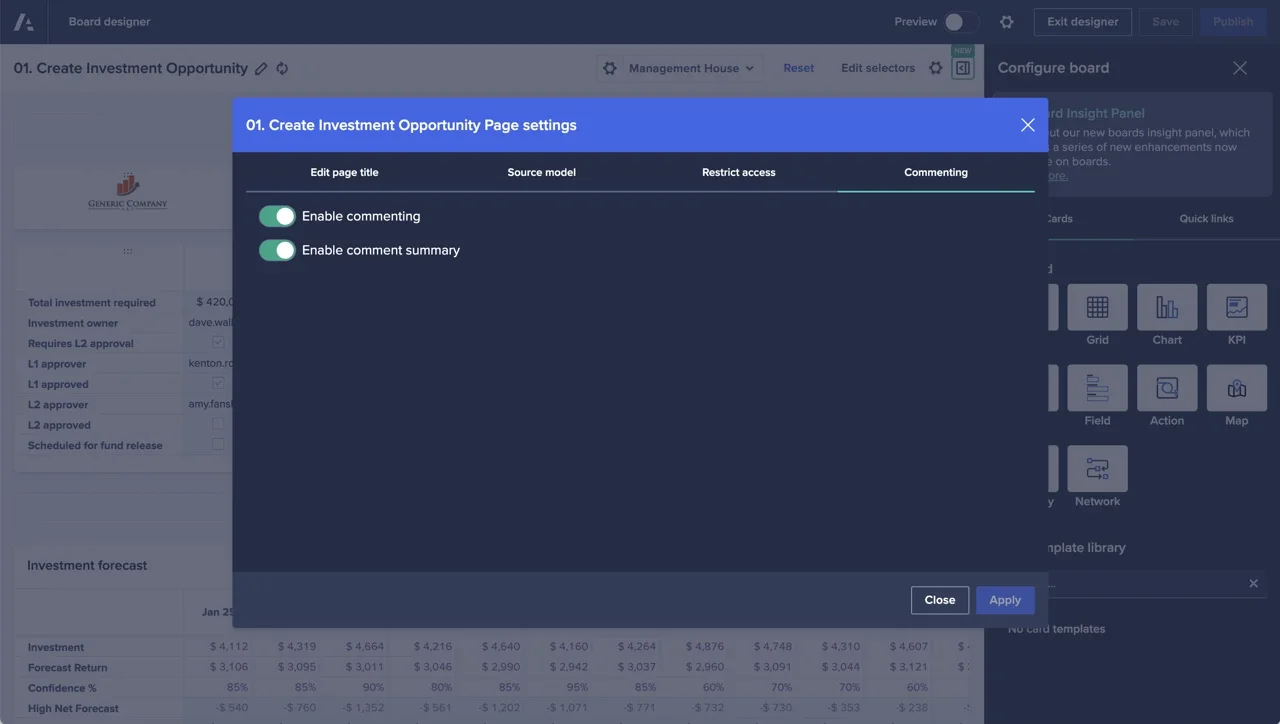
Page Builders can now enable or disable commenting on a page-by-page basis in Page settings. This gives you flexibility and removes the need to switch off commenting at a tenant level. You can also enable commenting while disabling the page-level comment summary. This means that users can continue to comment on pages, but you can stop them from seeing comments tied to context settings they're blocked from through selective access.
Module-driven navigation actions
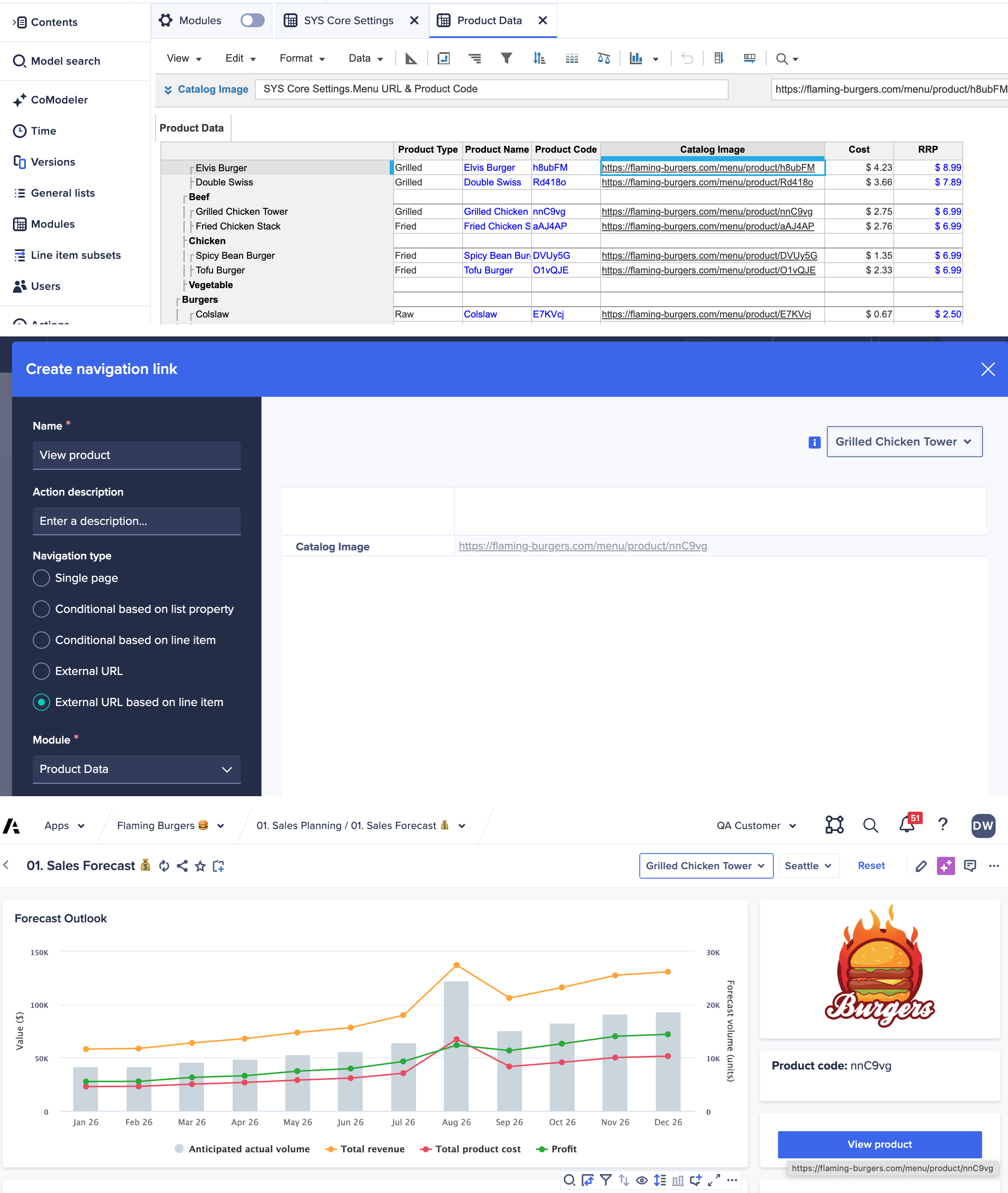
You can now define dynamic links for navigation action buttons on UX pages by connecting them to URL-formatted line items. Direct users to support resources, or other organizational platform with deep links based on the context they're viewing inside Anaplan.
Workflow
Approve/reject links in emails
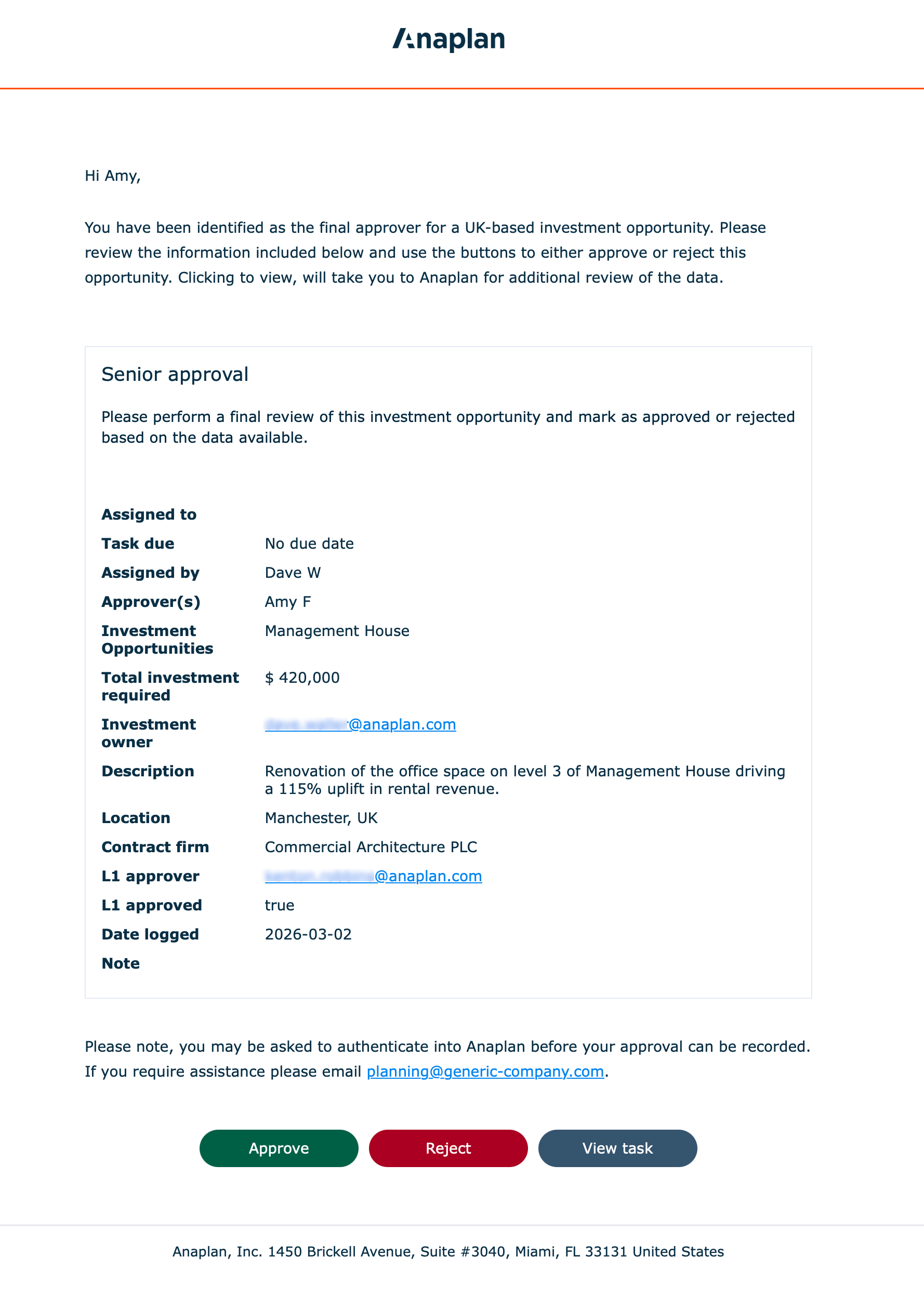
We've added support for faster, and more direct, approval cycles with approve and reject buttons embedded directly within the emails sent to approvers. Workflow owners can now configure this setting when creating workflow templates.
When an approver selects the Approve, Reject, or View buttons in their email, they are navigated to the exact place in the Anaplan platform where their approval is needed. We'll even perform the action for them automatically. To make sure the user is permitted to perform the action, they'll have to go through the standard authentication process as part of conducting an approval. Once authenticated, subsequent email actions will flow more smoothly.
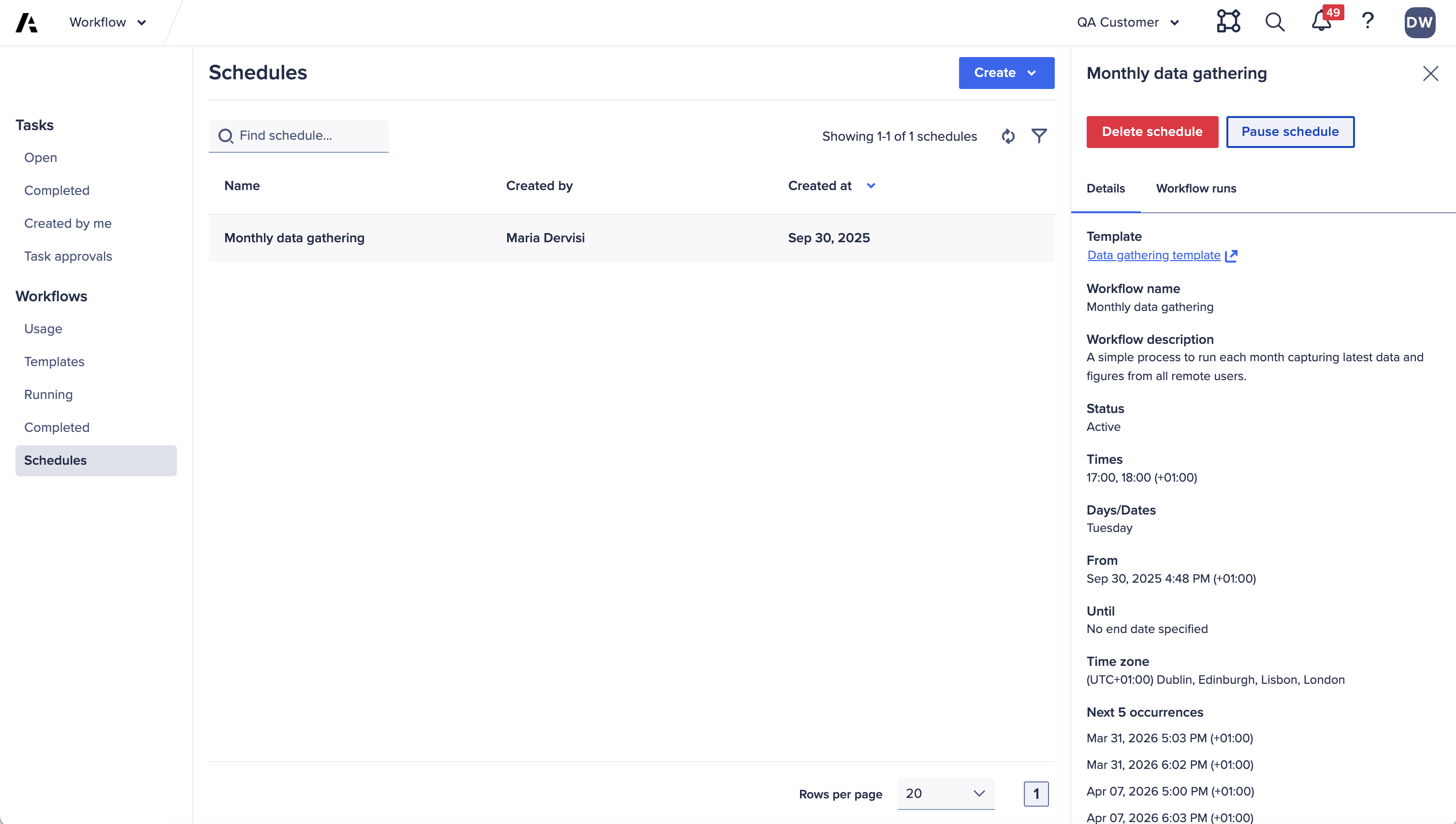
Pause and resume workflow schedules
You can now pause and resume workflow schedules. This provides greater control for users managing the execution of business processes and Anaplan Data Orchestrator sequences.
Anaplan Data Orchestrator
Automated data movement to Snowflake
Pipelines in Anaplan Data Orchestrator enable automated data movement between Anaplan and external systems. With the Snowflake writeback pipeline, users can now write datasets and transformation views from Anaplan Data Orchestrator directly to Snowflake. The writeback pipeline can be published and used to update a target table in Snowflake both on demand, or run on a schedule.
Learn more in:
- Pipelines in Anaplan Data Orchestrator
- Create a Snowflake writeback pipeline
- Manage pipelines
- Run a pipeline with Workflow
Import data from Oracle Database
We've introduced the Oracle Database connector. This feature allows you to create a connection in Anaplan Data Orchestrator to import data from Oracle Database. You can use the connection to extract data and create a source dataset. For additional security, you now need a Certificate Authority (CA) certificate to create a connection.
Learn more in Import data from Oracle.
General enhancements
- You can now re-order columns in transformation views, and save the order as part of the view definition in both the Grid view and Blueprint view.
- We've reduced the time taken to open a dataset preview.
- Exports from previews now only contain the rows that pass the filter conditions.
- You can now delete data from a source dataset on the Preview page by filter rows in the preview. Once deleted, these can be restored to a new dataset from the Source Dataset Inventory page using the Row Level History option.
Bug fixes
- When uploading data from a local CSV file, the column header names are no longer case-sensitive. Previously, column names needed to match exactly.
- The last run date for a link or data extract now updates when it is run from Workflow, whether or not the task fails. Previously, it only updated when the task was run directly from Anaplan Data Orchestrator, and not when executed as part of a Workflow template.
Anaplan XL (version 2603)
General enhancements
- We've added a dropdown menu below the Writes button, which enables you to submit or discard all changes without first displaying the Writeback pane. This improves performance when submitting multiple changes.
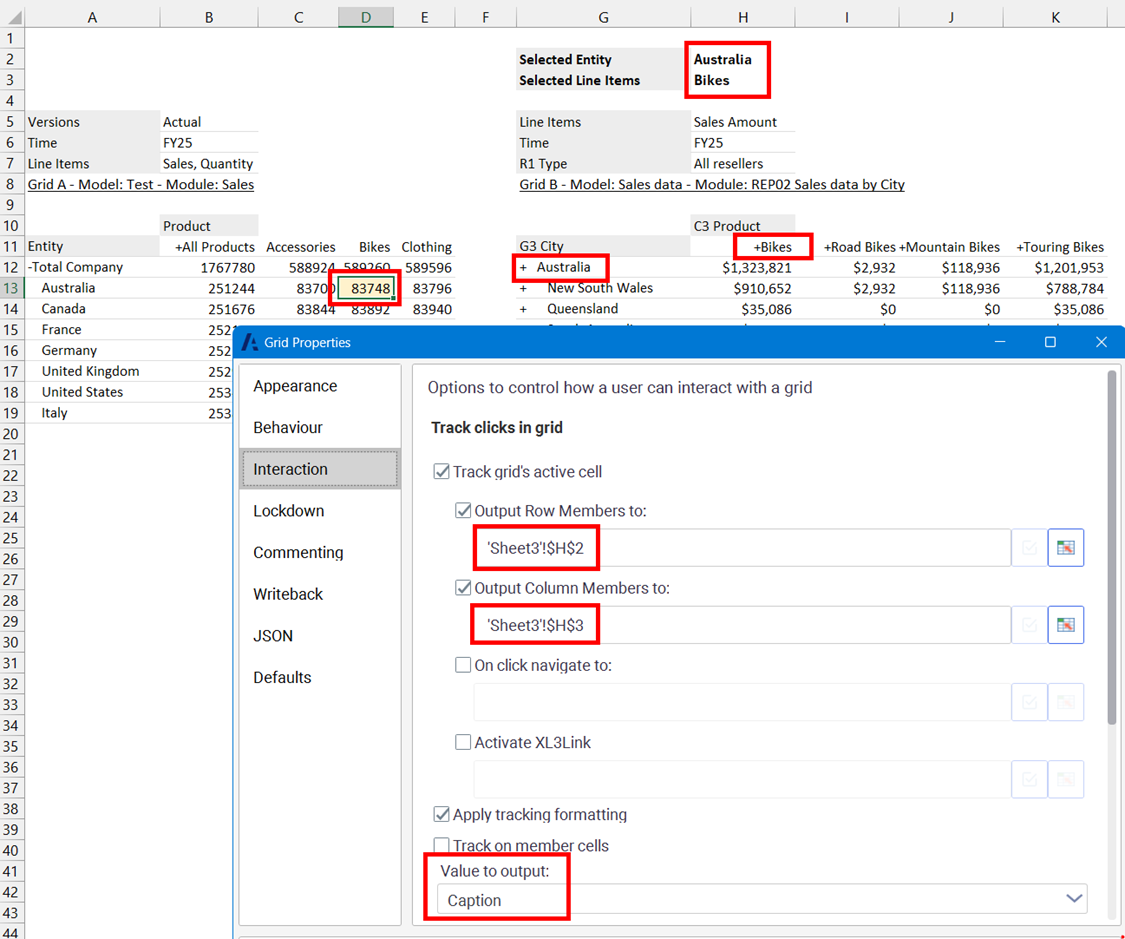
- In the Grid Interaction section of a grid's properties, you can now select Unique Names or Captions when outputting row and column members. Using Captions can be useful for synchronizing queries when list names or list item IDs differ between modules.
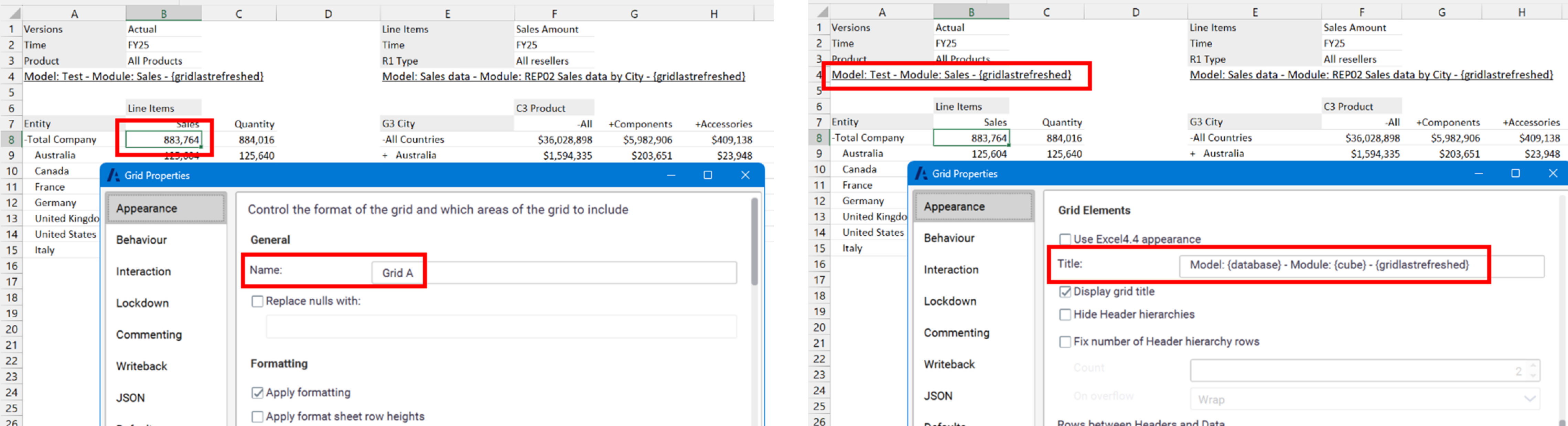
- You can now specify a grid name in the Appearance > General section of Grid Properties. The Title field is now at the bottom of the form in the Grid Elements section of the Appearance tab. This enables placeholders to be used for the grid's title, while ensuring that the grid name remains stable. The Name value is used throughout the user interface and can be referenced in the format sheet.
From Anaplan XL version 2603 onwards, the Name field should be used in the format sheet instead of the Title field for applying specific formatting to a grid. When opening an existing report, the Title is copied to the Name to preserve any grid-specific formatting. Learn more in:
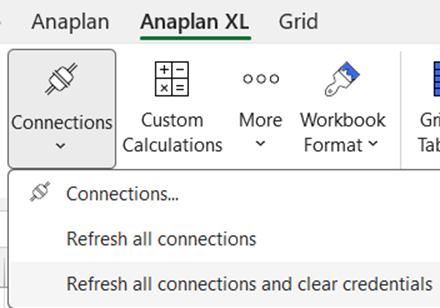
- To improve clarity, the Refresh Members option is now Refresh all connections, and Refresh Connections is now Refresh all connections and clear credentials.
- We've updated the XL3Link formula to make it possible to download a workbook containing a fixed version of selected sheets when using the 'SAVETOEXCELFIXEDSHEET' argument. Learn more at XL3Link.
Anaplan data source
- The authentication token is now cached to prevent you from having to re-enter your credentials. You can force a refresh and change your credentials by selecting the Refresh all connections and clear credentials option.
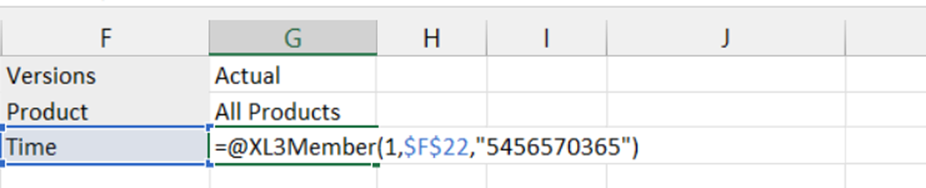
- We've added support for changing the name of a list in Anaplan XL formulas. When inserting a new formula report via the ribbon or converting a grid to formulas, a new syntax is used for the XL3Lookup and XL3LookupRW formulas. This ensures that formulas are not dependent on the list name. Cell references are now used instead of the dimension's unique name. The XL3Lookup and XL3Member wizards now let you select the dimension name from a cell.
- The XL3Lookup and XL3LookupRW formulas no longer refer to the list names, and now support the use of Anaplan list IDs.
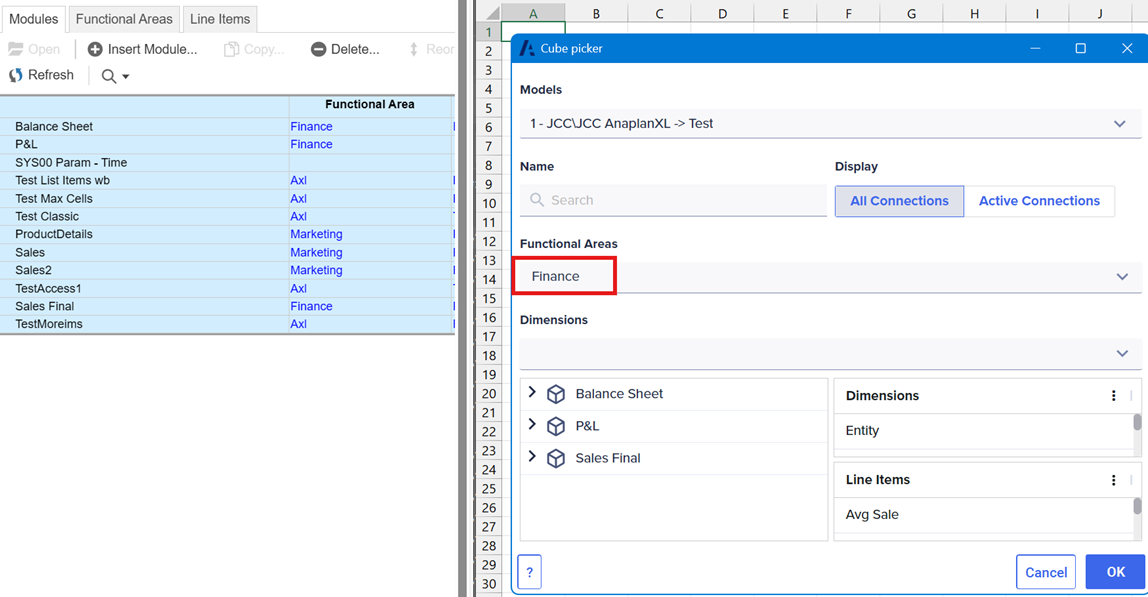
- As well as filtering modules by their names or list names in the Cube picker, you can now also filter by functional area. This makes it easier to identify the relevant modules for reporting purposes.