

The financial consolidation process follows a structured, multi-level workflow. It begins with individual business entities and rolls up through various sub-groups to a final, total-group consolidation.
Organizational structure
Consolidation typically reflects a company's organizational hierarchy. Data flows upward from lower-level entities to the parent group.
Workflow process
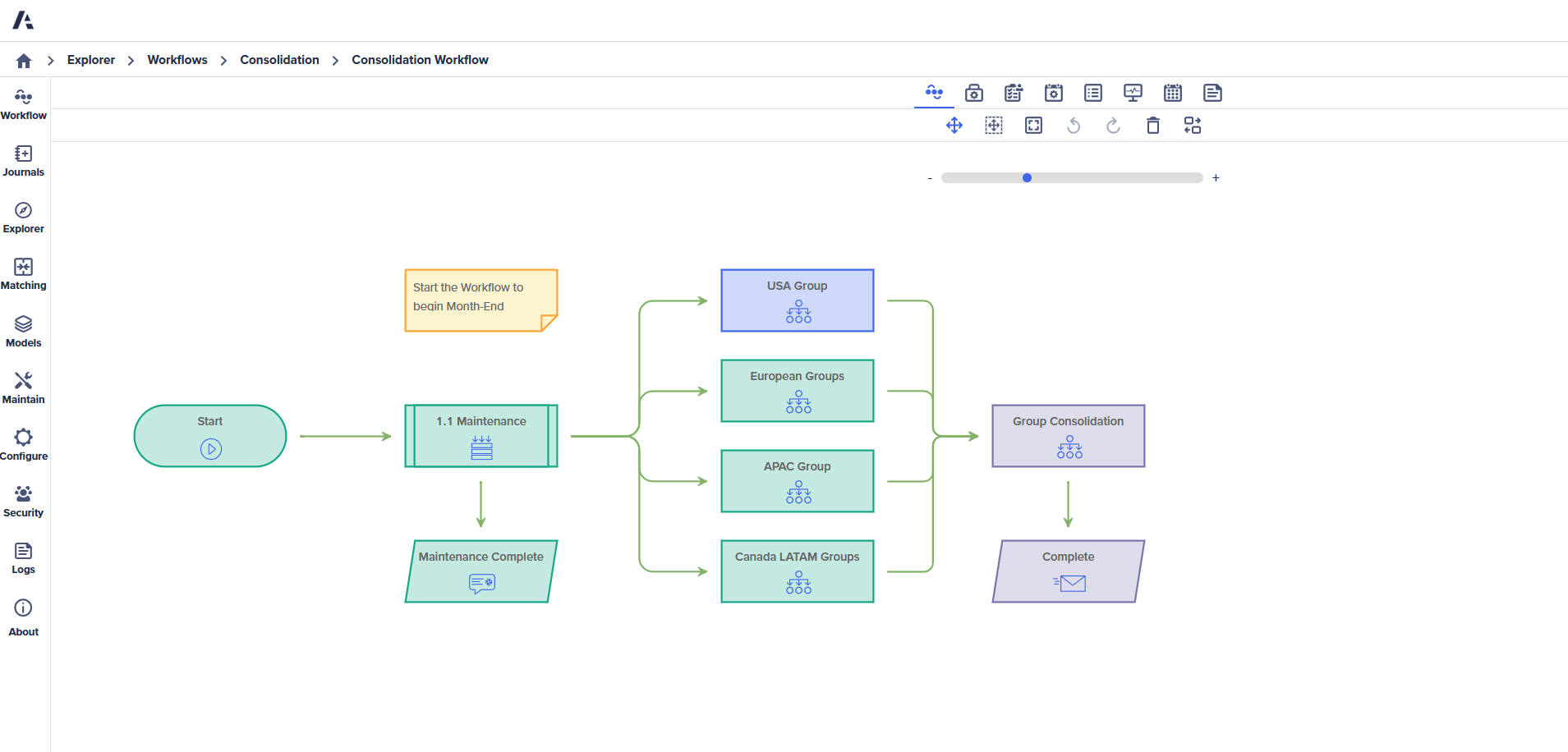
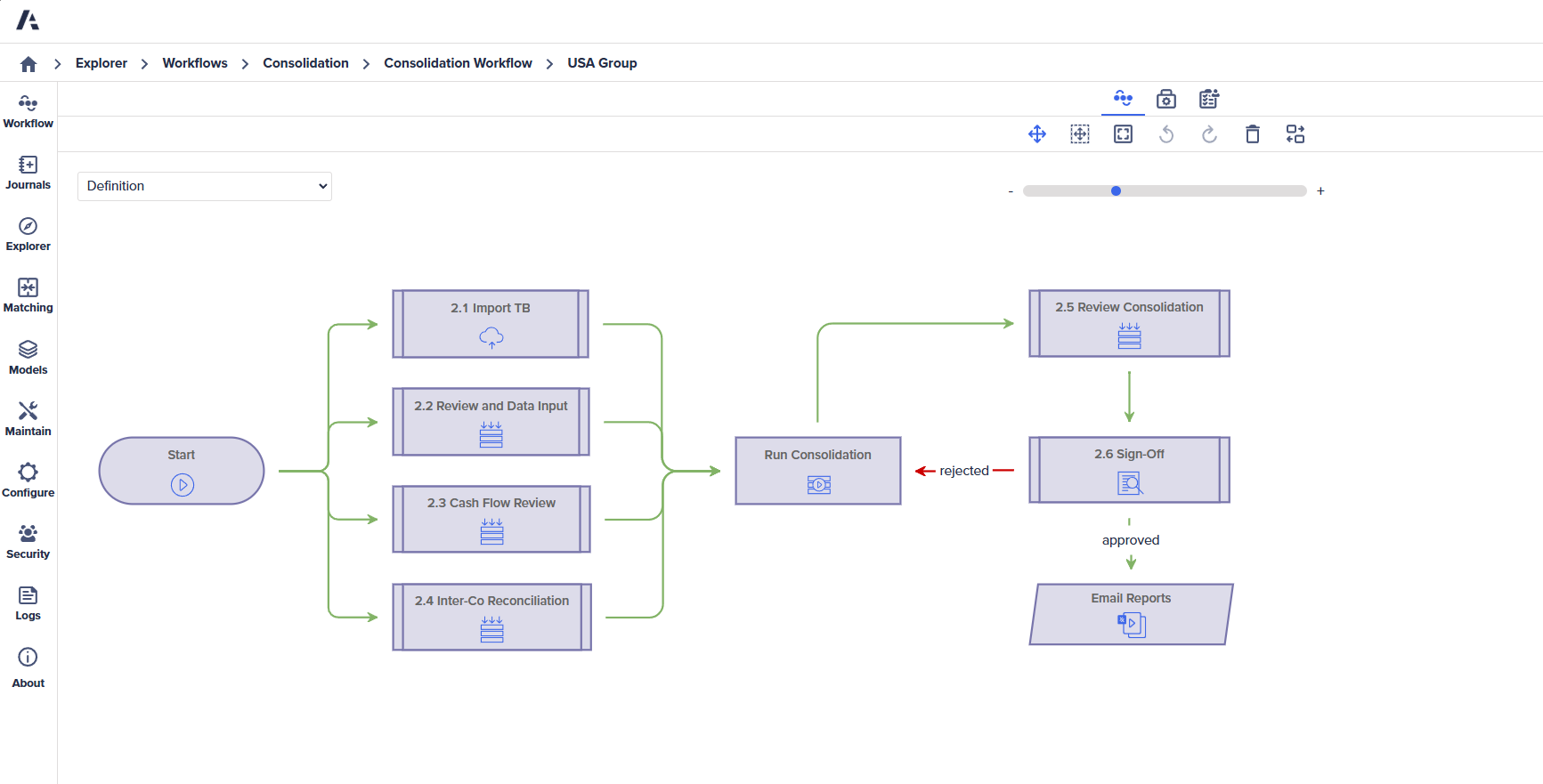
The consolidation workflow process follows a configurable, step-by-step workflow. The administrator sets up the tasks, and each level of the organization completes its part before the next level begins. The end-to-end processes are shown.
Workflow sequence explained
Here's a detailed breakdown of the workflow sequence.
| Step | Description |
| 1. Prepare the cycle | An administrator starts the process by preparing for the new consolidation cycle. They ensure that all foundational data, such as ownership structures and currency exchange rates, is up to date. |
| 2. Input and validate data | Metadata and data are imported from external systems. Also, the individual business units can input their financial data into the system. The system then validates this data to ensure it's accurate and complete. |
| 3. Review unit-level reports | Each business unit reviews its own reports. This includes checking key statements, such as cash flows, and reconciling transactions across different company units. |
| 4. Consolidate sub-groups | After the individual units are reviewed, subgroups, such as regional divisions, run consolidation and currency conversion rules. They combine the data from their respective units and sign off on the results. |
| 5. Consolidate the Total Group | After all groups have signed off, the system runs a final set of rules to consolidate and convert data for the whole company. This step combines all the sub-group data into a single, unified view. |
| 6. Final review and validation | The corporate group then validates the final results and reviews the complete set of consolidated reports. |
| 7. Distribute reports | The process distributes final reports. |
Making adjustments
You can make manual adjustments at any stage of the workflow. These top-side entries are used to account for items such as:
- Group-level allocations
- Account netting
- Adjustments for different accounting standards
Additional workflows
This process can become more intricate depending on your organization's structure. If your solution includes planning use cases, you may also have additional data workflows that are scheduled or triggered separately.

