

With the Journals module, you can create, edit, save, post, unpost, export, import, and view reports for journal entries. A journal entry is a record of a business transaction that is entered in the accounting books. Only balanced journal entries can be posted in Financial Consolidation and Reporting.
Journal entry workspace
From the homepage, select the Journals module in the Navigation pane.
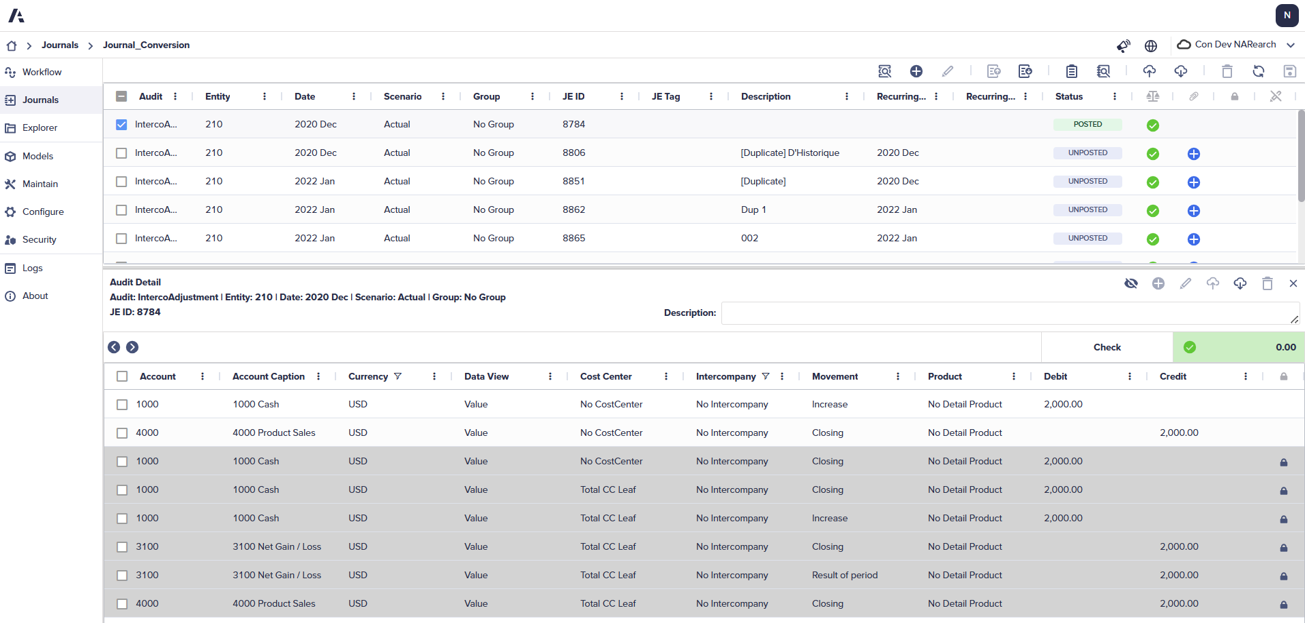
The journal entry (JE) workspace is broken into two parts once a journal entry has been created. The top section consists of the header. The bottom section contains the details and appears when you select a journal entry in the header.
The Journal Configuration determines the dimensions located in the header or detail. The file allows the administrator to set:
- Which dimensions appear in the headers or details, or if they should appear at all.
- Defaults for each dimension when querying journal entries or creating new journals.
- Filter criteria for members based on a hierarchical structure or a member property.
As part of the initial implementation, journal entries must be configured before users begin to use the Journals module. This is done at the time of implementation and stays the same over time.
Learn more about the Journal Configuration here.
Enhanced Journal module
The enhanced Journal module introduces a rearchitected system with improved performance for loading and posting journal entries. It creates auto-generated lines directly into journal entry details, which users can show or hide. It streamlines workflows by enabling you to post automatically recurring journal entries as part of the Run Copy Recurring JE process. It intelligently manages auto-generated rows during balance checks, exports, and imports. Additionally, the module improves overall usability and auditability by retaining your last-used query parameters, maintaining a fixed height for the details panel, and assigning persistent, unique identifiers to each journal entry across all journal configurations.
Learn more about the Enhanced Journal module.

