Create a Calculation task to extract specified dimensional information and export it to a staging table for futher processing and analysis.
To use the extract hierarchy task:
- Create a workflow process that includes a Calculation task.
- Type a name for the workflow task.
- Select Stored Procedure for Type and appdb for Datasource.
- Type fl.ExtractHierarchy for the Stored Procedure Name.
- Select New Parameter and type StagingTable for the Name.
- Specify the name of the staging table where the extracted information will be stored for the Value.
- Select New Parameter and type Dimension for the Name.
- Type the name of the dimension being extracted, such as Account.
- Select OK.
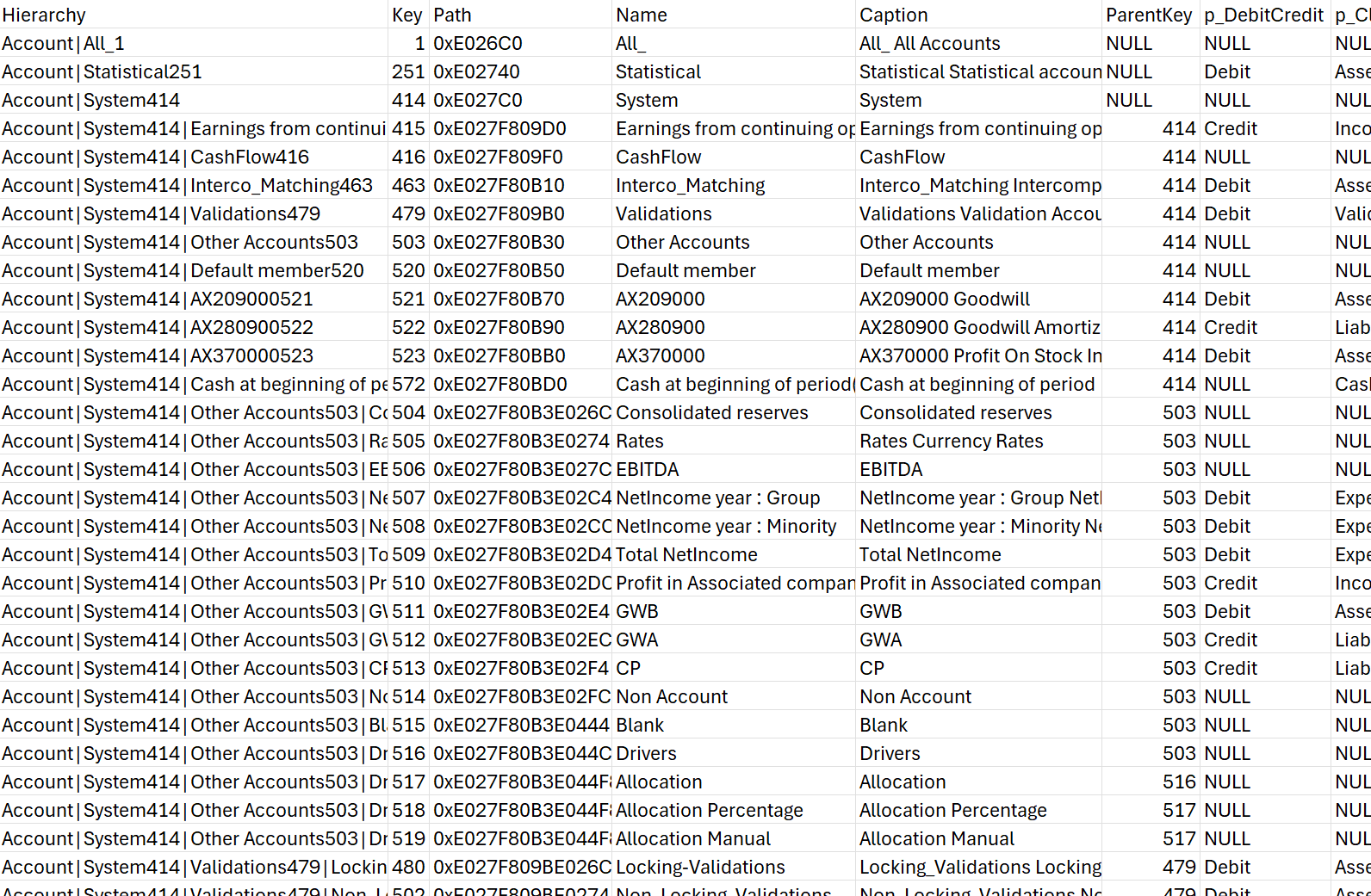
Once the workflow successfully executes, the system will automatically generate a staging table, formatted as client.<StagingTableName>, containing the requested dimensional information ready for use.
Example of staging table: