
Learn about new Anaplan features and enhancements introduced in June 2026.
User Experience
On-the-fly chart creation
Users can now create charts directly from a selected range of cells within a grid. This drastically reduces the number of steps required to visualize your data, and removes the need for an in-depth understanding of the underlying model structure. This means faster analysis and more accessible insights for everyone on your team.
Learn more in Create a chart card from a grid.
CoModeler
We've extended Anaplan CoModeler's capabilities. You can now:
- Create versions directly within the model with natural language prompts, streamlining setup and reducing the need for manual configuration.
- Set, update, or remove the switchover on your forecast version directly through conversation. Being able to manage this through CoModeler means fewer context switches and faster iteration when configuring your model's version settings.
- Query a broader set of model objects, which enable CoModeler to read exports, file data sources, imports, line item subsets, list subsets, processes, roles, and users, accelerating model modifications.
- Ask CoModeler about key module-level metrics including Populated Cell Count and Memory Used. CoModeler can also return detailed line-item-level metrics including Cell Count, Calculation Complexity, and Calculation Effort.
- View dependencies with Referenced By, giving you greater visibility into module dependencies and relationships, ensuring CoModeler understands downstream impacts when making structural changes.
- Add and edit list subsets, add and edit line item subsets, and update list notes directly through conversation.
Learn more in Anaplan CoModeler.
Optimizer
Integration with Workflow
You can now run Optimizer actions directly from workflows. This enables:
- Scheduling, for users who want to run optimization actions at specific times.
- Data approvals, for approving new figures before running the next decision model.
- Value-based decisions, for example, using a Boolean to check whether new data is available, then only running Optimizer when there's new data.
- Notifications, to keep stakeholders informed at different steps in the process.
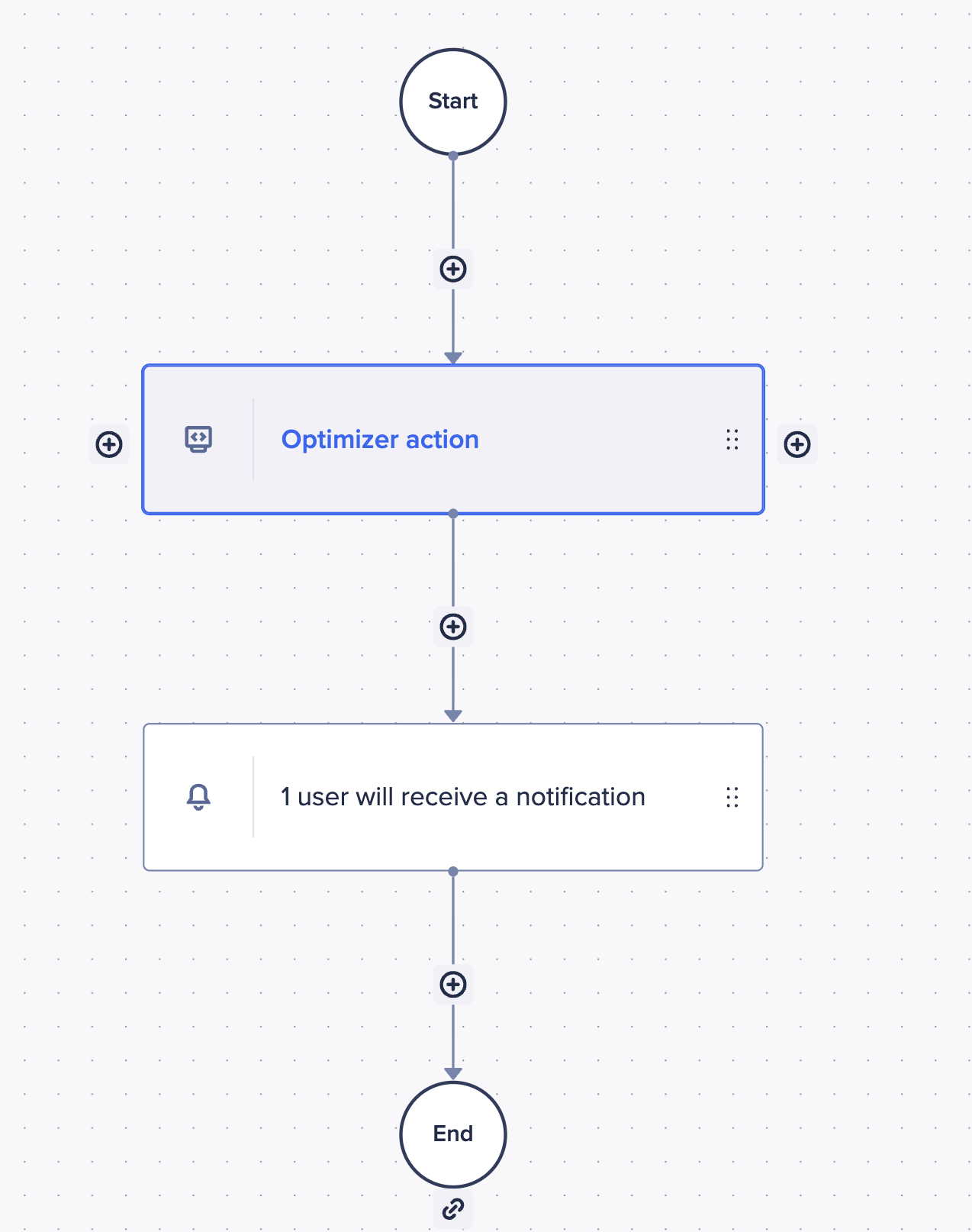
Learn more in Enable and use Optimizer.
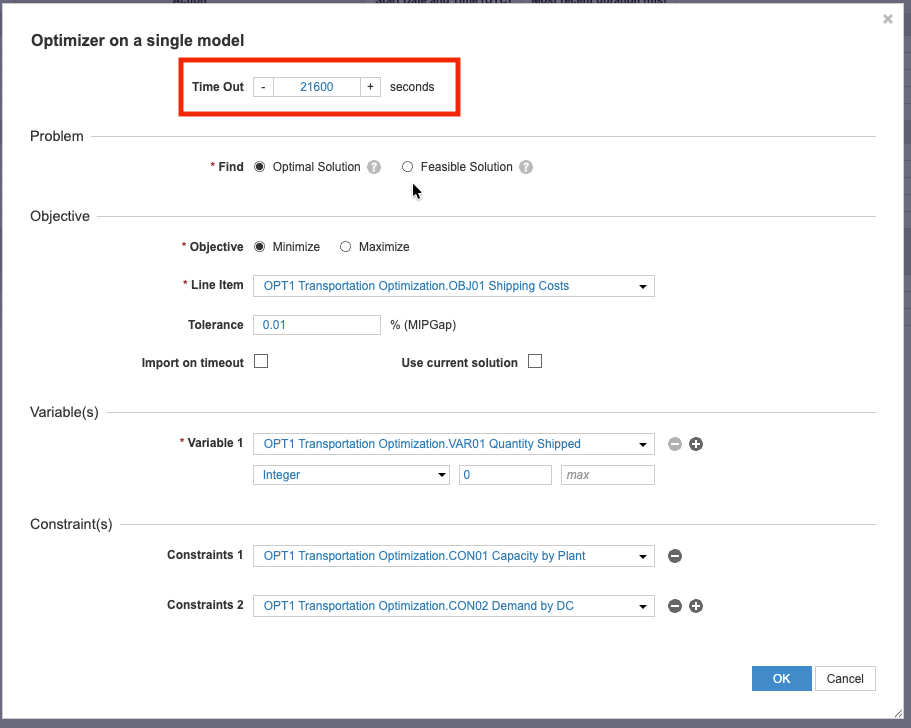
Extended runtime
You can now tackle larger, more complex problems that require more processing with an extended runtime of up to six hours.
Forecaster
We've introduced new statistical methods for all users:
- Naive: A baseline forecasting method that repeats recent historical values, using naive or seasonal-naive repetition with automatic seasonality detection and fallback logic. Useful as a simple, reliable benchmark to compare other models against.
- Moving Average: A baseline forecasting method that smooths recent historical values using moving averages to generate flat, multi-horizon forecasts. This method is best suited to stable time series. Supports both Simple (SMA) and Exponential (EMA) variants.
For Forecaster advanced users, we've introduced:
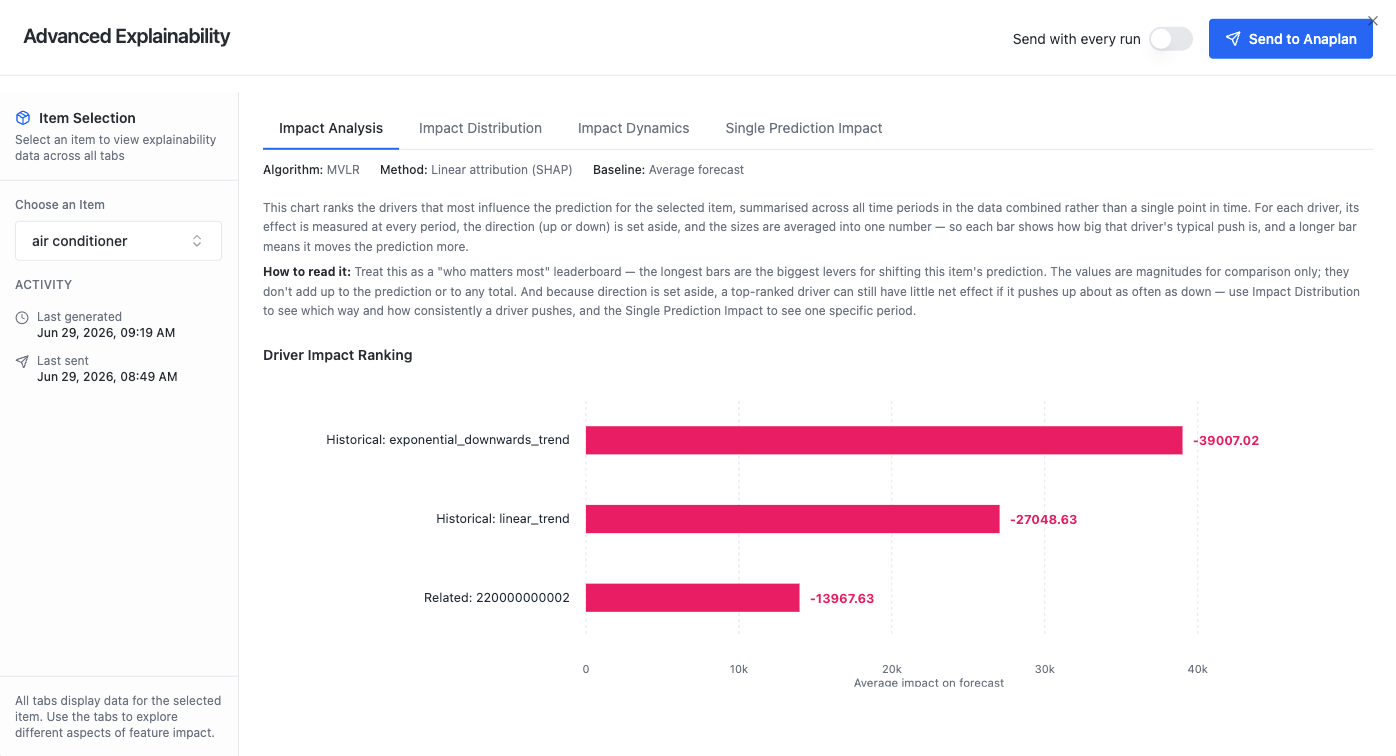
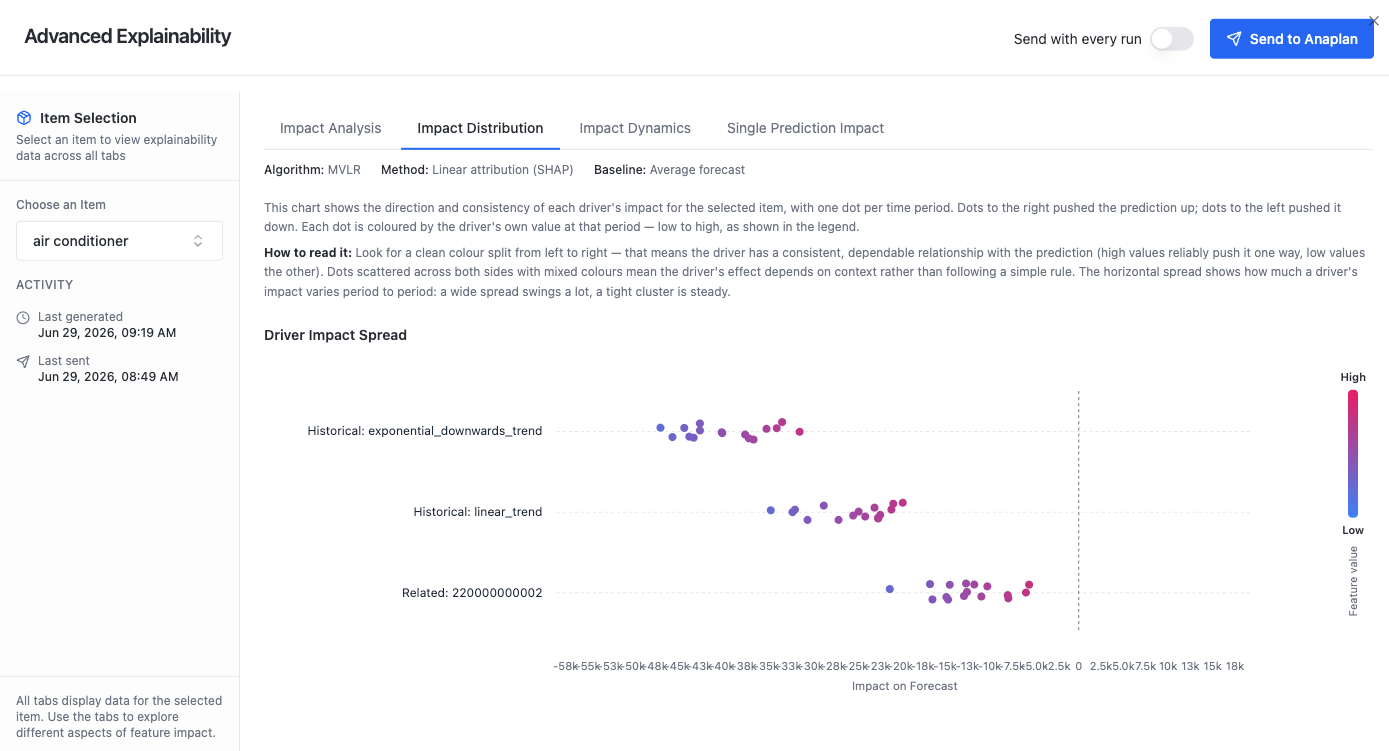
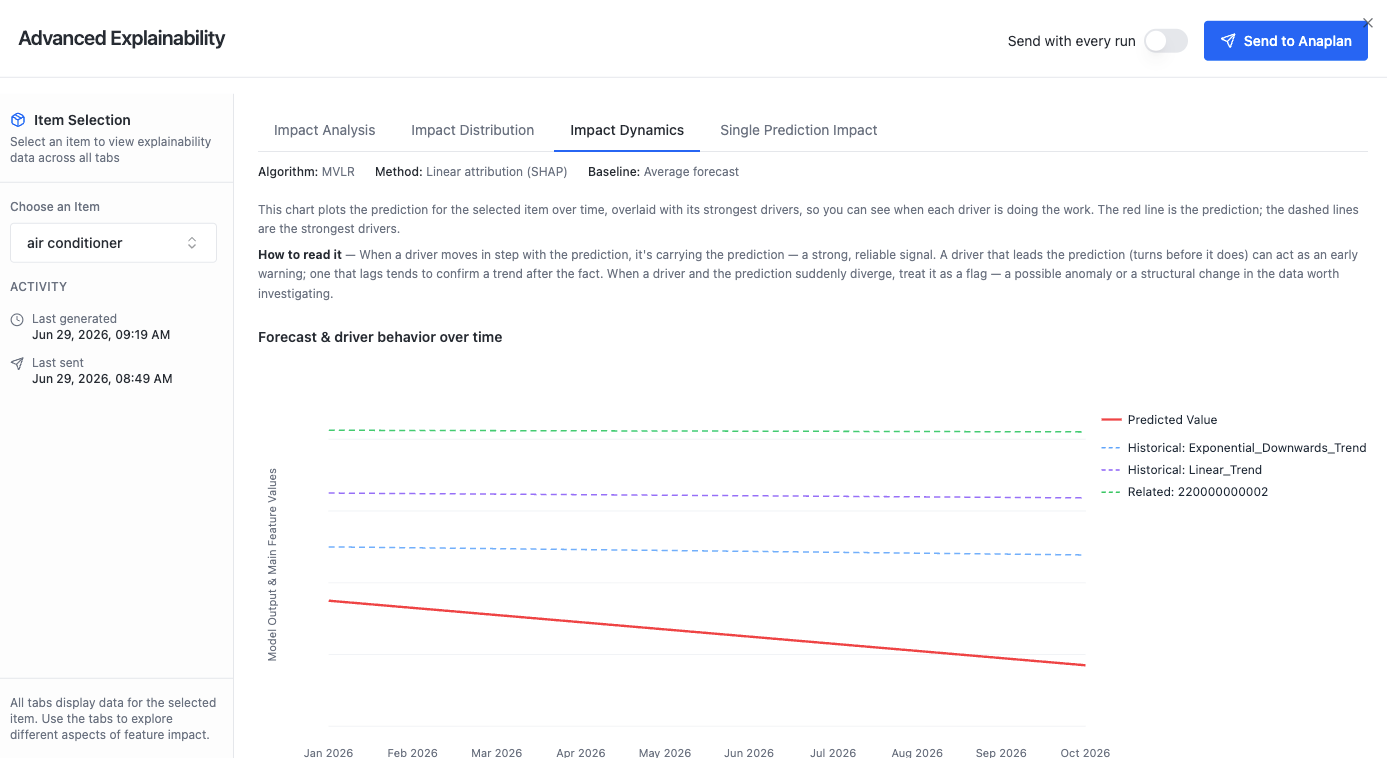
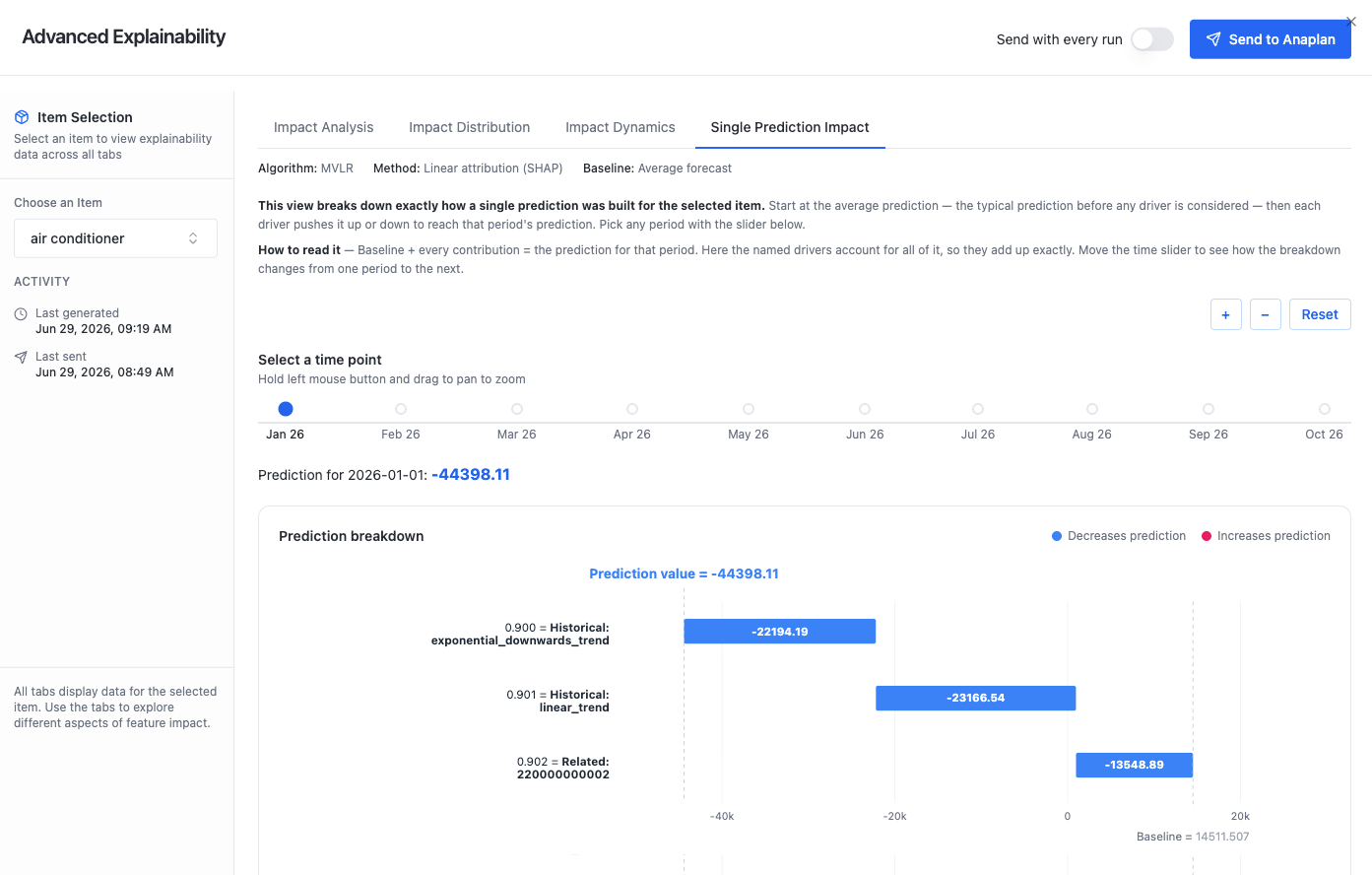
- Advanced Explainability for Multivariate Linear Regression (MVLR) models: See exactly which drivers shaped your forecast. For MVLR models, Advanced Explainability breaks down each prediction to show how individual drivers contributed, with interactive visualizations (Impact Analysis, Impact Distribution, Impact Dynamics, and Single Prediction Impact) and the option to write results directly back to an Anaplan module.
- Impact Analysis: A ranked view of which drivers have the greatest influence across all forecasted items. It surfaces the most important drivers at a glance so users can see, in aggregate, what's shaping their forecast.
- Impact Distribution: Shows the spread of a driver's impact across the population of items, rather than a single average. This reveals whether a driver pushes predictions consistently in one direction or has mixed effects depending on the item. This is useful for spotting where a driver matters a lot for some items but little for others.
- Impact Dynamics: Plots how a driver's contribution shifts as the driver's own value changes, for example, whether the effect strengthens, weakens, or reverses across the driver's range. This helps users understand the relationship between a driver and the forecast, not just its overall weight.
- Single Prediction Impact: Decomposes one individual forecasted value into the contribution of each driver, showing exactly how the model arrived at that number for that item. This is the most granular view — the one to use when a planner asks "why did the model predict this?"
- TimesFM in Ensemble: The Ensemble algorithm can now incorporate TimesFM, Google's pre-trained time-series foundation model, as one of its component models. This combines TimesFM's pre-trained forecasting strength with Ensemble's blending of multiple methods for more robust predictions.
Workflow
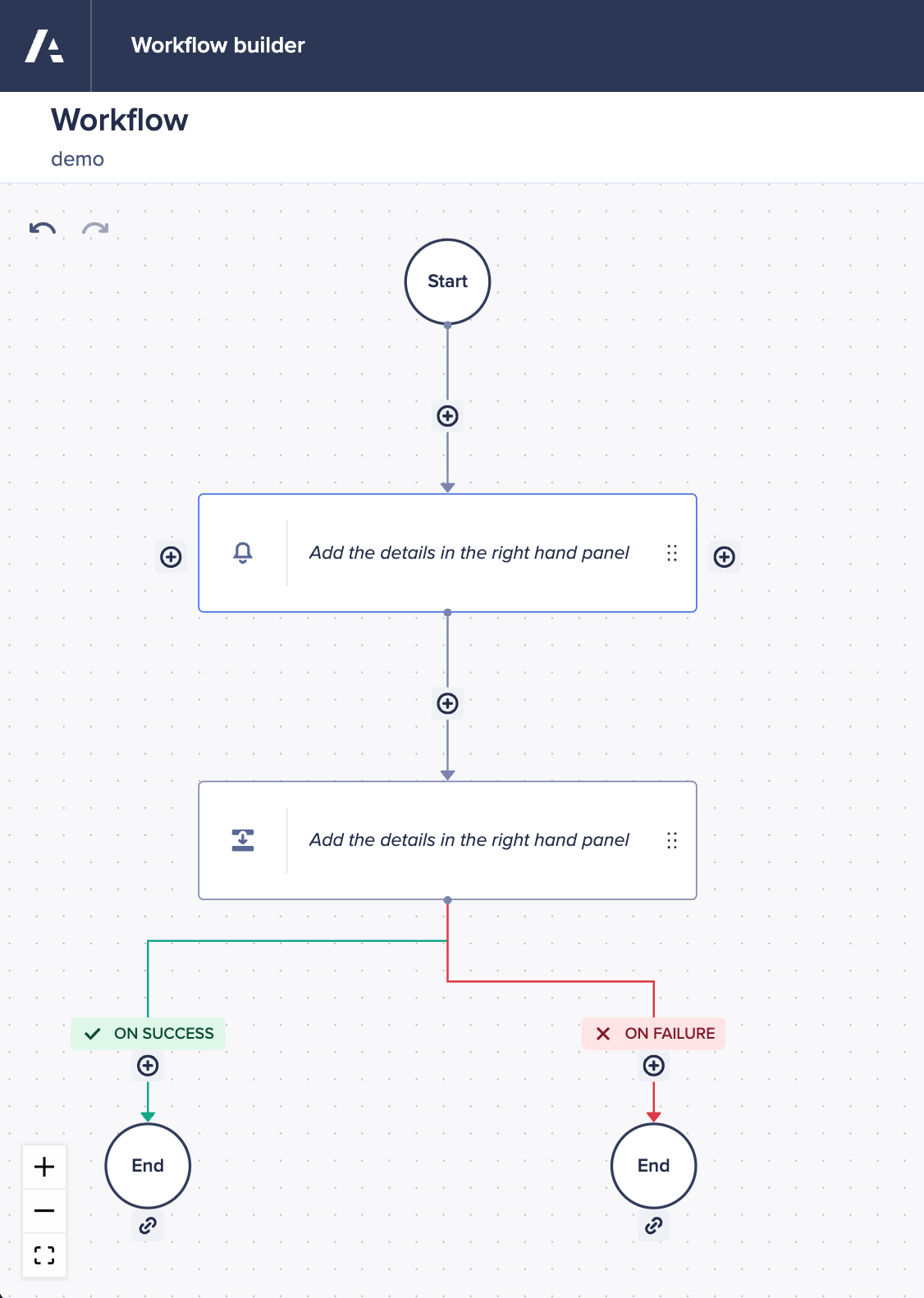
Workflow builder undo and redo
We've introduced undo and redo options within the Workflow builder canvas. This lets you easily reverse accidental additions, deletions, or changes to your steps, approval nodes, and transitions. You can now design, refine, and experiment with your workflows with complete confidence, knowing that any accidental edits are reversible.
Decision task feedback
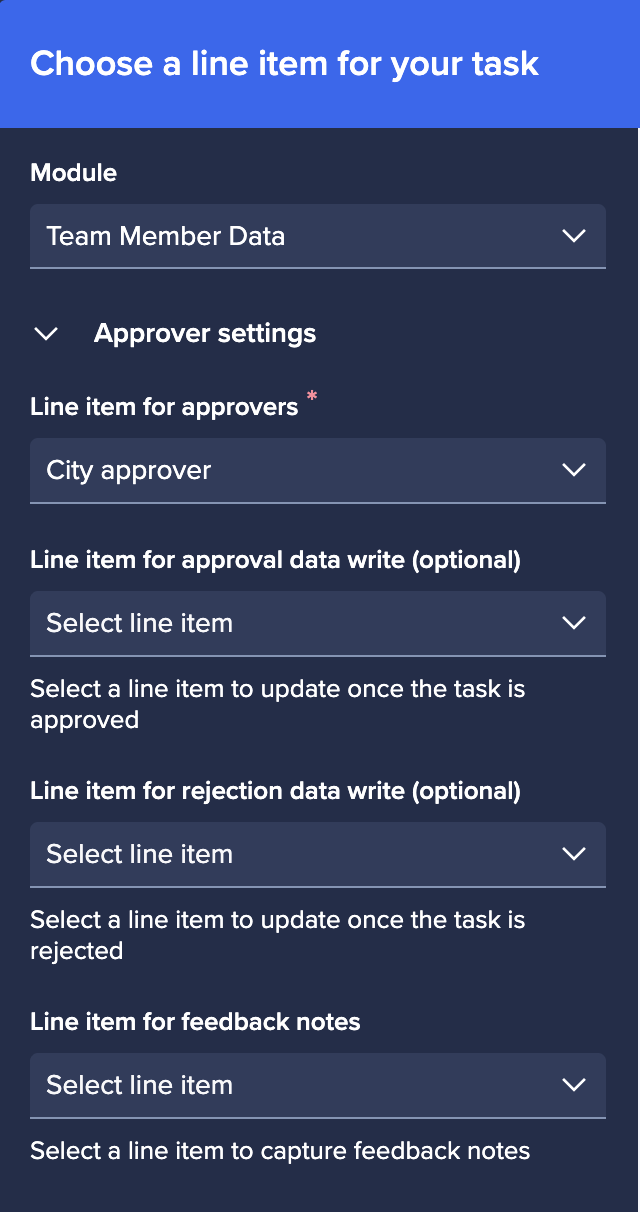
We've introduced the ability to configure comments for decision tasks. Once this is set up, when approvers approve, reject, or send back an item in a decision task, they can add a comment to individual line items. This is saved directly to the model, linked to that specific line item. This means you can add feedback across multiple items at once, even when using batch approvals.
Learn more in Add feedback to a decision task.
Batch submission and approvals
We've introduced batch processes for Workflow Advanced users.
- Batch Submission: Workflow owners can now configure a workflow so that a single action button on a card will run a batch workflow. This automatically iterates over all ready-to-submit items in your model.
- Batch Notifications: Instead of receiving dozens of disruptive emails throughout the day, approvers receive a single consolidated email summarizing all pending tasks, sent once a day at midnight UK time.
- Batch Approvals: Approvers can now select View approvals from their digest email to open a side-by-side Batch Approval pane. From here, they can preview the context of each task, select multiple items via checkboxes, and approve or reject them all at once.
Learn more in Batch workflows and approvals.
Security and tenant administration
Multi-Factor Authentication for basic authentication
- Tenant-Level MFA configuration: Tenant Security Administrators can now enforce Multi-Factor Authentication (MFA) via the Administration console. This setting applies only to users logging in via basic authentication (email and password), and the MFA prompt status is based on a user's default tenant settings.
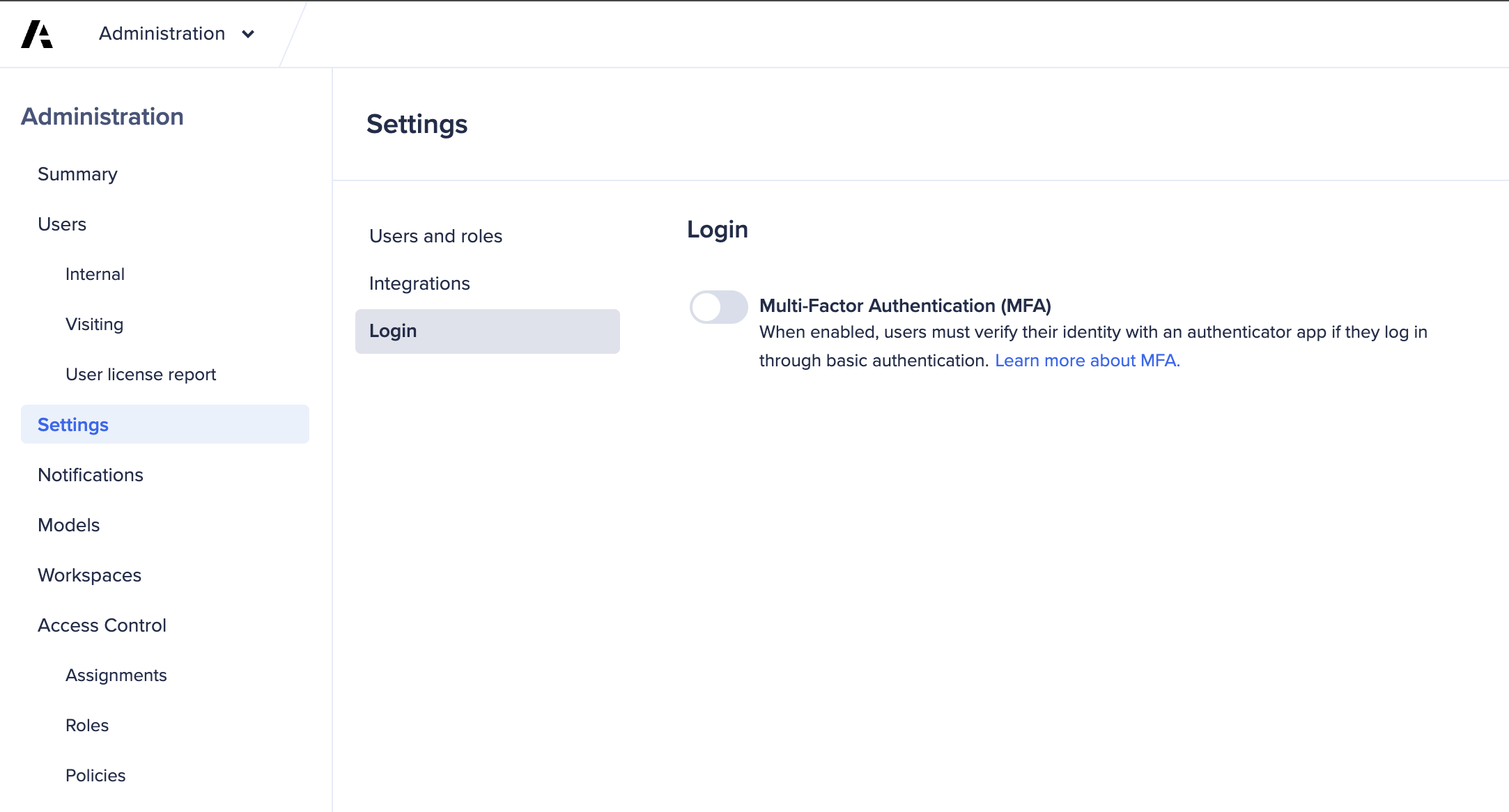
- User onboarding and recurring login flow: Once enabled, basic authentication users will be guided through a one-time registration flow on their first login, where they must pair a supported mobile authenticator app. Supported apps include Google Authenticator, Microsoft Authenticator, Auth0 Guardian, and Twilio Authy. On all subsequent logins, users will be provided with either a temporary one-time password or a push notification to verify their login.
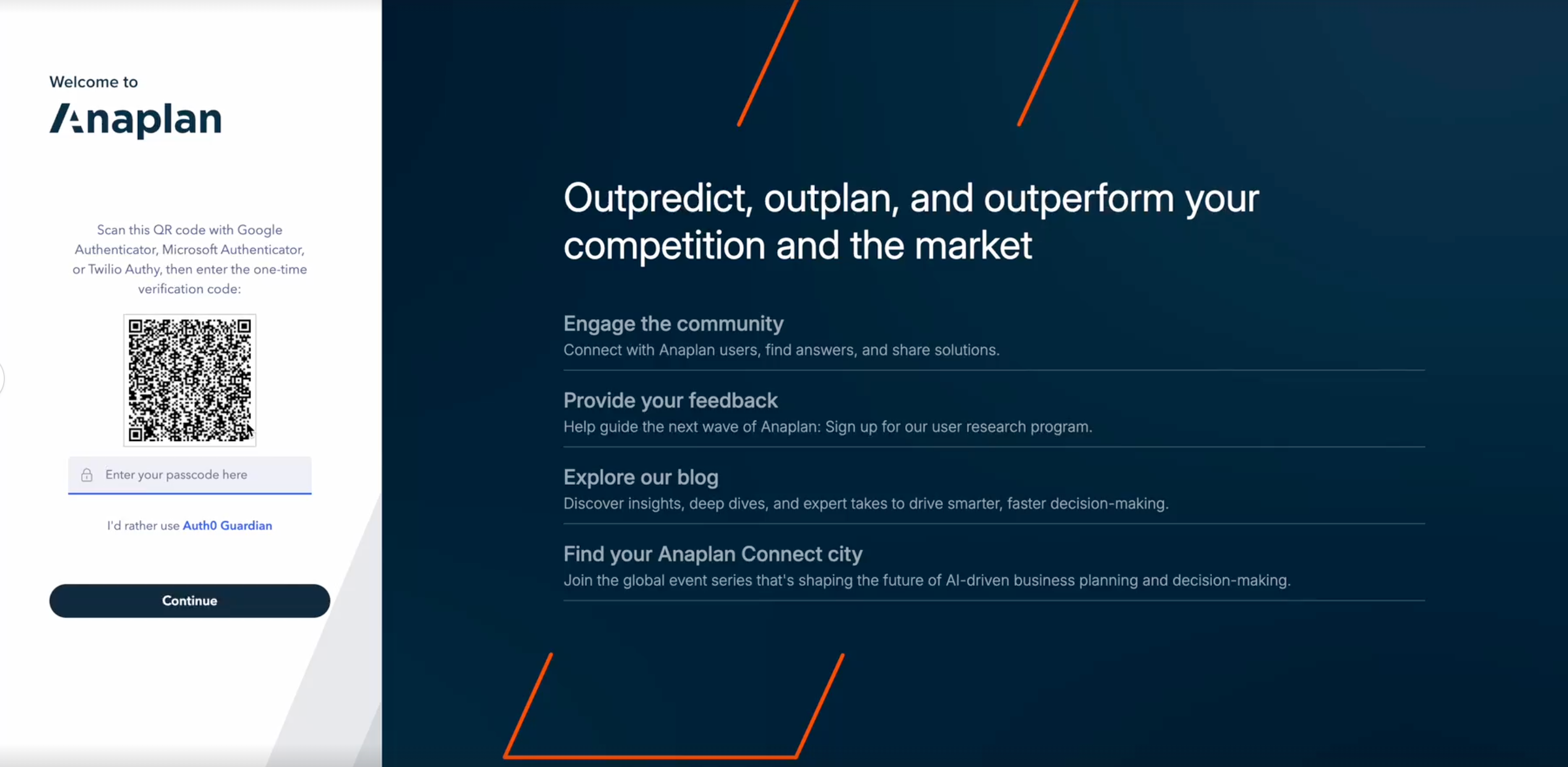
- Rollout timeline: Customers can enable MFA at their leisure upon release; however, it will become mandatory for all basic authentication users on January 27, 2027.
Learn more in:

