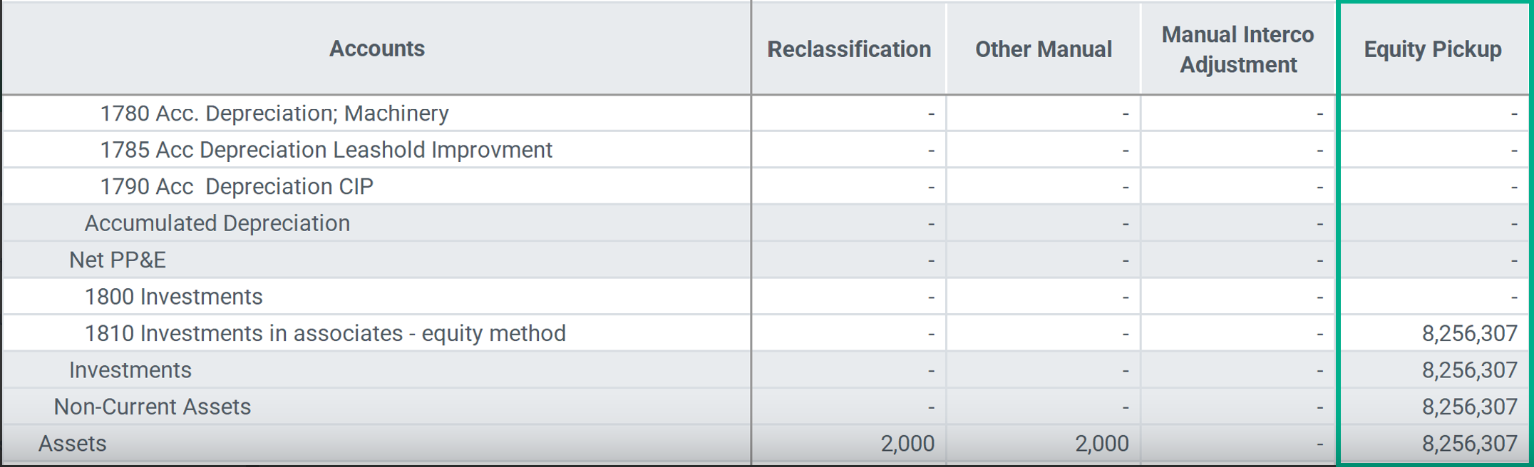
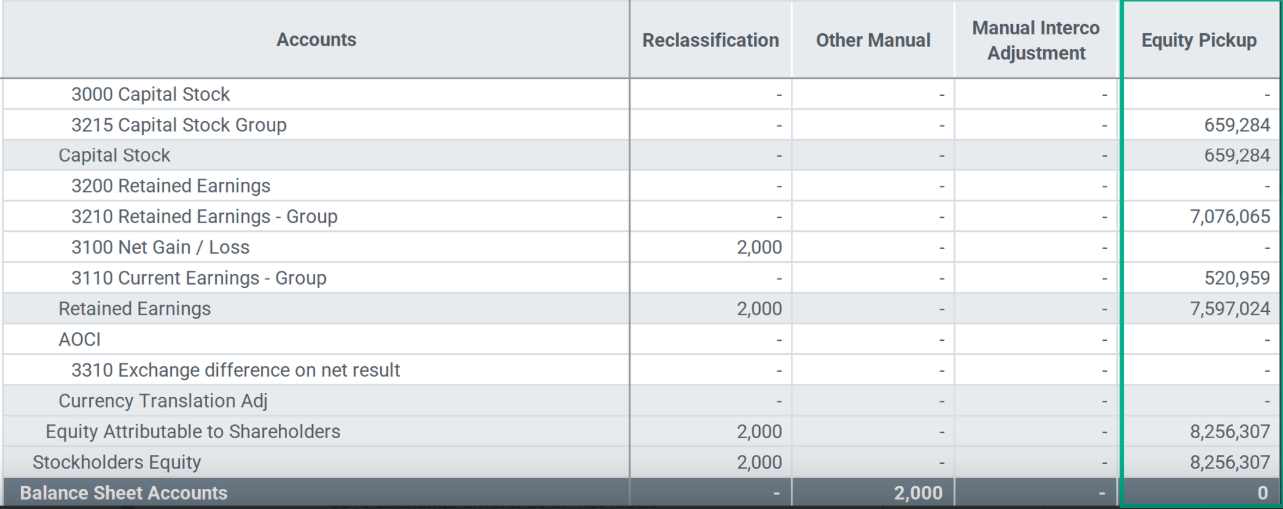
Members in Equity Pickup refer to the specific components or line items of a subsidiary's equity that are included in the consolidated financial statements of the parent company.
Member names with leading zeroes aren't supported, for example, 0001.
Account
Create a separate account, Investment in Equity Pickup under the parent Investments account to store the results of the Equity Pickup calculation.
| Account | Category |
| Investments | Investments |
| 1800 | Investment in subsidiaries |
| 1810 | Investment in Equity Pickup |
Audit
Your provisioned system contains the Equity Method and Equity Pickup members. These members store the results of the Equity Pickup calculation.
Move these members to different parents if needed. You can rename these members, but the consolidation rules must be updated.
| Equity Pickup members | Audit hierarchy |
| Statutory Reporting | Statutory Reporting |
| Management Reporting | Management Reporting |
| Local Reporting | Local Reporting |
| Import and Input | Import and Input |
| Local Adjsutments | Local Adjsutments |
| Manual Local JE | Manual Local JE |
| Reclassification | Reclassification |
| Manual Interco | Manual Interco |
| Auto Interco booking | Auto Interco booking |
| Equity Pickup | Equity Pickup |
| Corporate Adjustments | Corporate Adjustments |
| Consolidation Adjustments | Consolidation Adjustments |
| Manual Consolidation JE | Manual Consolidation JE |
| Goodwill and PPA | Goodwill and PPA |
| Total Intercompany | Total Intercompany |
| Total Other Automatic | Total Other Automatic |
| Stock Holder Equity | Stock Holder Equity |
| Equity Method | Equity Method |
Equity Method
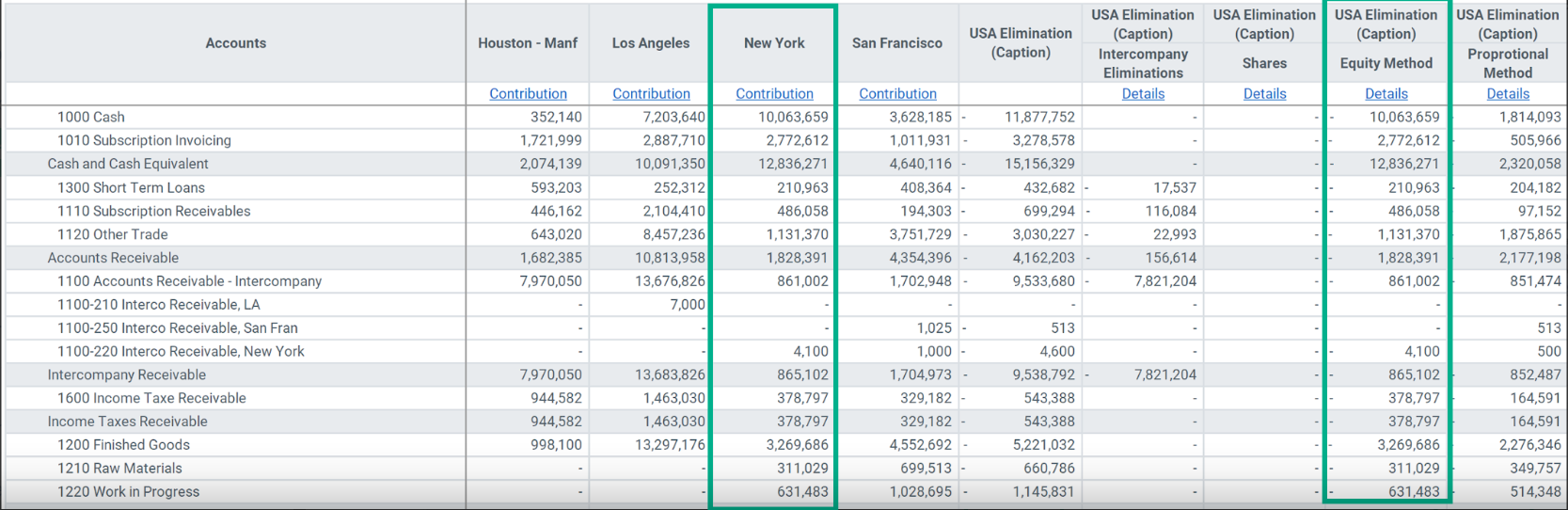
Normally customers want to import 100% of the Trial Balance for Equity Pickup entities. For consolidation purposes, 100% of the Trial Balance must be removed since it can't be consolidated.
The Equity Method member is used to reverse the Trial Balance amounts imported for the Equity Pickup entity. This reversal is done using the elimination entities.
It's one of the only rules that doesn't apply to a specific account because the rule applies to all Trial Balance accounts.
After loading the Trial Balance:
- Navigate to Explorer.
- Expand the Root folder > Global > Consolidation > Reports > Web Reports.
- Double-click the Consolidated Financials – By Entity report.
- Select an Entity, Currency, Period, and Scenario.
- Select OK.
Review the Entities owned by another and the Equity Method, Audit member used to reverse the Trial Balance.
Equity Pickup
The Equity Pickup Audit member is used to record the Equity Pickup amounts as specified in the consolidation rules. The Equity Pickup amount is often recorded in the Holding company. In the example below, the Equity Pickup amounts are stored in Houston, the Holding company for New York.
After loading the Trial Balance:
- Navigate to Explorer.
- Expand the Root folder > Global > Consolidation > Reports > Web Reports.
- Double-click the Consolidated Financials – By Audit Report.
- Select an Entity, Currency, Period, and Scenario.
- Select OK.
Review the Equity Pickup amounts stored in the entity that is a holding company for another Entity.