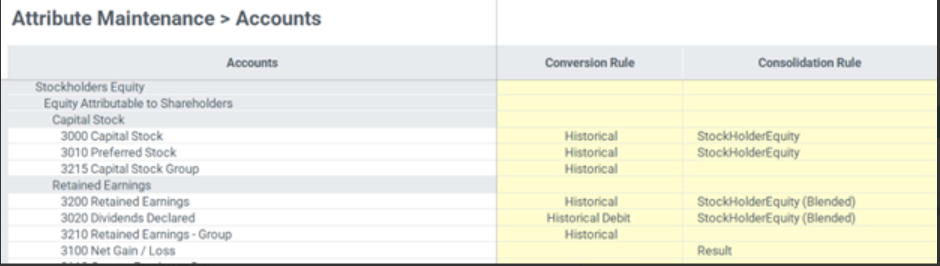
Manage account and customer specific rules for equity pickup consolidation calculations.
There are several consolidation rules that you can update as per the need.
EquityMethod rule
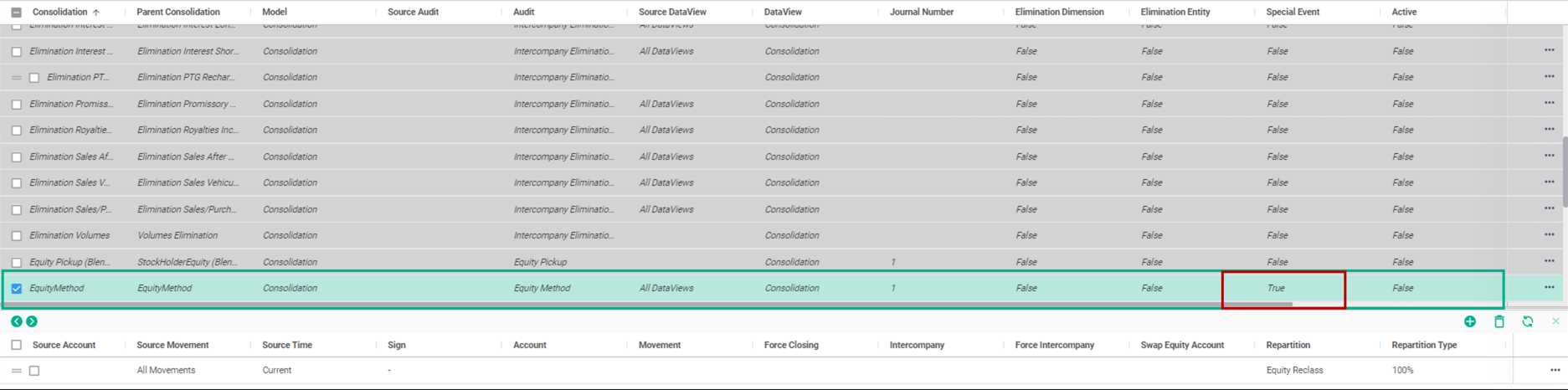
This rule reverses the Trial Balance, which has been imported/input for an Equity Pickup entity. It's one of the only rules that doesn't need to be assigned to a specific account because it is applied to all Trial Balance accounts.
- The Special Event field is set to Yes for the EquityMethod as this rule applies to all accounts.
- The Special Event field is set to No for all other consolidation rules except for the Proportionate Consolidation Method, which isn't often used anymore.
Navigate to the Maintain module and select the Consolidation Rules link under the Consolidation card.
This rule applies to all accounts and doesn't require any updates to match specific Account naming convention.
Result Equity Pickup rule
The rule defines how equity movements are handled. It records the share of Equity Pickup entity.
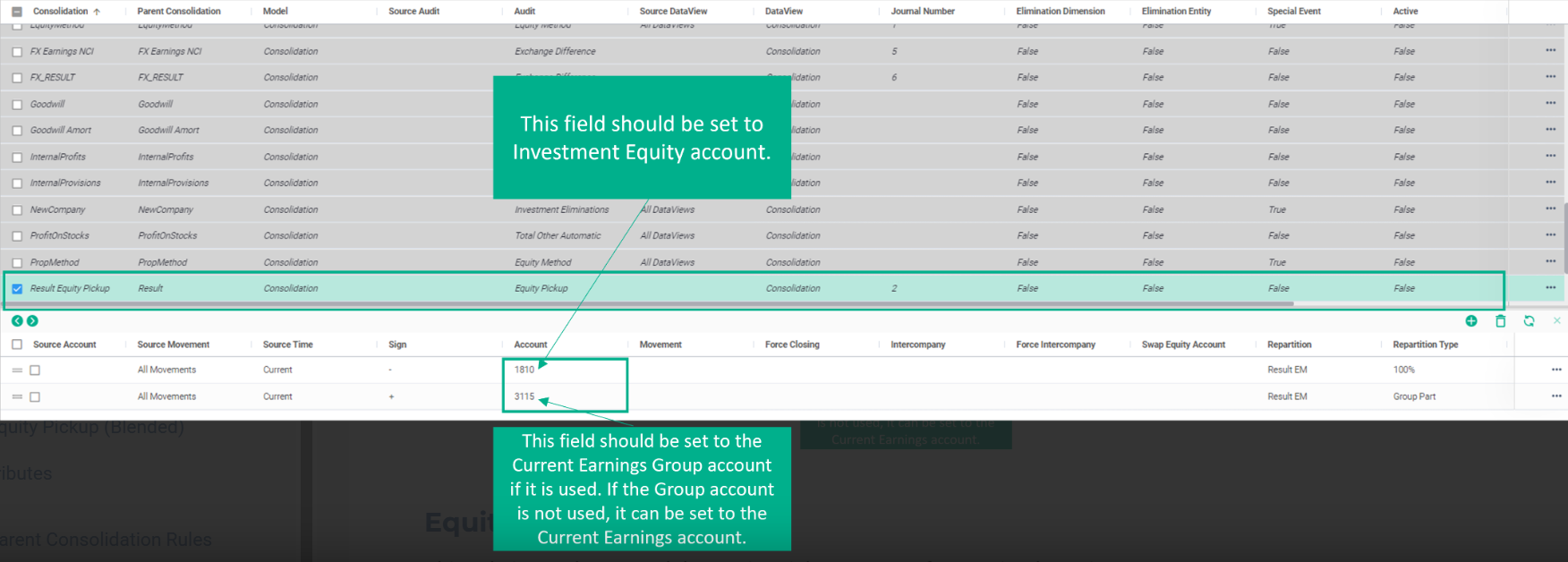
The rule's setup requires selecting the correct account(s) to record the equity adjustments from the consolidation process correctly. This depends on the company's account setup and if a group earnings account is used.
The account that shows the parent company's shares in its Equity pickup entity must be set as Investment Equity Account.
For the equity side, replace the Account with Current Earnings Group Account if such an account exists. If a group account doesn't exist, then it should be set to the standard Current Earnings Account.
Equity Pickup (Blended) rule
This rule is used to record the Equity Pickup amount for Retained Earnings. The blended aspect combines different equity components from the subsidiaries in a single, aggregated view.
Specify the accounts for the Investment Equity for the Repartition Type set to 100% and Retained Earnings Group account if it is used. If the Group account is not used, set it to the Retained Earnings account.
Parent Consolidation Rules
These rules are used when more than one consolidation rule needs to be assigned to a given account.
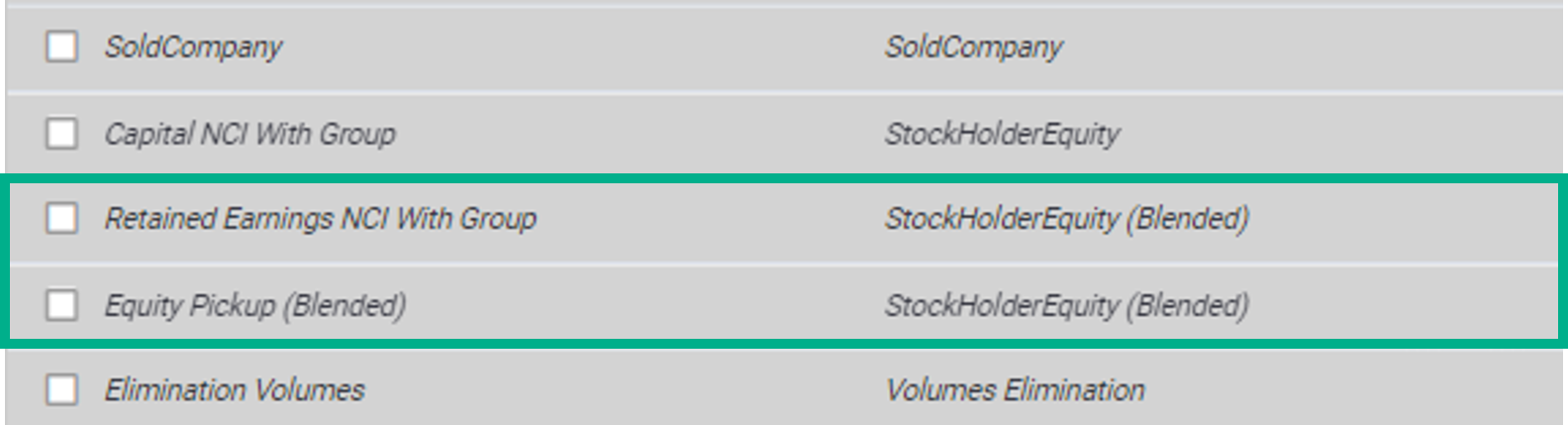
If a customer needs to consolidate using the NCI method and Equity Pickup method, a given account, such as Current Earnings or Capital Stock, will likely need to have two rules assigned. Use the concept of Parent Consolidation rules to assign multiple rules to a single account in the Account Attribute table. For example, the Retained Earning NCI With Group and Equity Pickup (Blended) accounts will use the same StockHolderEquity (Blended) Parent Consolidation Rule.