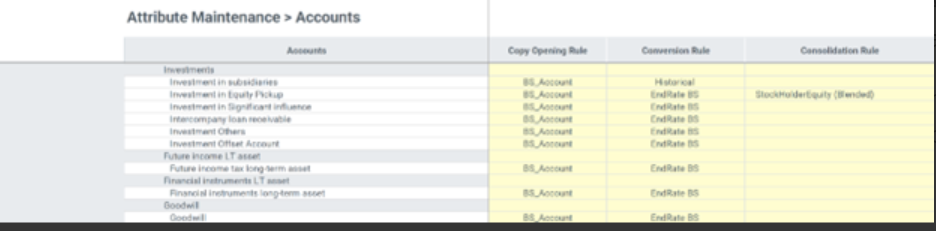
Once you have updated the consolidation rules for equity pickup, you need to update the Account Attribute table to assign the equity pickup consolidation rules to specific accounts in the trial balance.
To access the attribute page:
- Navigate to Explorer.
- Expand the Root > Global > Consolidation > Maintenance folder.
- Double-click the Attribute Maintenance form.
- Select the Accounts dimension from the first column on the form.
The form specifies how the Equity Pickup Consolidation Rule has been assigned to the Investment in Equity Pickup account. Select a different rule from the dropdown and make other related changes to the form if need be.
In the form select the Consolidation Rule attribute that describes the method for consolidating data from these accounts. You'll see and be able to change additional attributes for the Accounts dimension.