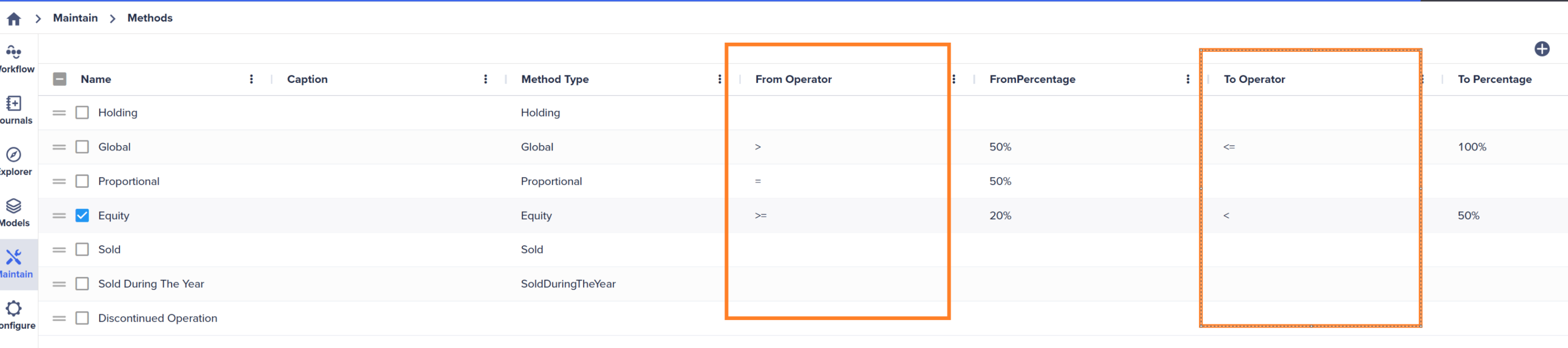
This feature enables the system to automatically calculate ownership percentages based on Direct Ownership data and designated percentage ranges. This automation makes the ownership setup process easier. Once you enter the direct percentage information, you don't need to change ownership settings.
You can make the necessary modifications to the Ownership table even if the Ultimate rate calculation has been run. It provides a solid foundation, eliminating the need to start from scratch.
Prerequisites
- You must populate the Direct Percentage table for the Ultimate rate calculation to work. This can be done in one of two ways:
- Enter the Direct Percentage information manually in the Direct Ownership web editor.
- Information entered into the Investment Registry can automatically generate the Direct Percentage.
If the Investment Registry is used to populate the Direct Ownership, manual adjustments to the Direct Ownership table won't be allowed.
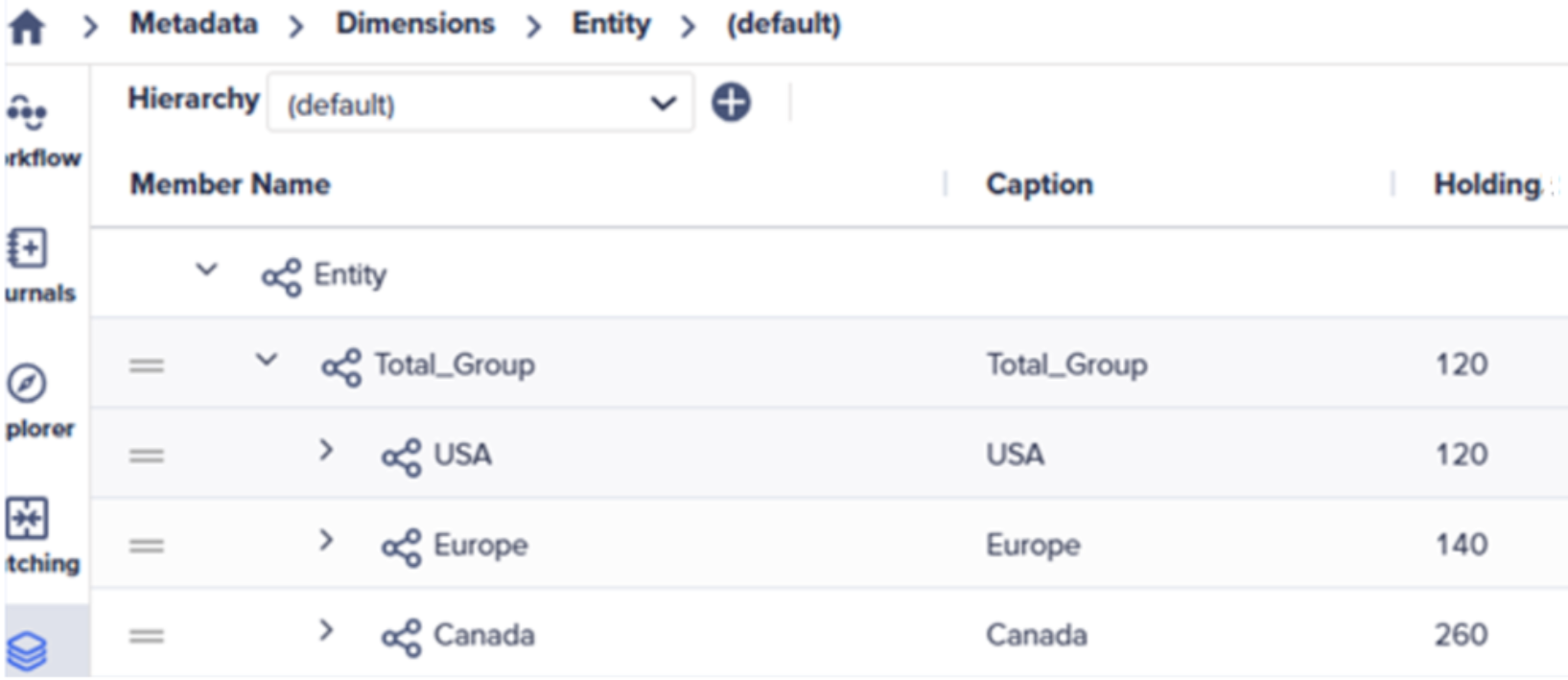
- The Holding property must be set in the Entity dimension. For each parent node in the hierarchy, you need to define which Entity (Leaf member) is the Holding Company – up to the Total Group.
For example, Entity 260 (Montreal) is the holding company for Canada, 140 (Paris) is the holding company for Europe, and 120 (Houston) is the holding company for USA and at the Total Group level.
- The range of % Ownerships must be defined for each consolidation method. These ranges drive how the ultimate rate sets the methods in the Manage Ownership table.