

Automate workbook actions in Anaplan XL by configuring pre-save and post-save trigger options on the Writeback tab. These settings let you evaluate formulas, validate inputs, or trigger calculations automatically when you save your planning data. Use these triggers to coordinate calculations and ensure data integrity without relying on custom buttons.
Understand pre-save and post-save triggers
In Anaplan XL, writeback triggers coordinate actions between your Excel worksheet and the underlying data model during a save operation. You can configure two types of triggers on the Writeback tab in Workbook options:
- Pre save trigger: Executes before Anaplan XL submits changed values to the data source. Use this trigger to run calculations, prepare staging data, or perform validation checks that can stop the save if data does not meet specific criteria.
- Post save trigger: Executes immediately after Anaplan XL successfully commits values to the data source. Use this trigger to refresh connected grids, clear temporary input cells, update status indicators, or run post-submission workflows.
Use-case example: Intercompany allocation and reversal
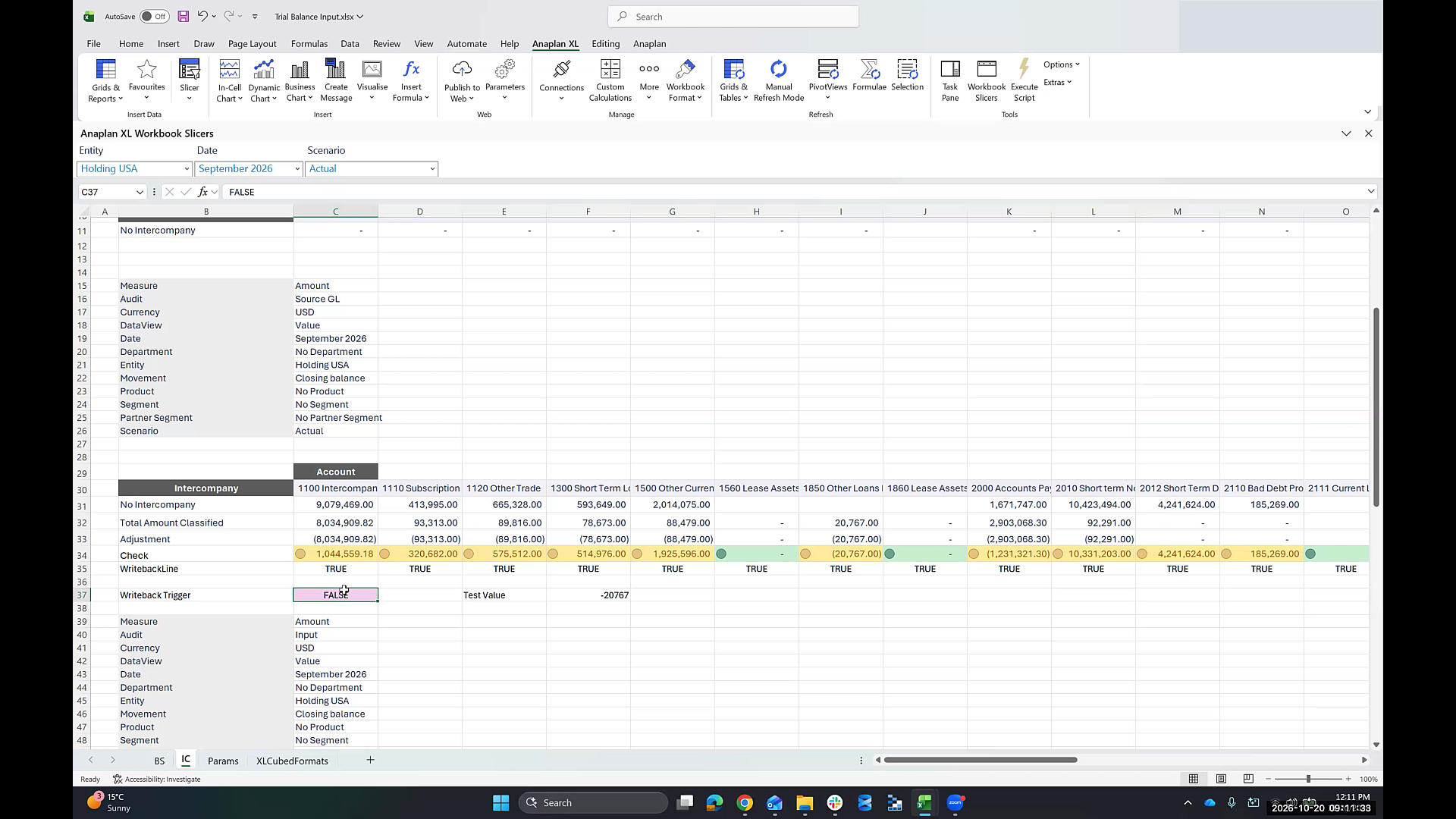
When you manage intercompany allocations, entering spread values can double-count data unless you write back a corresponding reversal to offset the original amount reported in the general ledger. To automate this process without requiring users to select custom link buttons, you can gate your reversal formulas with a Boolean trigger cell (such as cell IC!$C$37) and reference it as a pre-save trigger. When you select the built-in Save button in Anaplan XL, the system automatically sets the trigger cell to TRUE, executes the reversal writeback formulas, commits the grid values to the model, and resets the trigger flag to FALSE.
Relevant cells and formulas
In the Anaplan Financial Consolidation and Reporting intercompany allocation report:
- Trigger cell (
C37): Contains the Boolean flag labeled Writeback Trigger, which is set FALSE.
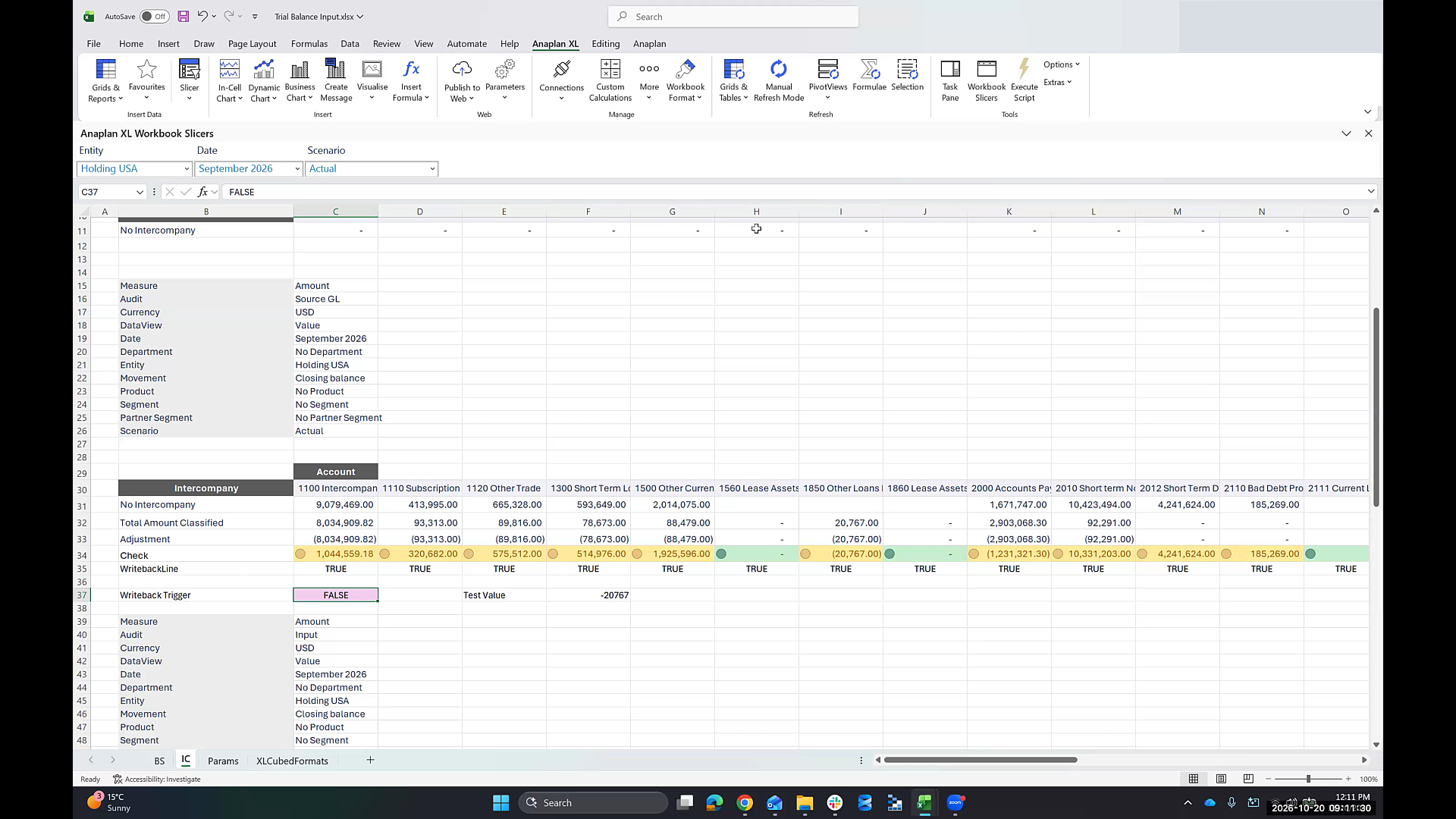
- Writeback formulas (Row 33 / Row 37): Contains the writeback formula that submits the reversal amount to the consolidation model (for example, offsetting the general ledger amount):
=IF(C$37, XL3DoWriteback(C$35, ...), ...)All writeback formulas along this line reference the Boolean trigger cell
C37.
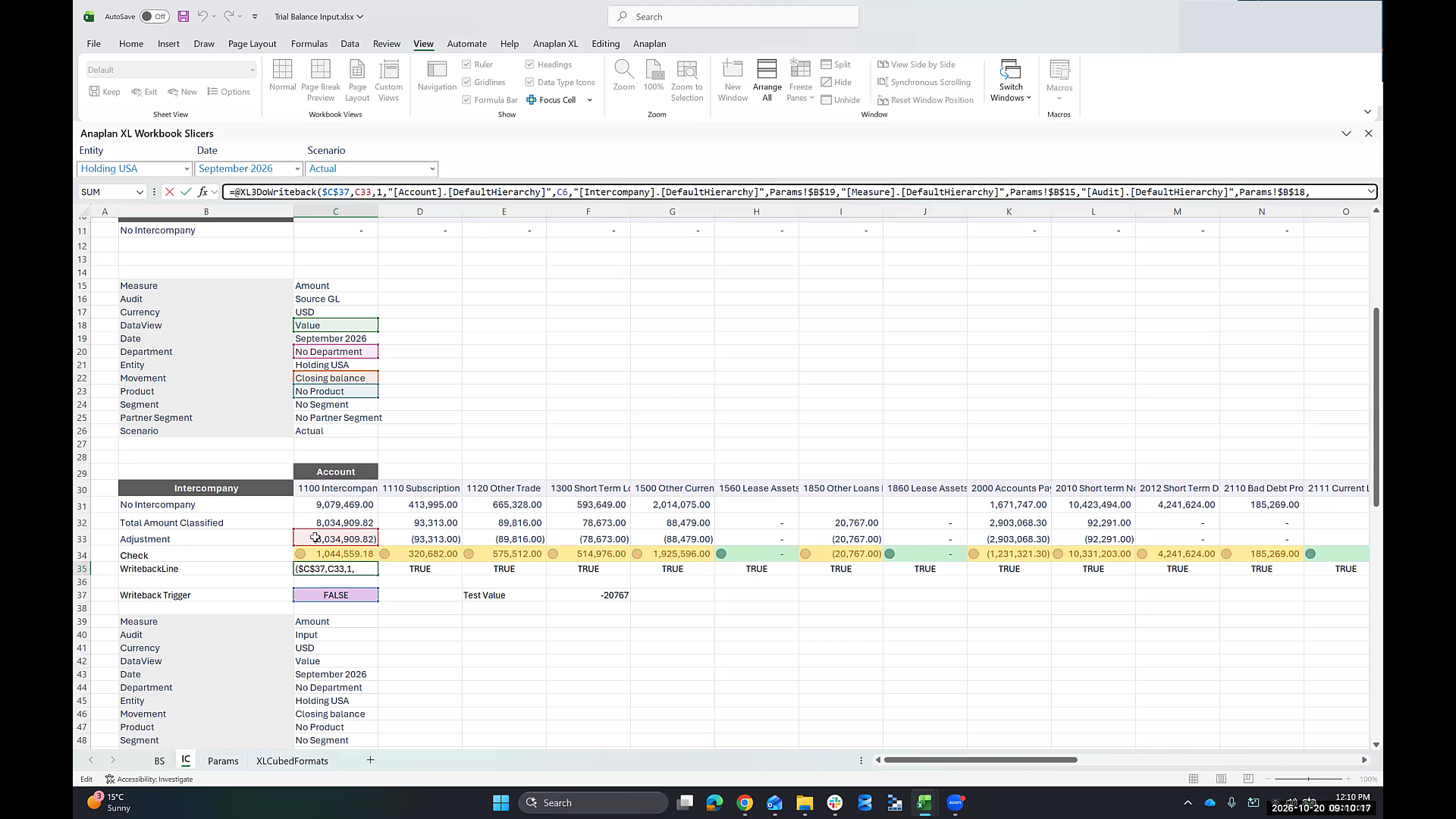
- Standard save workflow: When set as the pre-save trigger range, selecting the native Save button temporarily sets
C37to TRUE, evaluates all dependent writebacks, submits the updated grid, and returnsC37to FALSE. This removes the need to configure manual XL3Link buttons that copy Boolean values.
Configure pre-save and post-save trigger options
To configure the pre-save trigger option in your workbook:
- Go to Anaplan XL > Options > Workbook Options. The Workbook Options window appears.
- Select the Writeback tab.
- From the Formula writeback section, select Enable writeback.
- Locate the Data Entry Settings section. Configuring a hard or soft validation is optional.
- In the Pre save trigger range field, enter the cell reference or select the Pick Range button to select the cell for your Boolean trigger (for example,
IC!$C$37).
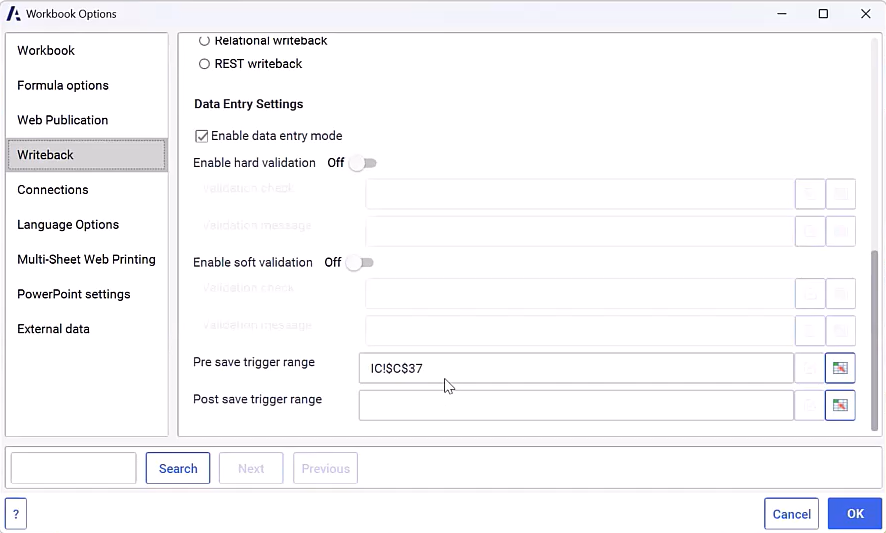
- In the Post save trigger range field, enter the cell reference or select the Pick Range button to select the cell for any action that must execute after data submission completes. (Optional)
- Select OK to apply your changes.
- Enter data in a cell enabled with writeback.
- Go to Editing > Save to write back to the data source.
Note: Selecting Enable data entry mode disables the Writeback pane. You must submit your data using the Editing menu and select Save.

