

With this Matrix Consolidation approach, you track detailed segment data directly at the entry stage using two separate dimensions. With this option, an entity can transact across multiple business segments.
Consolidation logic
During consolidation, if the segment and partner segment are under the same main segment, the elimination member used will be the intra-segment elimination member. If the segment and partner segment belong to different main segments, the system uses an inter-segment elimination member for elimination.
The segment hierarchy supports multiple rollups using shared segment members to accommodate differences in the segment reporting hierarchies. This flexibility lets multiple segment hierarchies within the segment dimension meet different reporting needs. The segment elimination triggers automatically when running consolidation, as long as both Segment and PartnerSegment dimensions are correctly configured.
Add dimensions to the consolidation model
To support Matrix Consolidation, your Anaplan Financial Consolidation and Reporting environment needs to be configured:
- Create two Other-type dedicated dimensions, for example, Segment and PartnerSegment.
- Replicate the Segment dimension member list into the PartnerSegment dimension, excluding elimination members.
Segment dimension
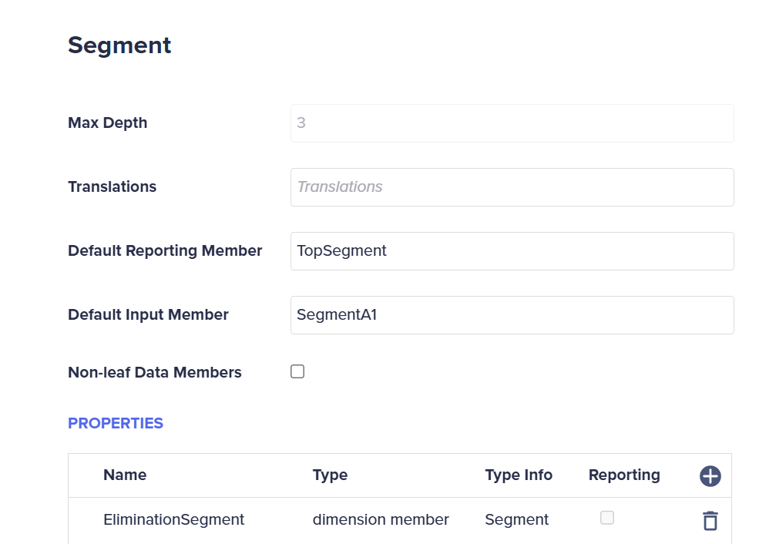
Add the property, Elimination<DimensionName>, where <DimensionName> is the name of the Segment dimension with the type set to dimension member.
Note: When creating the property, don’t add a space between Elimination and <DimensionName>. The user interface shows a space between Elimination and the dimension name.
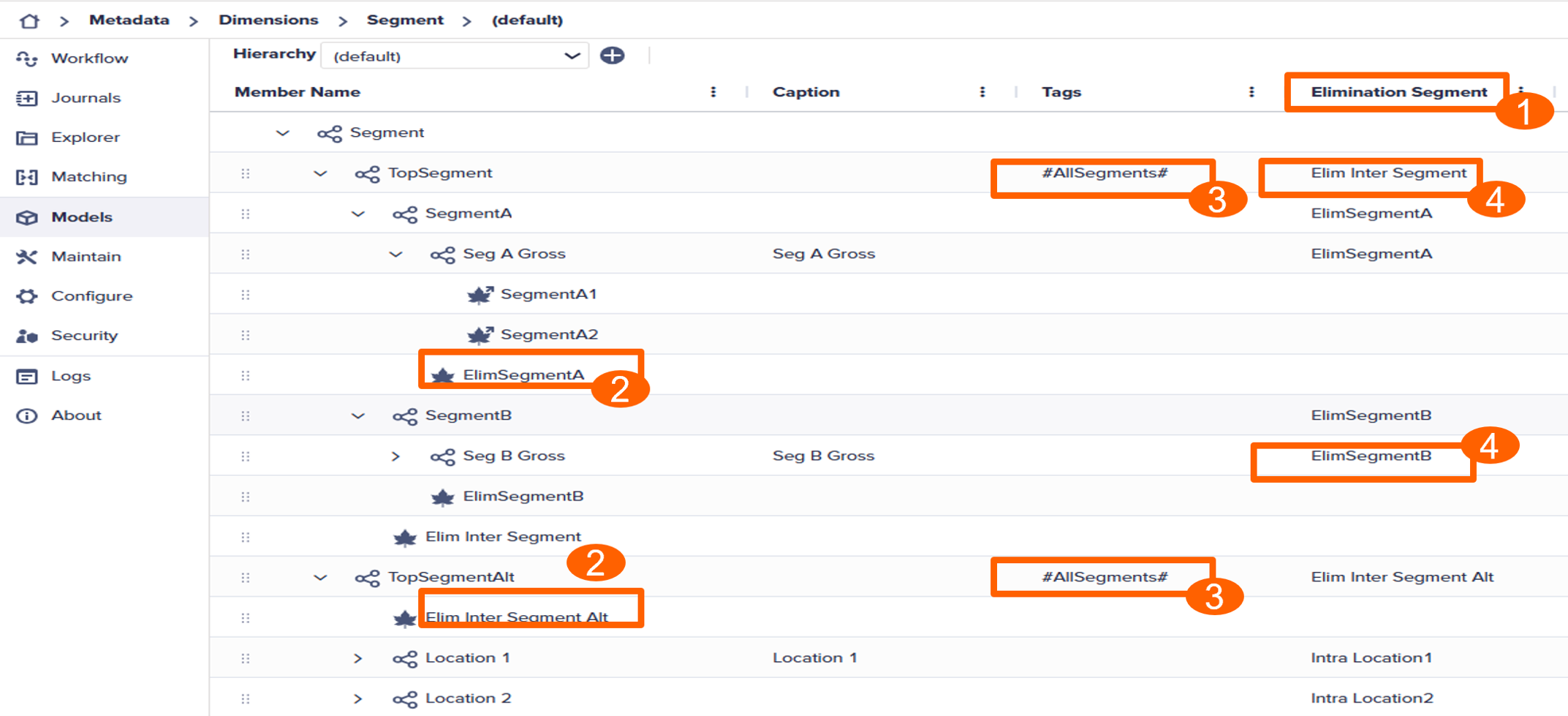
The hierarchy must contain intra- and inter-elimination members, such as ElimSegmentA and Elim Inter Segment. Use intra for eliminations within the main segment and inter at the top-level parent for elimination between main segments.
Learn how to manage hierarchies.
Within the Segment dimension, assign the #AllSegments tag to the top parent of each hierarchy.
For each parent member, including top members, specify which member to use for elimination when using multiple hierarchies.
Segment dimension example
Partner Segment
Add the PartnerSegement as an Other-type dimension.
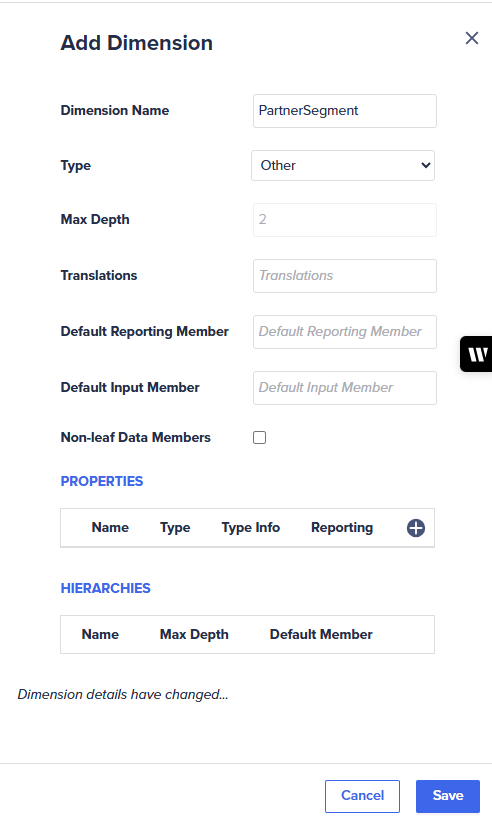
Define the PartnerSegment hierarchy:
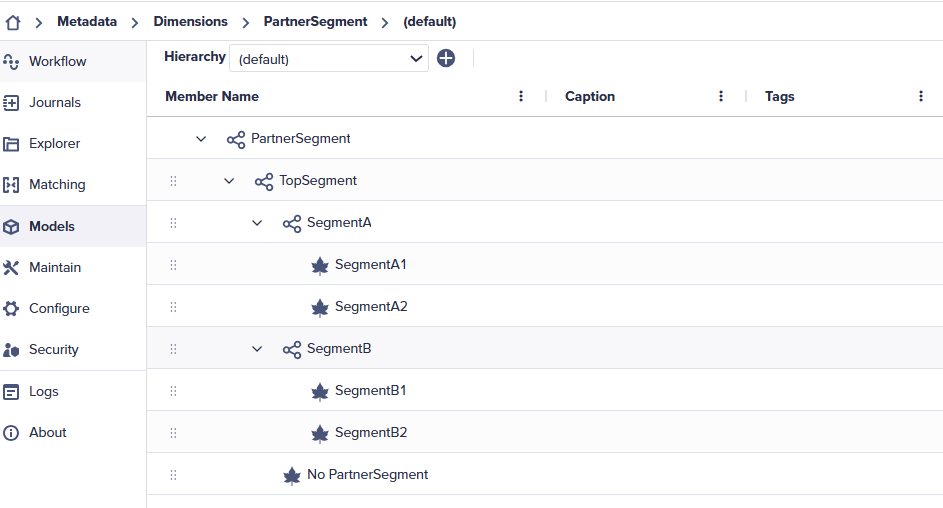
- The PartnerSegment mimics the Other dimension type, such as Segment, with the same leaf member names.
- The PartnerSegment contains a hierarchy of core leaf members, for example, SegmentA1 and SegmentB1. The hierarchy excludes any elimination members.
Also see the Dimension properties glossary and the Manage dimensions sections.
Model setup
Your model must include the Segment and PartnerSegment. If dimensions don’t exist in your current model, add them to your model.
In the example, the consolidation model contains both the Segment and PartnerSegment dimensions.
Learn how to manage a model.
Define settings
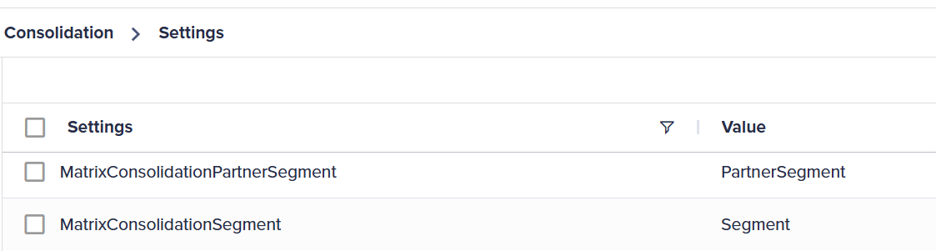
For the Matrix Consolidation to render the correct results, you must configure two settings in the Maintain module:
- Open the Maintain module and select Settings in the Administration card.
- Set the
MatrixConsolidationSegmentparameter as your Segment dimension andMatrixConsolidationPartnerSegmentparameter as your PartnerSegment dimension..
Run the Consolidation process
After configuring Matrix Consolidation and capturing the transaction data, run the Consolidation process:
- Navigate to the Explorer module and select the Global > Processes > Calculations folders.
- Double-click either the Run All or Run Consolidation process.
- Select the Start icon from the toolbar.

