

Use this option when each entity operates in a single segment or when the source accounting or Enterprise Resource Planning (ERP) system doesn't provide a detailed breakdown by partner segment. With this approach, you only need a single dimension, such as Segment.
Consolidation logic
To execute this approach, the system relies on specific consolidation logic. First, identify the Other-type dimension, such as Segment. Then derive the partner segment directly from the Entity’s Segment attribute.
If the segment and partner segment (derived based on the Intercompany > Entity > Segement property) are under the same main segment, the system uses the intra-segment elimination member. If they're under different main segments, elimination occurs on an inter-segment elimination member. This member is under their first common parent, normally the top parent.
This logic supports different segment reporting needs for both legal and management reporting. It allows for multiple Segment hierarchies. The Segment elimination is automatically posted when consolidation runs, provided the Segment dimension is included in the model and contains the necessary elimination members.
Add the Segment dimension to the consolidation model
To support the Matrix Consolidation configuration, your Anaplan Financial Consolidation and Reporting environment needs to be configured:
- Use only one custom dimension, such as Segment.
- Add a property named exactly as the Other-type dimension in the model, such as Segment, to the Entity dimension to map each entity to its default segment.
Segment dimension
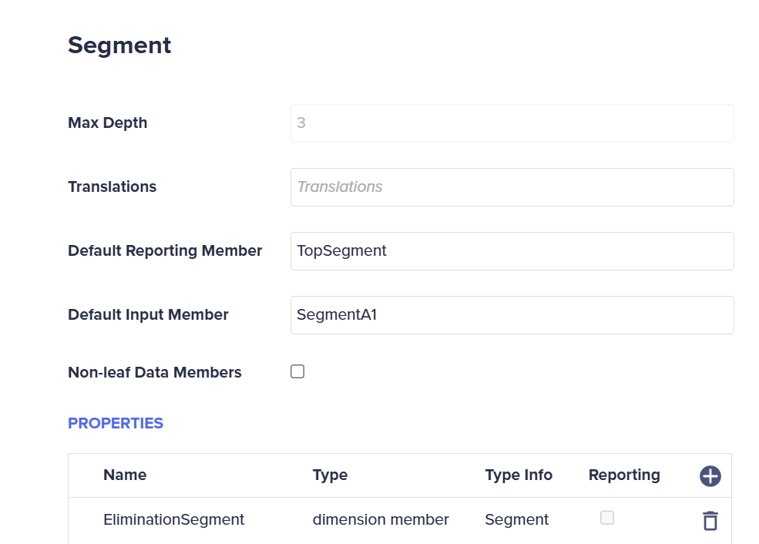
When preparing the Segment dimension, add the property Elimination<DimensionName>, where <DimensionName> is the name of the Segment dimension with the type set to dimension member. Define the Type Info to the name of the dimension.
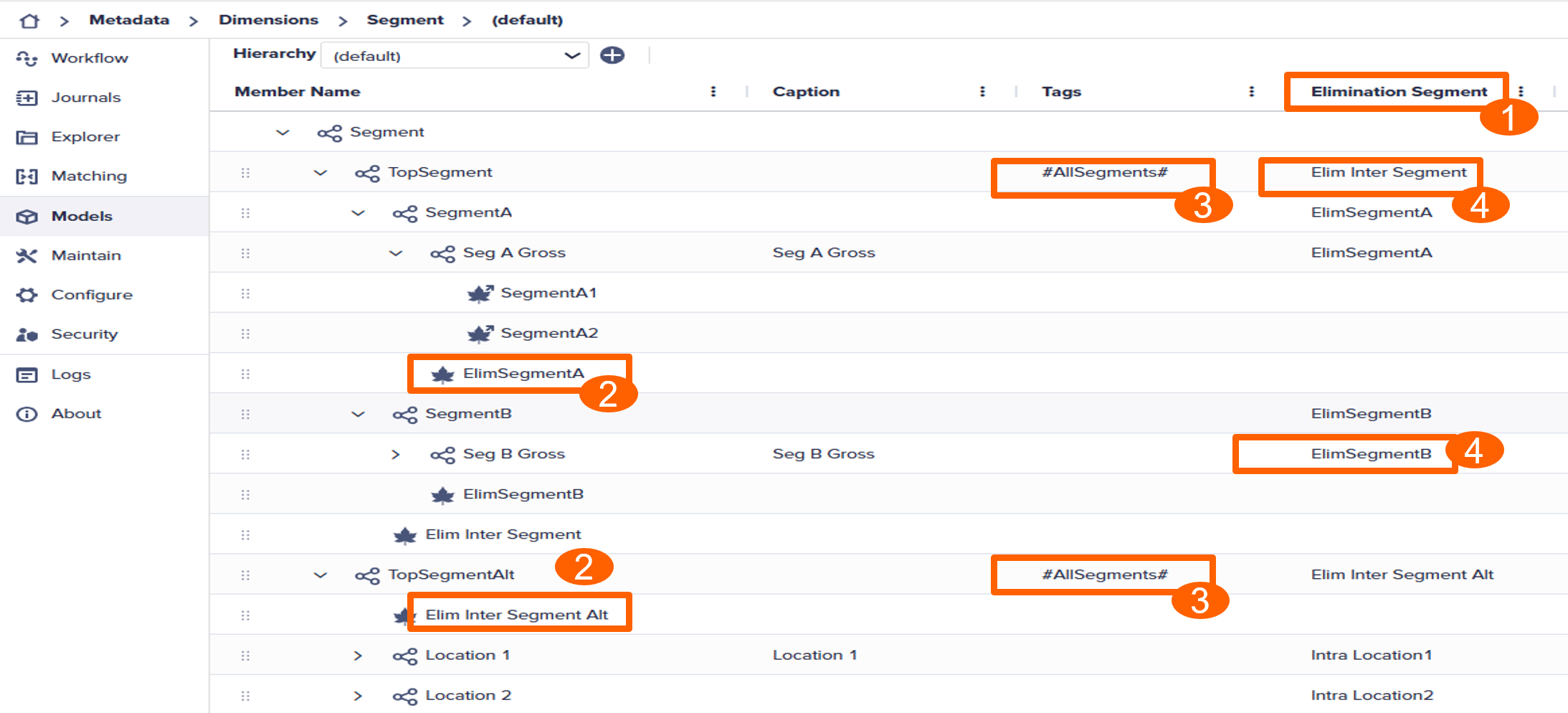
Add a hierarchy to your Other-type dimension, such as Segment. The hierarchy must contain intra- and inter-elimination members, such as Elim Segment A and Elim Inter Segment.
For the top member of each hierarchy, assign the #AllSegments tag.
For each parent member, including top members, specify what member will be used for elimination by assigning the value for the Elimination<Dimenson> property.
Define the Entity dimension
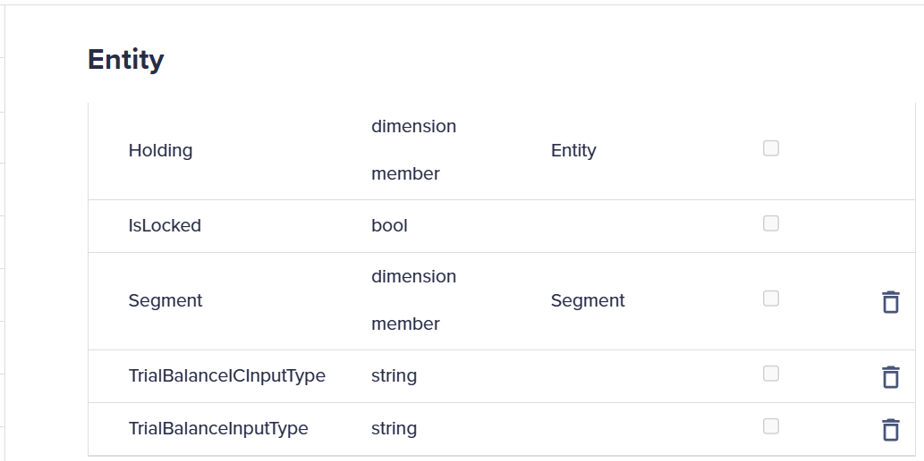
Add a property to the Entity dimension and name it with the same name as the Other-type dimension, such as Segment.
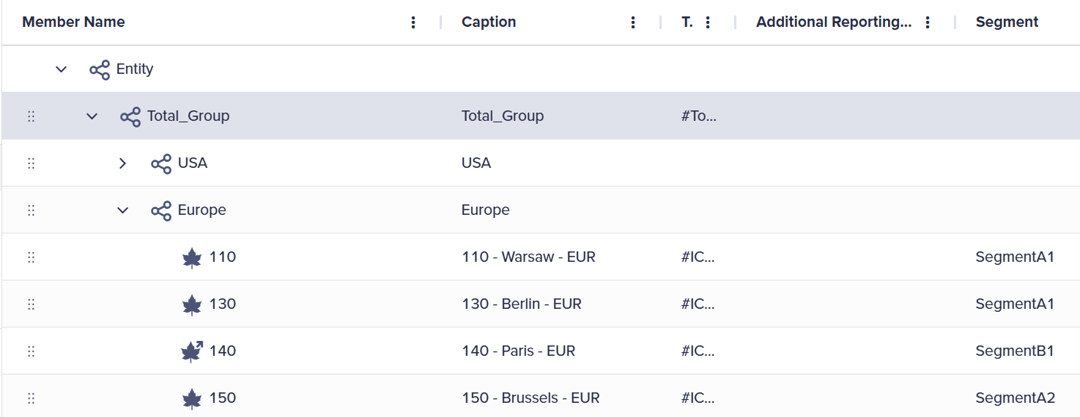
In the Entity dimension, map the leaf members to the required Segment member under the Segment property.
Model setup
Your model must include an Other-type dimension, such as Segment.
For example, the Consol model contains the Segment.
Define settings
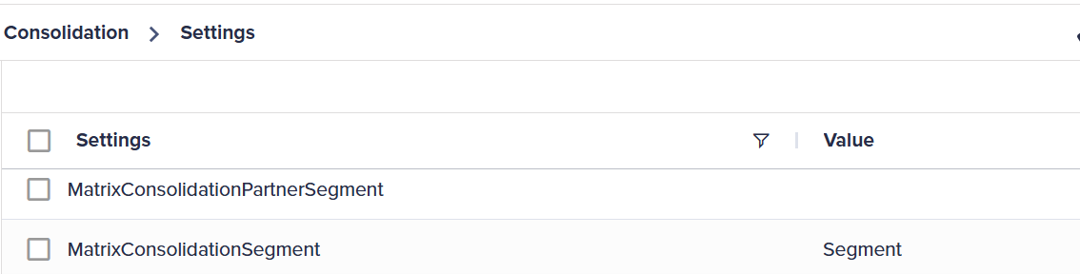
For the Matrix Consolidation to render the correct results, you must configure two settings in the Maintain module:
- Open the Maintain module and select Settings in the Administration card.
- Update the
MatrixConsolidationSegmentparameter to the name of your Segment dimension, and set theMatrixConsolidationPartnerSegmentparameter to blank..
Run the Consolidation process
After configuring the Matrix Consolidation and capturing the transaction data, run the Consolidation process:
- Navigate to the Explorer module and select the Global > Processes > Calculations folders.
- Double-click either the Run All or Run Consolidation process.
- Select the Start icon from the toolbar.

