

This is an example of using of grid calculations to write data back to the database.
The example shows how the 4010 Services Sales account values are automatically calculated as 20% of the 4000 Product Sales account.
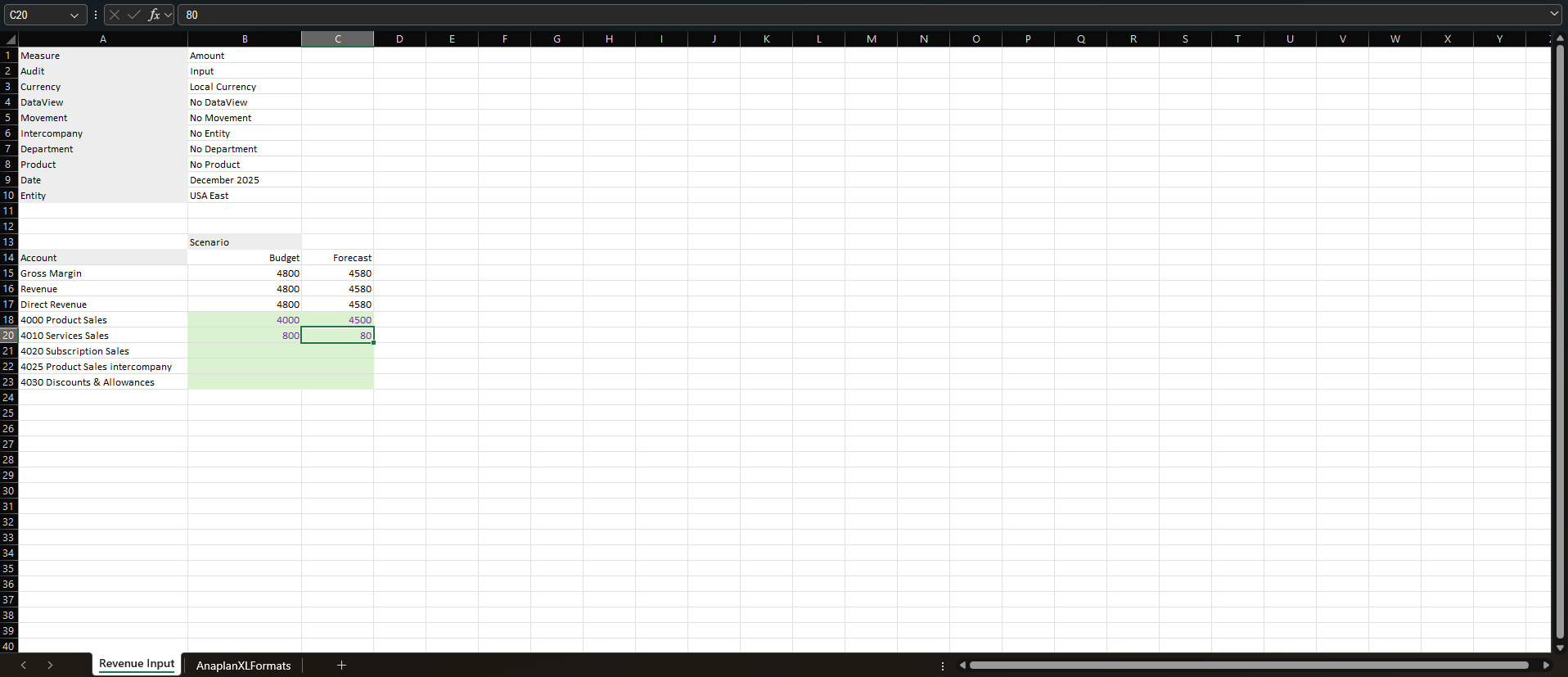
Step 1: Insert a grid calculation
Insert a grid calculation attached to the member that should trigger the update. In this case, the newly inserted calculation will update when you enter values for 4000 Product Sales.
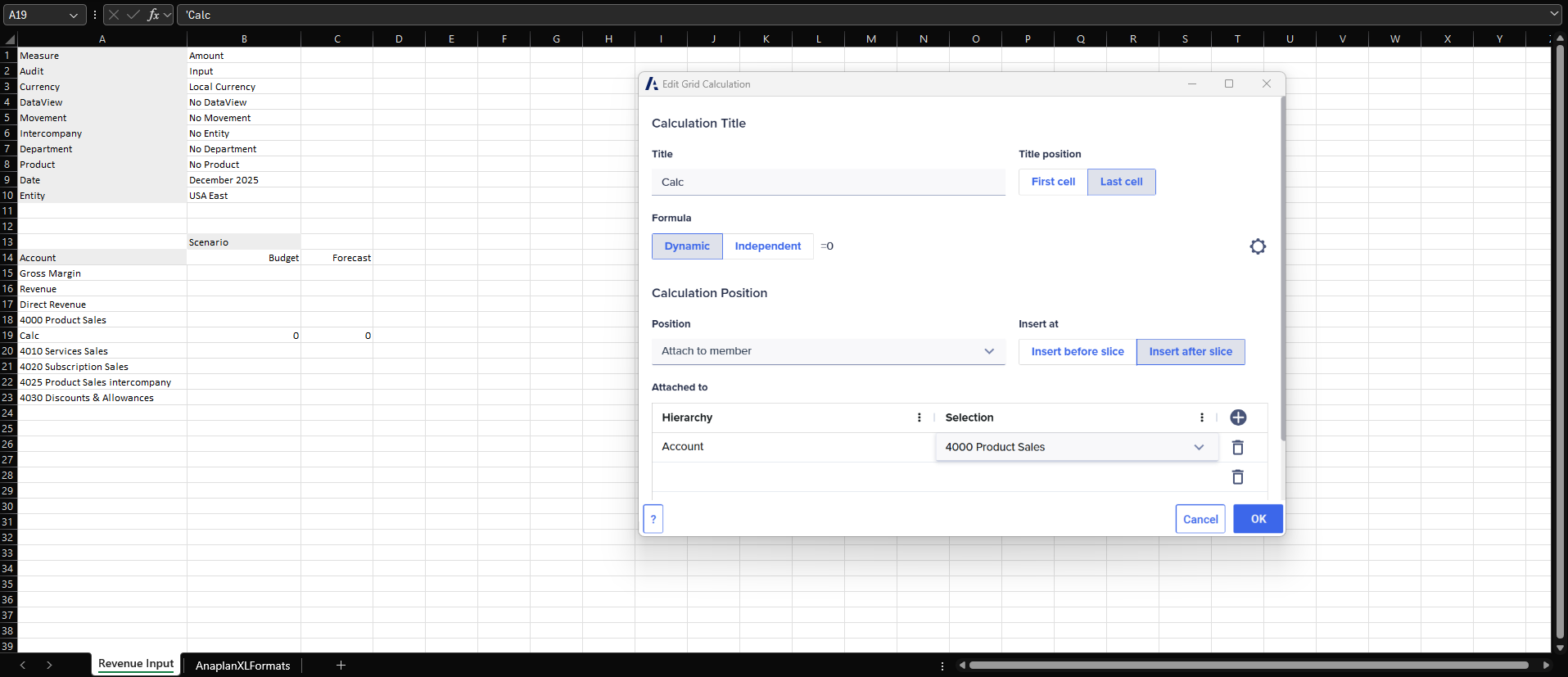
Step 2: Name the grid calculation
Name the grid calculation with the same name as the existing database member you want to update, such as 4010 Services Sales.
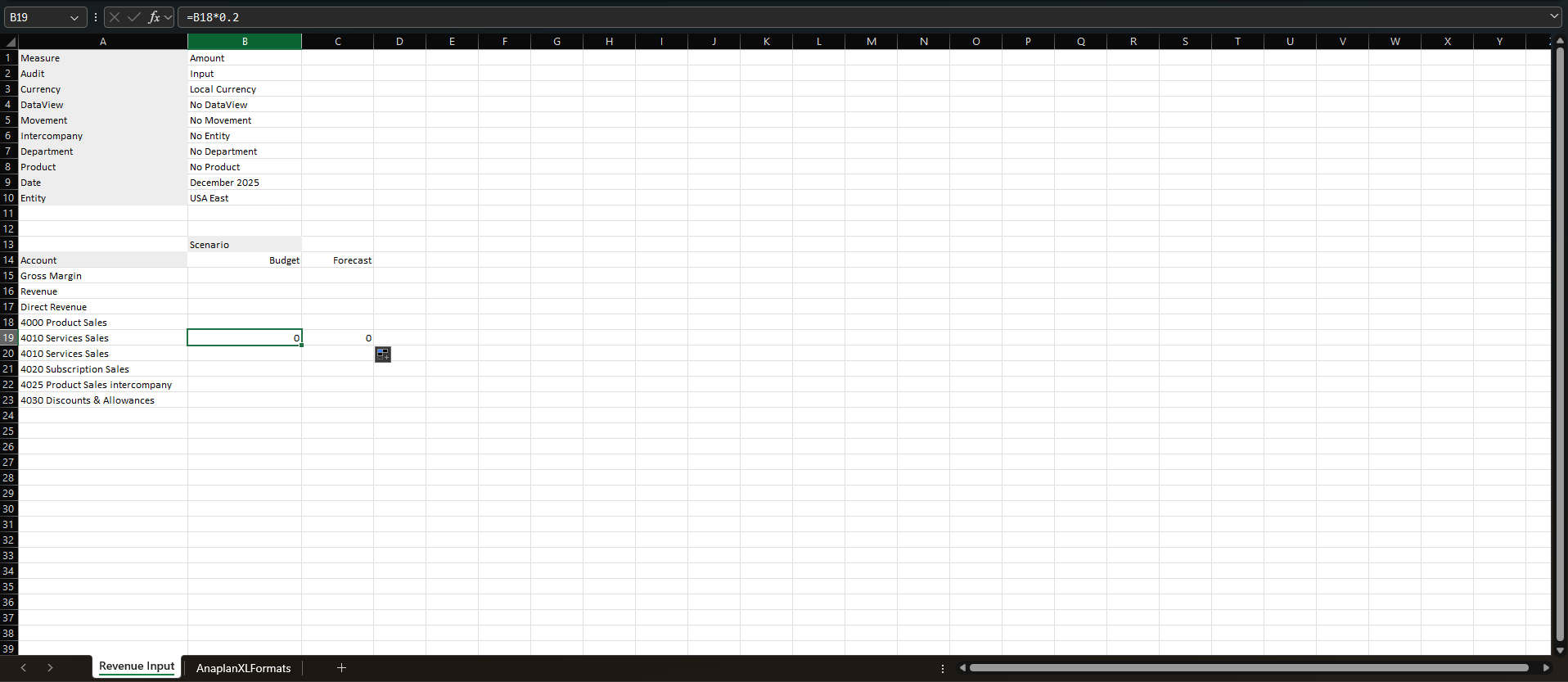
Assign the relevant Excel formula to the grid calculation.
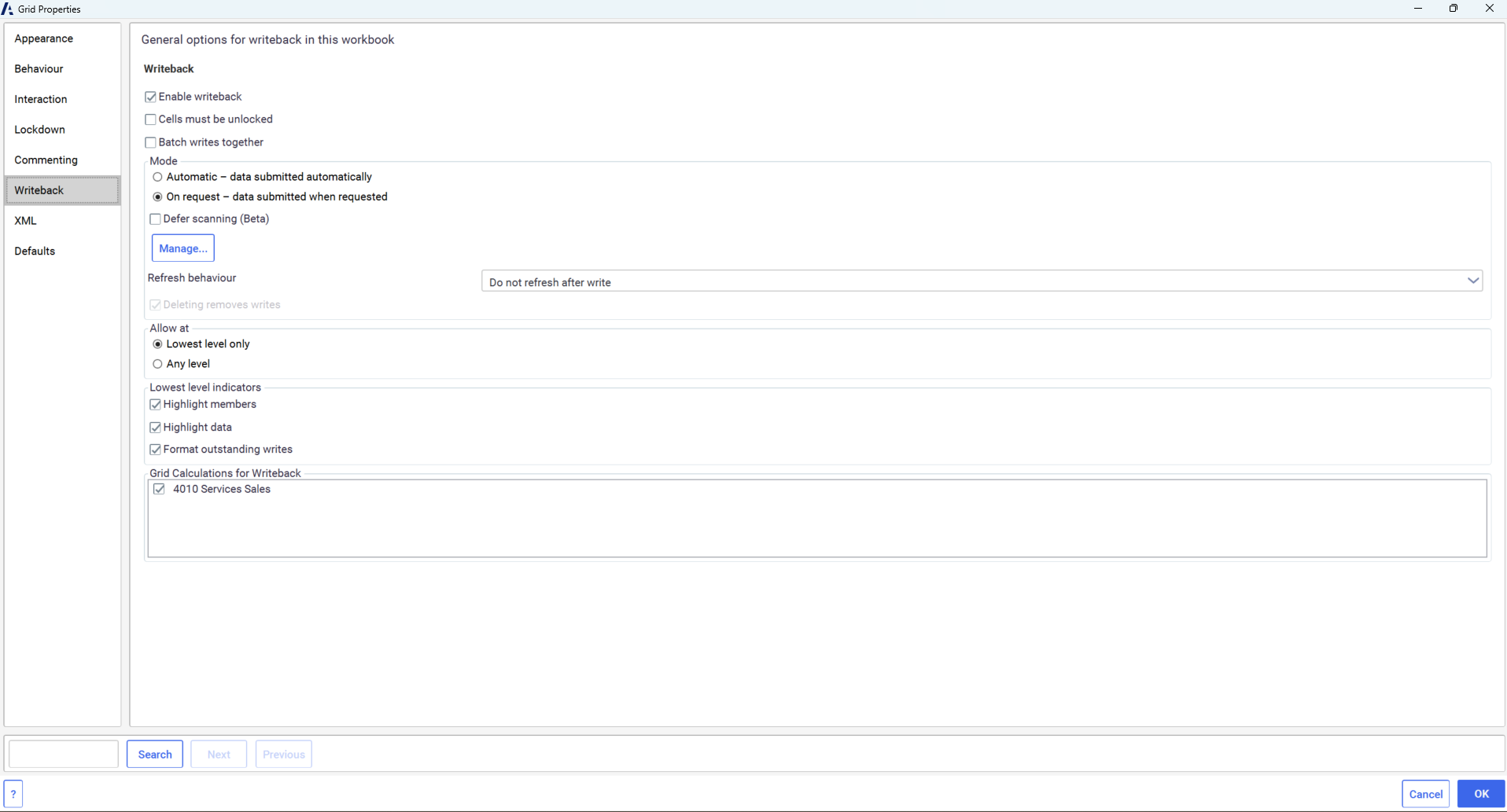
Step 3: Specify that the grid calculation should be used for writeback
Select a cell within the grid, right-click, and choose Anaplan XL > Properties > Writeback. Select the checkboxes next to all the Grid Calculations for Writeback listed for which the calculated value should be sent to the database.
Step 4: Hide the grid calculation
Hide the grid calculation so that only the updated database member is displayed. Enter data changes, choose Grid > Writes > Task pane, and select Submit All.
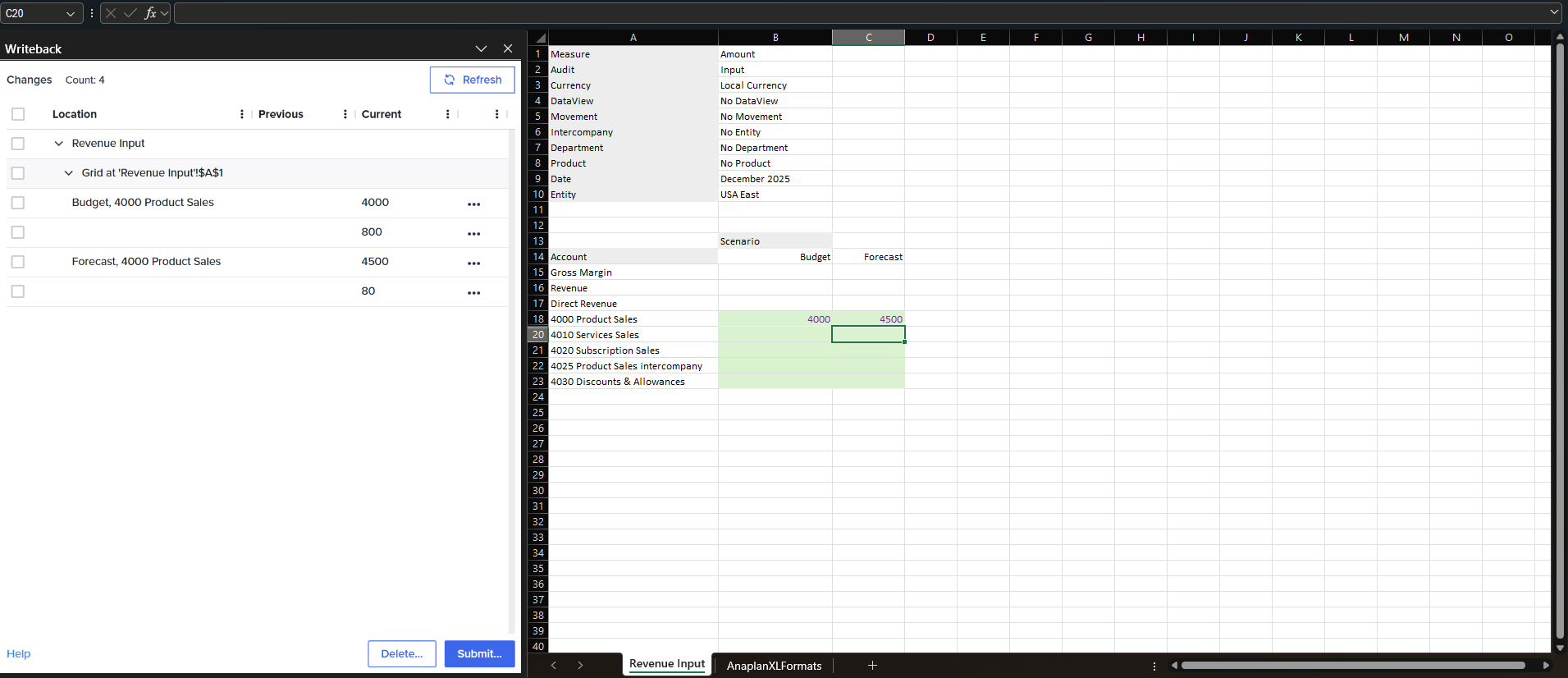
When you submit values for 4000 Product Sales to the database and refresh the grid, the values for 4010 Services Sales are automatically calculated and updated as well.

